Set country and language
Set your restaurant's country, time zone and main shop language, and change them later.
What it is for
In the Land und Sprache (country and language) card you set the country your restaurant is in, the time zone it works in and the language your shop opens in. The country determines your restaurant's time zone, currency, tax rates, address format and dialling code.
An example: a restaurant in Palma chooses Spanien (Spain) and the time zone Europe/Madrid. A restaurant on Tenerife also chooses Spain, but the time zone Atlantic/Canary, because the Canary Islands are one hour behind.
What changes
- Time zone: From the moment you save, times, deadlines and opening hours apply in the chosen time zone. Open orders and scheduled orders keep their day, time and amount.
- Currency and tax rates: The card shows the country's currency and its tax rates as a preset, split into food, non-alcoholic drinks and alcoholic drinks. hfoods does not change the rates of items and delivery areas you have already created; you do that after the switch in the menu and in the delivery areas.
- Main shop language: Your shop opens in this language. Guests can choose any fully translated language in the shop themselves. With Automatisch: Sprache des Landes (automatic: the country's language), the main language follows the country.
- Legal texts: After a switch, the legal texts also follow the law of the new country.
- Your own language in the admin area is not changed here, but at the bottom left of the sidebar under Sprache (language).
Requirements
You are signed in to the admin area as the owner or as a partner. As the owner, you see the card if you booked hfoods yourself or your partner has enabled this section for you. Staff do not see the card.
Before switching the country
Ideally switch the country when no orders are open. Before you save, the card shows how many orders and scheduled orders are currently open. If your restaurant takes online payments with Stripe, the Stripe account stays tied to its previous country. For an account in the new country, set up online payment with Stripe again.
Step by step
Open the card
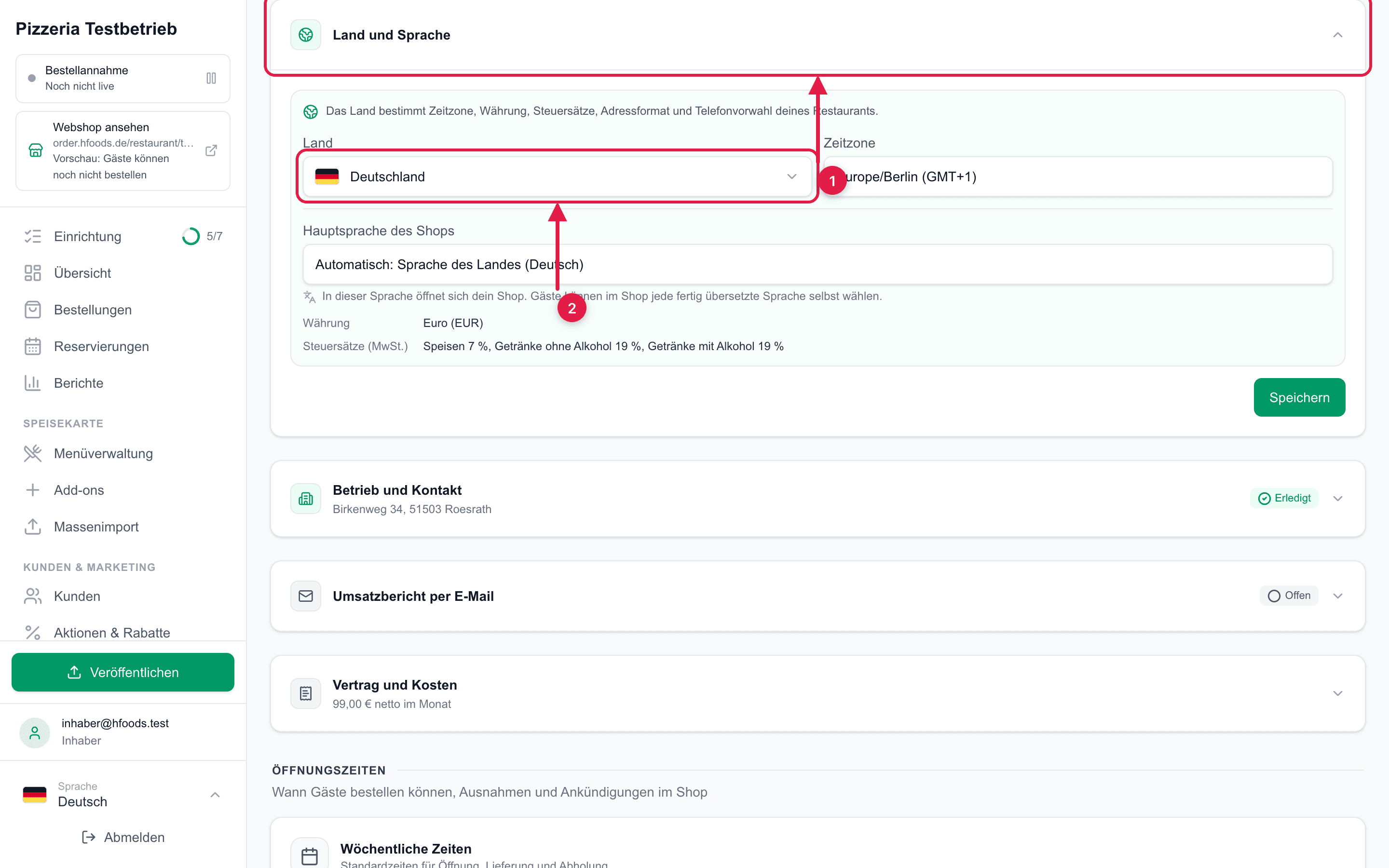
Click Einstellungen (settings) on the left. In the Betrieb & Kontakt (business and contact) section, open the Land und Sprache card. Under Land (country) you see the country that currently applies.
Choose the country
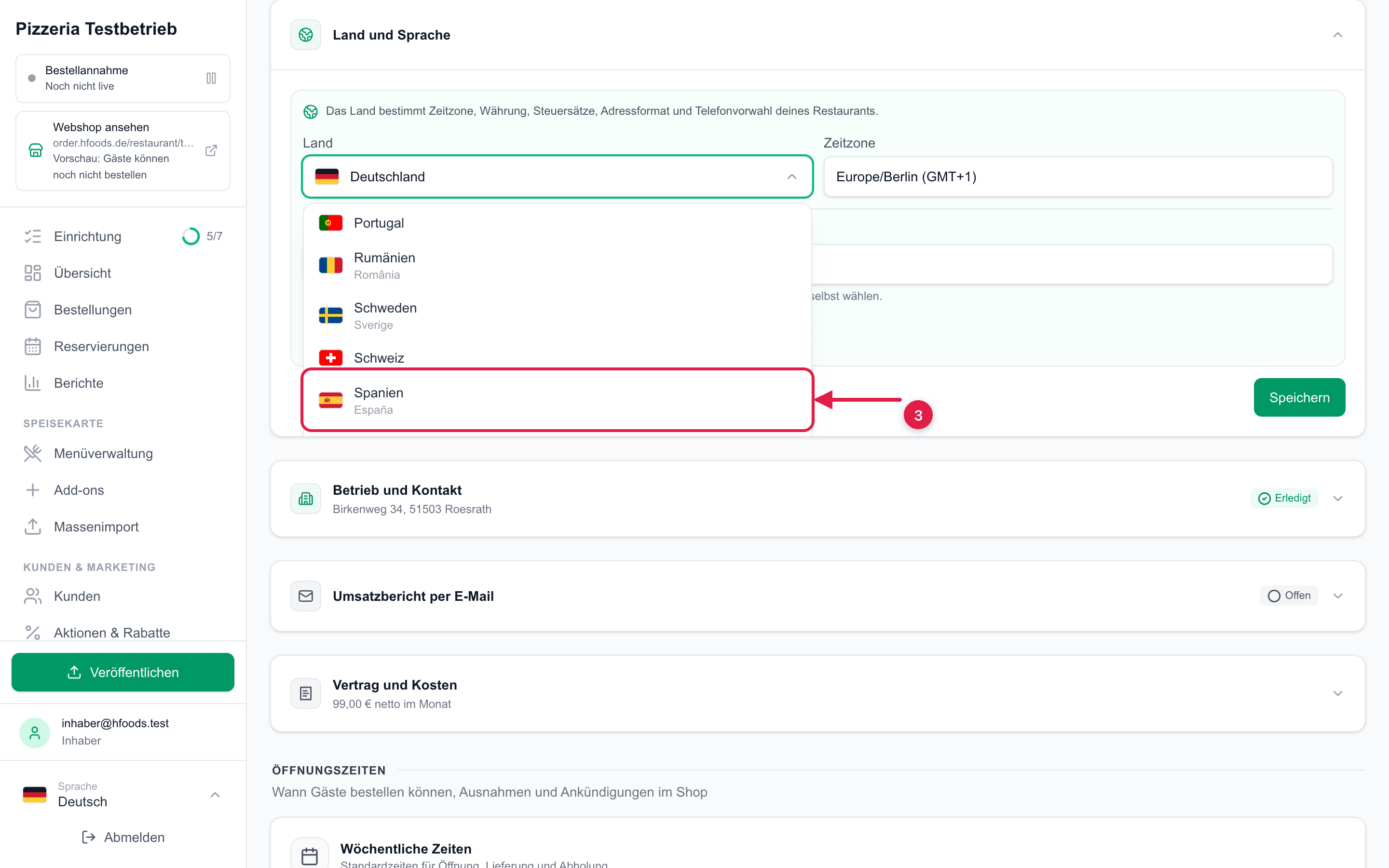
Click the Land field and choose your restaurant's country from the list. Each country is shown with its flag and its own name.
Check the time zone and presets
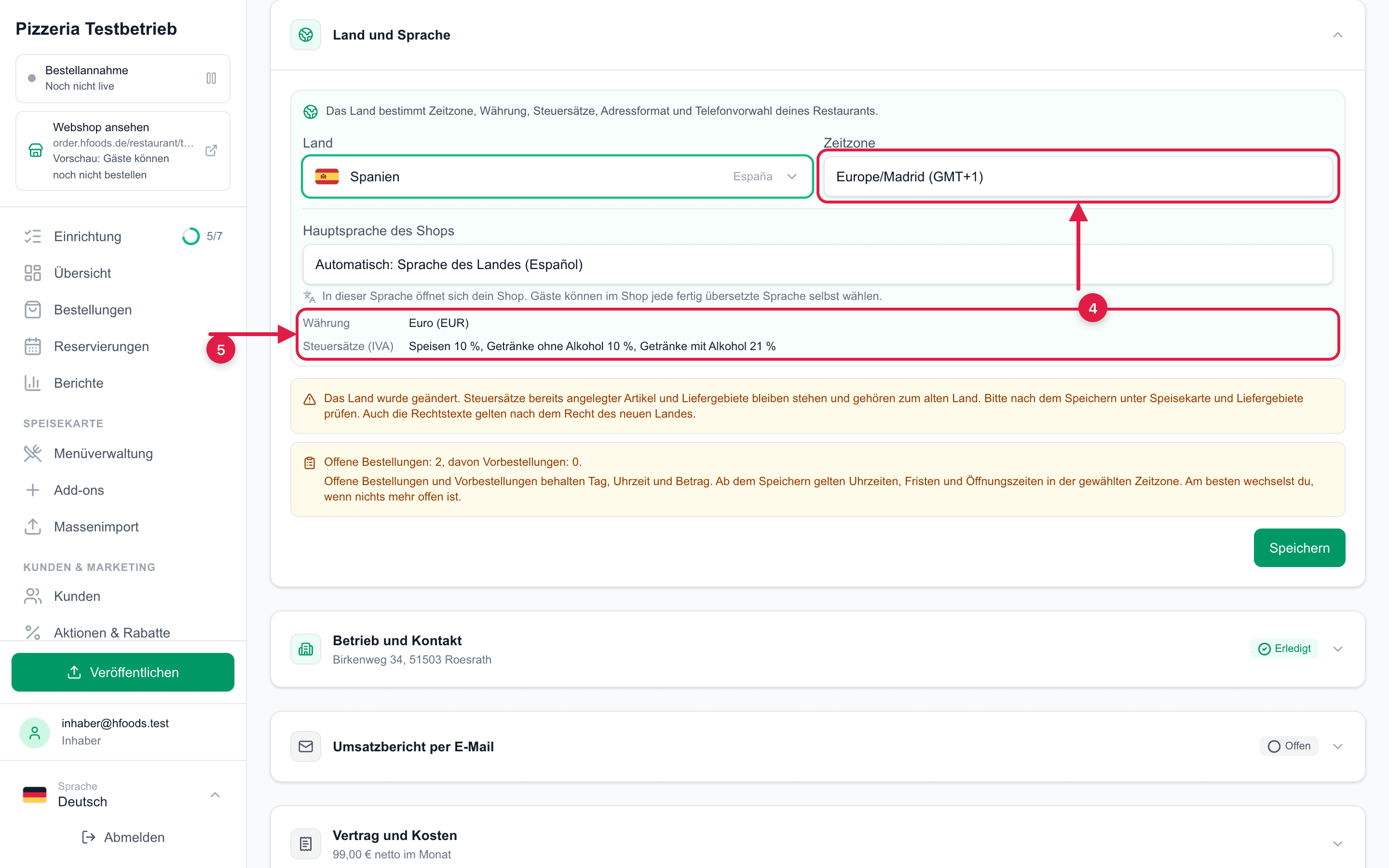
If the country has several time zones, choose the right one under Zeitzone (time zone), for example Atlantic/Canary for the Canary Islands or Atlantic/Azores for the Azores. If it has only one, a short note appears there. Below it you see the country's Währung (currency) and Steuersätze (tax rates) as a preset.
After a switch, yellow notes appear: the tax rates of your items and delivery areas stay as they are for now, and your open orders are shown.
Choose the main language and save
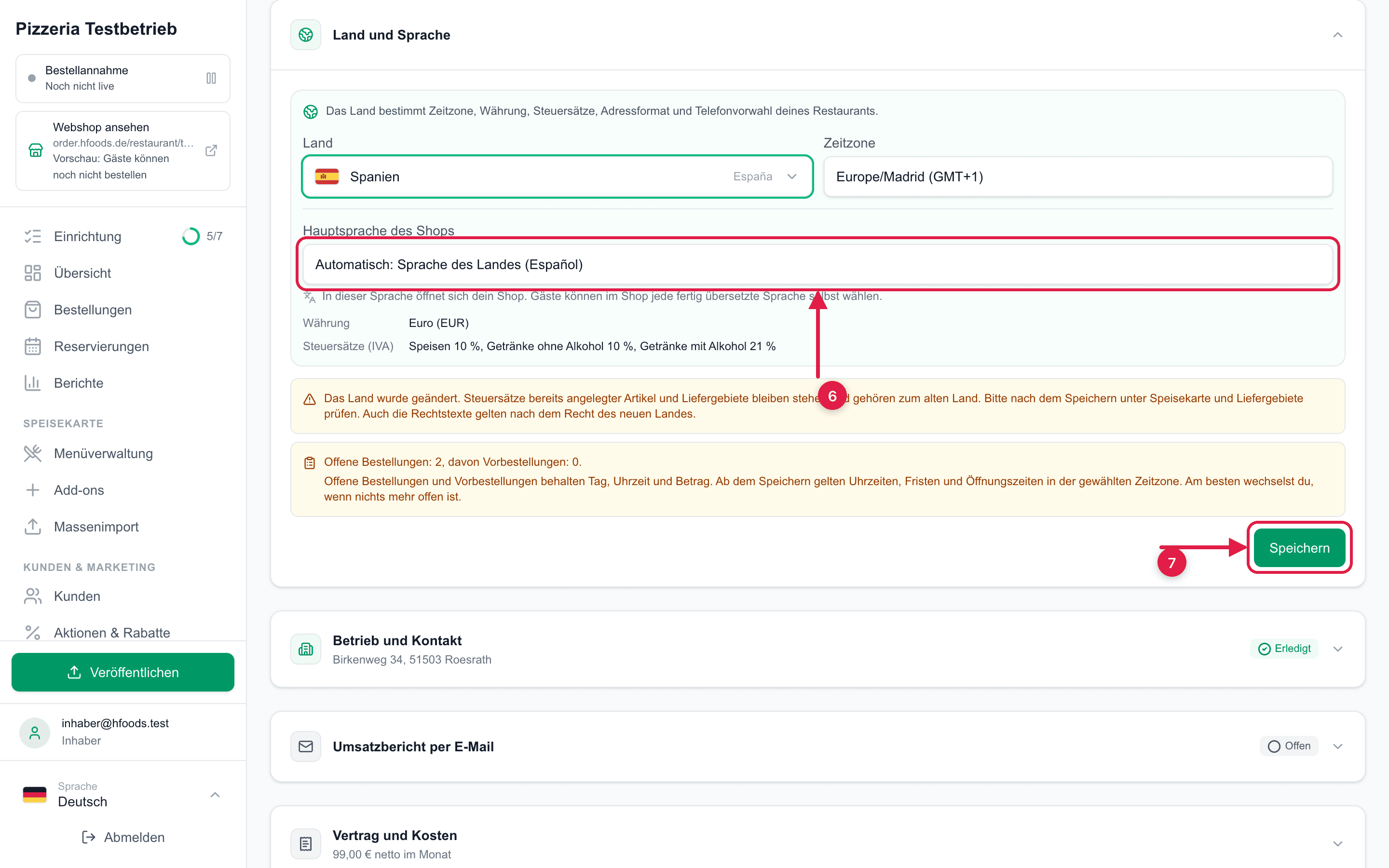
Under Hauptsprache des Shops (main shop language), choose the language your shop should open in, or leave Automatisch: Sprache des Landes (automatic: the country's language). Click Speichern (save).
Result
Land und Sprache gespeichert. (country and language saved) appears at the top right. If you switched the country, the card also shows a note with two links: Zur Speisekarte (to the menu) and Liefergebiete öffnen (open delivery areas). There you change the tax rates to the new country.
Tips
- You set tax rates in the menu per category and apply them to all items in the category, see Apply the category VAT rate to items.
- After switching the country, check your delivery areas, see Create delivery areas by postcode.
- Also check your imprint and legal texts, see Create the imprint and legal texts.
Frequently asked questions
Does the language of my admin area change too?
No. The main language applies to your shop. You choose your own language in the admin area at the bottom left of the sidebar under Sprache (language).
What happens to open orders?
They keep their day, time and amount. From the moment you save, times, deadlines and opening hours apply in the new time zone. Ideally switch when nothing is open.
Why can't I see the card?
Staff do not see it. As the owner, you see it if you booked hfoods yourself or your partner has enabled this section for you.
I booked hfoods myself and switch to another country. What applies to my invoice?
If self-booking is not yet enabled in the chosen country, the monthly invoice for your package is dropped until the country is enabled. Your changes are still saved, and nothing is blocked. The card shows you a note about this before you save.