Add a payment method for your hfoods invoice
Add your bank account or card for the monthly hfoods invoice so that your package keeps running after the trial.
What it is for
If you booked your business yourself, you pay the monthly hfoods invoice by SEPA direct debit or, if it is enabled for you, by credit or debit card. The card Hinterlege deine Zahlungsart (add your payment method) on the Einrichtung (setup) page takes you there.
You do not need a payment method to book or during the free trial. Your shop can go live and accept orders without one. The payment method makes sure your package keeps running after the trial. So add it by your last trial day, the date is shown at the top of the Einrichtung page. Without a payment method your shop continues on the Free plan at no cost after the trial, see Free plan.
If you booked when a payment method was still required to book, the previous rule still applies to you: without a payment method your shop does not accept any orders.
What changes
- Your payment method is on file. After the trial your shop keeps running without a break, and your package is charged from the first invoice day.
- Nothing is charged now. Charges start after the trial period, a few days after each invoice date.
- The card then shows which payment method is active, for example "SEPA-Lastschrift aktiv, Konto endet auf 4321" (SEPA direct debit active, account ending in 4321) or "Karte Visa aktiv, Endziffern 4242, gültig bis 12/2034." (Visa card active, ending in 4242, valid until 12/2034).
- The top of the page then shows from when your package is charged, for example "Ab 30.11.2026 kostenpflichtig" (chargeable from 30.11.2026). The reminders about the payment method stop. Before the first invoice you get an email telling you from when your package is charged.
- If you booked when a payment method was still required to book, the order lock is lifted as well.
Requirements
- You are signed in to the admin area as the owner.
- You booked your business yourself. If a sales partner looks after you, the partner bills you and the card does not appear.
- You have your bank details (IBAN) or your card at hand.
Step by step
Open the setup page
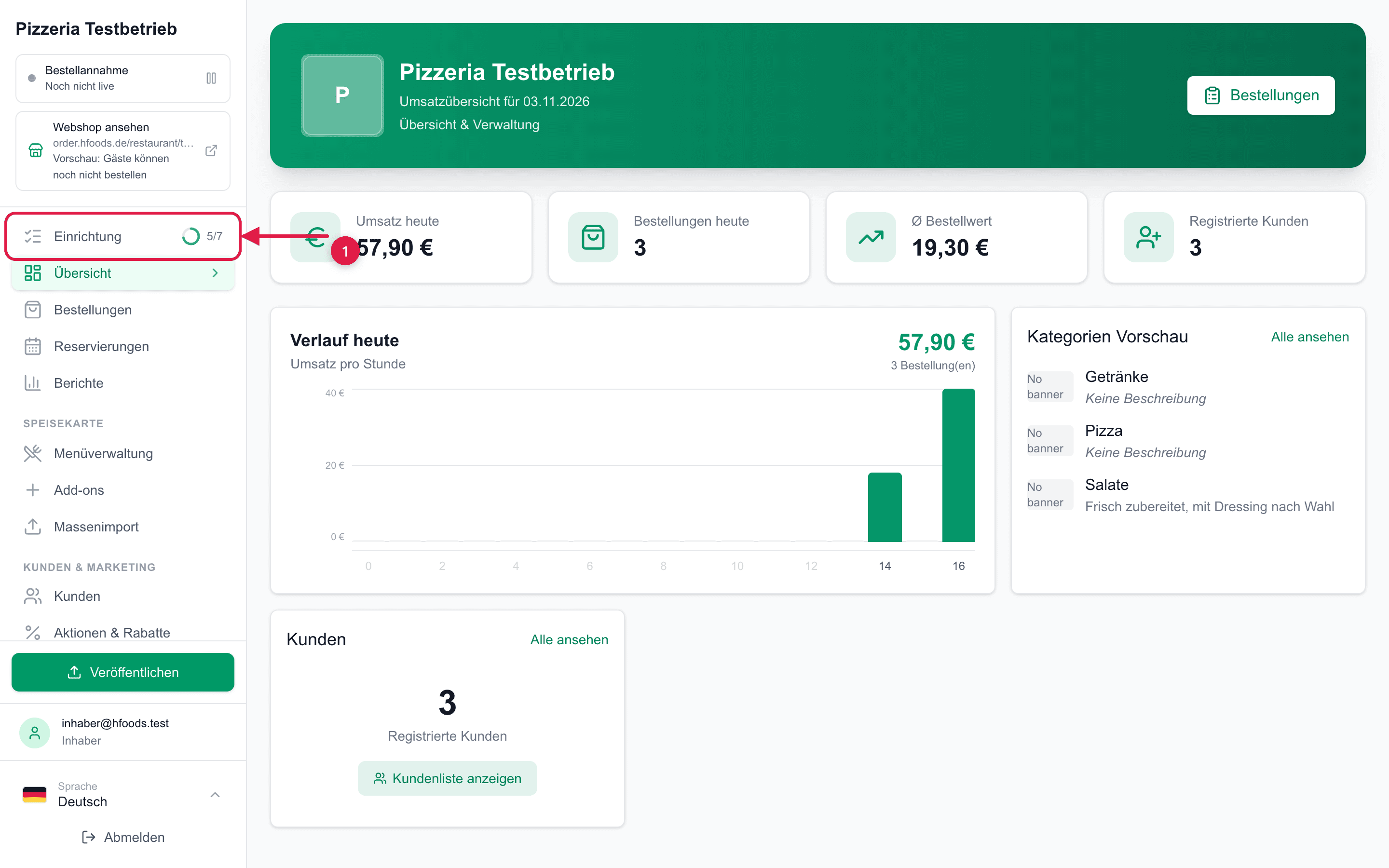
Click Einrichtung (setup) at the very top on the left. Next to the name the entry shows how many steps needed to go live are already done, for example "5/7".
Agree and add your payment method
The top of the page shows how long your trial stays free, for example "Noch 19 Tage kostenlos" (19 days left free) with your last trial day. Next to it, Zahlungsart hinterlegen (add payment method) takes you to the card Hinterlege deine Zahlungsart. The card tells you by when you need the payment method, for example "Hinterlege bis zum 22.11.2026 eine Zahlungsart, damit dein Paket nach der Testphase weiterläuft. Sonst läuft dein Shop danach kostenlos im Paket Free weiter." (add a payment method by 22.11.2026 to keep your package after the trial. Otherwise your shop continues on the Free plan at no cost).
If you can choose between direct debit and card, there is a checkbox below it that allows hfoods to charge your monthly hfoods invoices to that payment method. Read the text, tick the box and click Zahlungsart hinterlegen. Without the tick the button stays grey. If only direct debit is possible there is no checkbox, and the button reads Lastschrift einrichten (set up direct debit).
Enter your details at Stripe
You land on the page of our payment partner Stripe. Enter your bank details or your card there and confirm. For a card, your bank often asks for an extra confirmation, for example in its app or by text message. hfoods never sees your full IBAN or card number. Afterwards you return to the setup page automatically. It first reads "Stripe hat deine Angaben angenommen" (Stripe has accepted your details). The page checks for a few seconds until the payment method is confirmed and then shows "Deine Lastschrift ist eingerichtet." (your direct debit is set up) or, if you could choose, "Deine Zahlungsart ist hinterlegt." (your payment method is saved).
Result
The card shows your active payment method with the last digits and the date it was set up. The button now reads Zahlungsart ändern (change payment method) or Bankverbindung ändern (change bank account). Once the rest of the setup is done, you can go live with your shop.
Frequently asked questions
Do I have to add the payment method straight away?
No. You have until your last trial day. Adding it earlier does not shorten your trial.
What happens if I do not add a payment method?
We remind you by email seven and three days before the trial ends and once more on your last trial day. If you still have not added a payment method by then, your shop automatically continues on the free Free plan after your last trial day. You do not get an invoice, and your menu and all settings stay as they are. Free includes up to 30 orders per calendar month, without your own app. You get a confirmation by email, for example "Dein Shop Pizzeria Testbetrieb läuft jetzt im Paket Free weiter" (your shop now continues on the Free plan).
My trial is over. Can I still book my package?
Yes, at any time and without contacting us. On the Free plan, the Einrichtung and Vertrag und Rechnungen (contract and invoices) pages show the card Paket Free (Free plan) with the button Paket buchen (book package). There is no new trial. How it works is explained in Free plan.
Is money taken now?
No. Nothing is charged now. The payment method is only stored for later. The first charge follows after the trial period, a few days after the date of the first invoice.
When is my card charged?
No earlier than five calendar days after the invoice date. The amount, the day and the card are stated in the email for each invoice. Unlike direct debit, there is no separate advance notice for a card.
The charge to my card was declined.
You will receive an email. If the reason is temporary, such as insufficient funds, we automatically try again after seven days. If your bank wants you to confirm the payment yourself or the card can no longer be charged, add your card again or choose another payment method, and transfer the open amount. The email tells you how.
My card expires soon.
We send you an email in good time before it expires. Then add your new card with Zahlungsart ändern (change payment method) under Vertrag und Rechnungen (contract and invoices). If your bank has already passed the new expiry date to Stripe, we take it over and you do not need to do anything.
I cancelled the setup at Stripe. What now?
The card then reads "Die Einrichtung wurde abgebrochen, es wurde nichts gespeichert." (the setup was cancelled, nothing was saved). Simply start again with the button on the card.
The confirmation takes longer than usual.
That happens occasionally with direct debit. The card tells you so. Reload the page later, the confirmation arrives on its own.
My direct debit is suddenly deactivated.
This happens, for example, after you change banks or revoke the mandate at your bank. Set up the direct debit again with the same button, otherwise your shop stops accepting orders. For a card, the text reads "Deine Karte kann nicht mehr belastet werden." (your card can no longer be charged). Then add a new payment method.
Related guides
Complete a setup step
Open an open step on the setup page, understand what it is for, complete it and go straight on to the next step.
Go live with your shop
Look at your shop in the preview first, confirm your email address, open the shop for orders as soon as all required steps are done, and then use the shop link and the QR code.