Order terminalOrders
Accept an order
Accept a new order and tell the guest the preparation or delivery time.
What it is for
With Akzeptieren (accept) you accept an order. You set in how many minutes it will be ready or with the guest. The guest sees this time.
What changes
- In the Zeit auswählen (choose time) window you set the minutes with minus and plus in 5-minute steps, from 5 to 240. Default: 45 for delivery, 20 for pickup.
- After accepting, the terminal prints the receipt. Messages such as Bon gedruckt (receipt printed) or Druckfehler (print error) show the result.
- The order then appears under Küche with Akzeptiert (accepted) and the minutes.
- If another terminal decided first, the terminal reports Bestellung wurde bereits angenommen (already accepted) or Bestellung wurde storniert (cancelled).
Requirements
The order terminal is connected with your restaurant. A new order has arrived.
Step by step
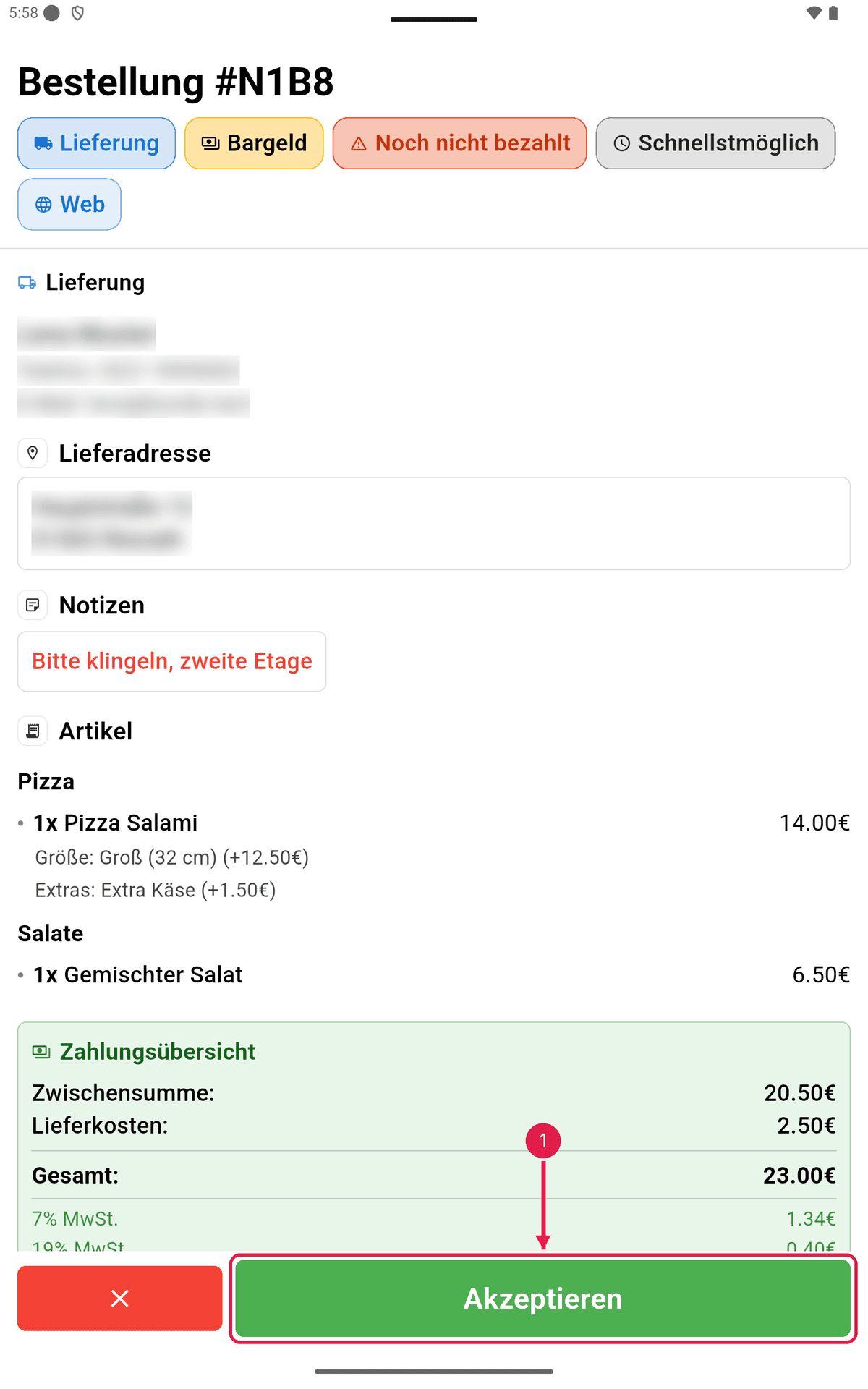
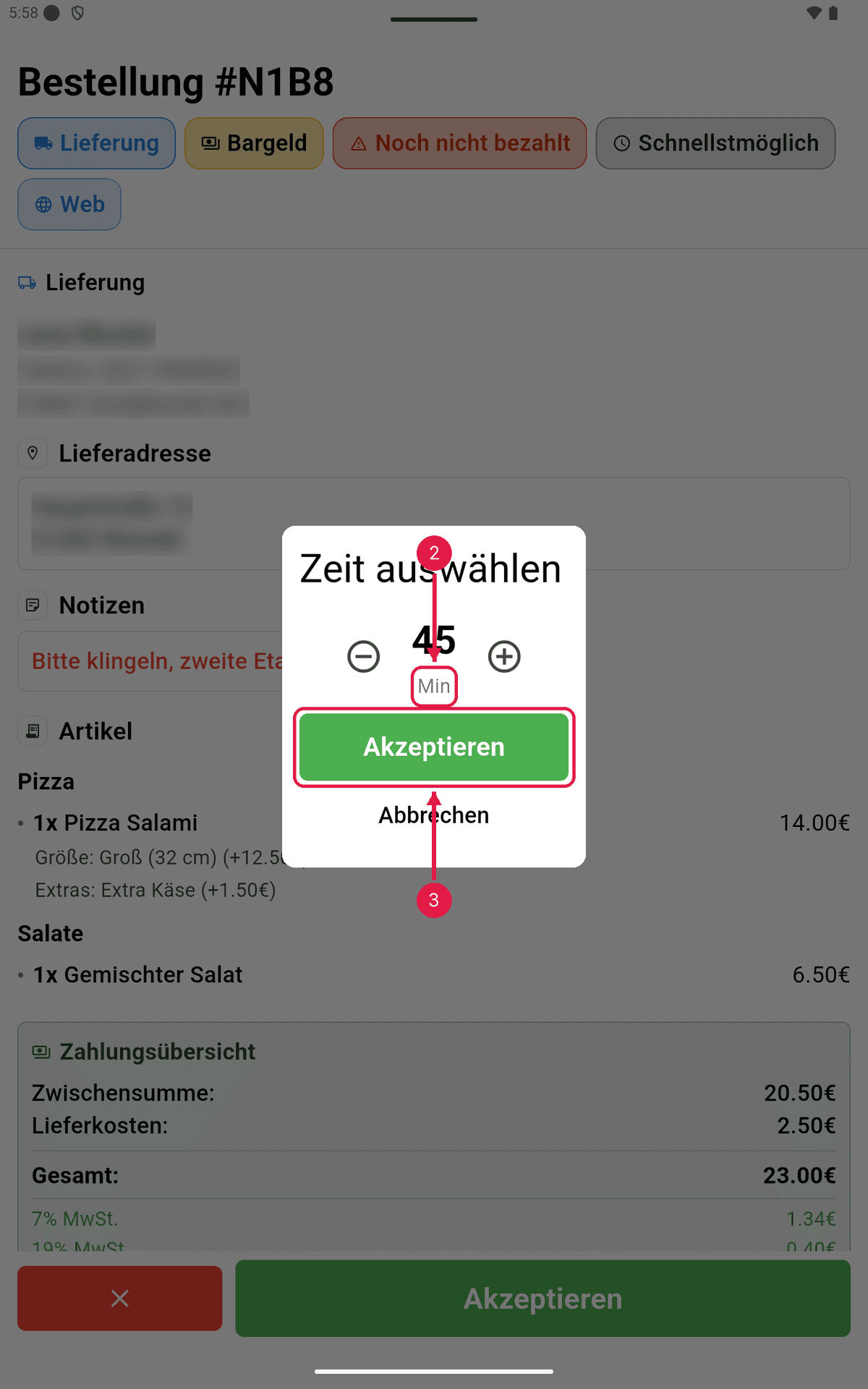
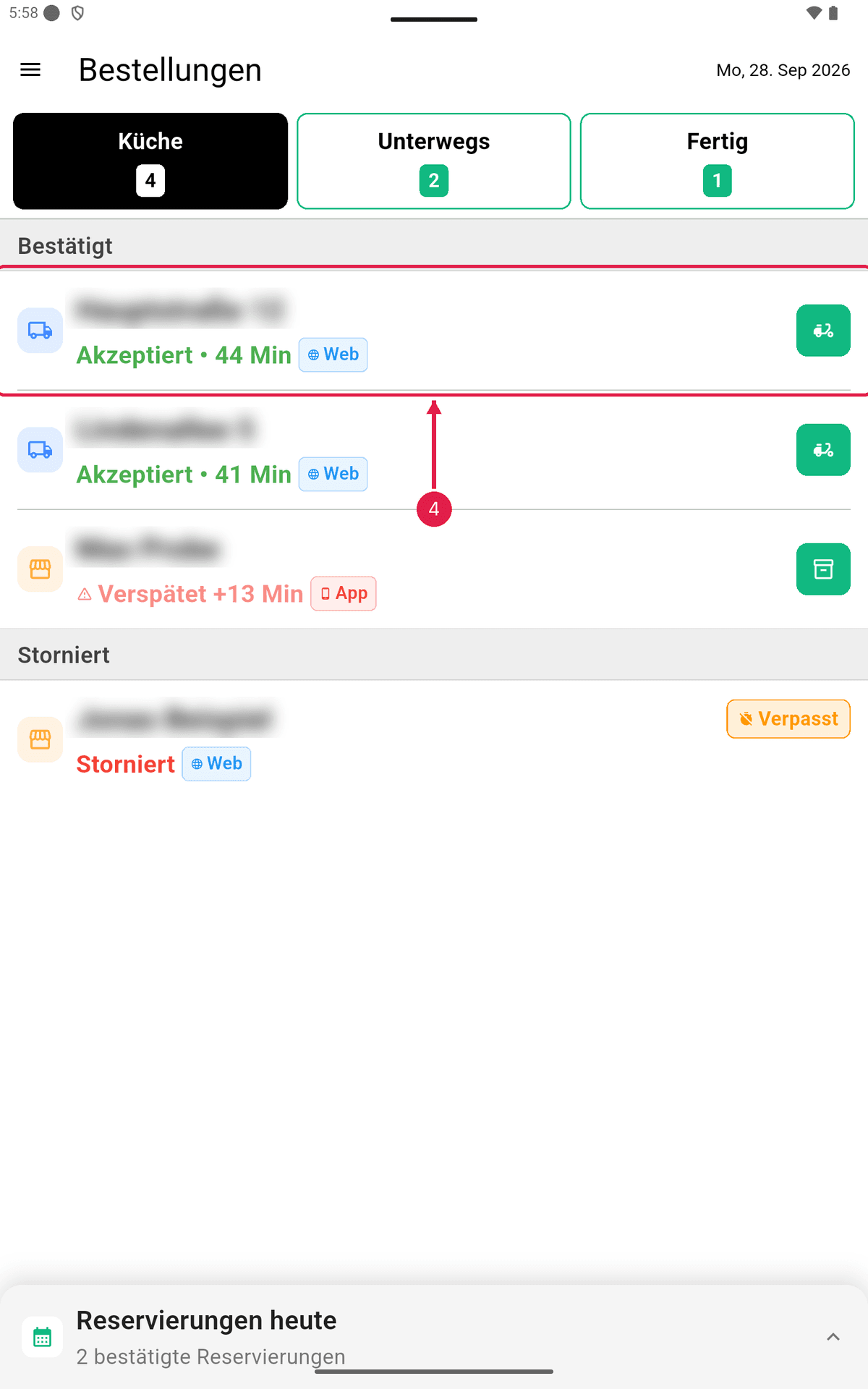
Result
The order is accepted and the receipt printed.