Order terminalPrinters
Add a Bluetooth printer
Add a Bluetooth receipt printer that is paired with the terminal.
What it is for
You first pair a Bluetooth printer with the terminal in the Android settings. Then you choose it in the app. The app does not search for devices itself, it shows the printers that are paired in Android.
What changes
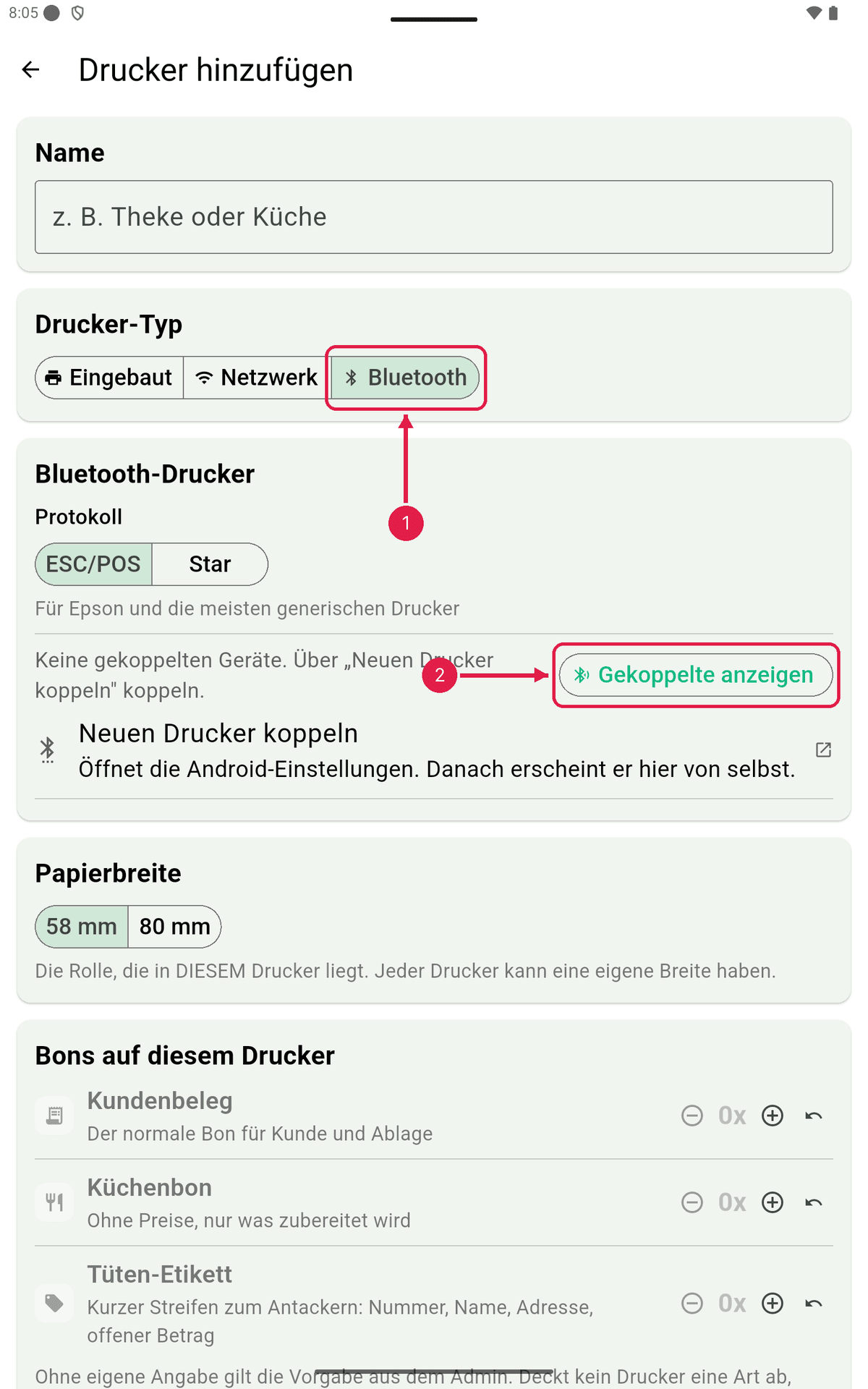
- As soon as you choose Bluetooth, the paired Bluetooth printers appear on their own. Tap the printer.
- Gekoppelte anzeigen (show paired) loads the list again.
- Neuen Drucker koppeln (pair new printer) opens the Android Bluetooth settings. When you come back from there, the newly paired printer appears on its own.
- The app states problems directly, such as Bluetooth ist aus. Bitte einschalten. (Bluetooth is off, please switch it on) or a missing Bluetooth permission. The first time, Android asks for the Bluetooth permission.
- If a configured printer is no longer paired in Android, it stays selected and the app reports Der ausgewählte Drucker ist nicht mehr gekoppelt. (the selected printer is no longer paired).
- Name: for example "Theke" (counter) or "Küche" (kitchen).
- Drucker-Typ (printer type): Eingebaut (built-in), Netzwerk (network) or Bluetooth.
- Papierbreite (paper width): 58 mm or 80 mm, matching the roll in this printer.
- Bons auf diesem Drucker (receipts on this printer): which receipts are printed how often, see Set receipt types and copies per printer.
- Testdruck (test print) checks the setup, Speichern (save) applies it. The message reads Drucker gespeichert (printer saved).
- Printers are only stored on this device. You set up each terminal individually.
Requirements
The order terminal is connected with your restaurant. Bluetooth is on, and the printer is paired with the terminal.
Step by step
Choose Bluetooth
Open Einstellung (settings) in the menu and tap Drucker (printer). Tap Drucker hinzufügen and choose Bluetooth. The paired printers appear on their own. Choose the printer, check with Testdruck and tap Speichern.
Result
The Bluetooth printer is set up.