Order terminalPrinters
Set receipt types and copies per printer
Set per printer which receipts it prints and how often: customer receipt, kitchen ticket and bag label.
What it is for
If you have several printers, you distribute the receipts: for example the customer receipt at the counter and the kitchen ticket in the kitchen.
What changes
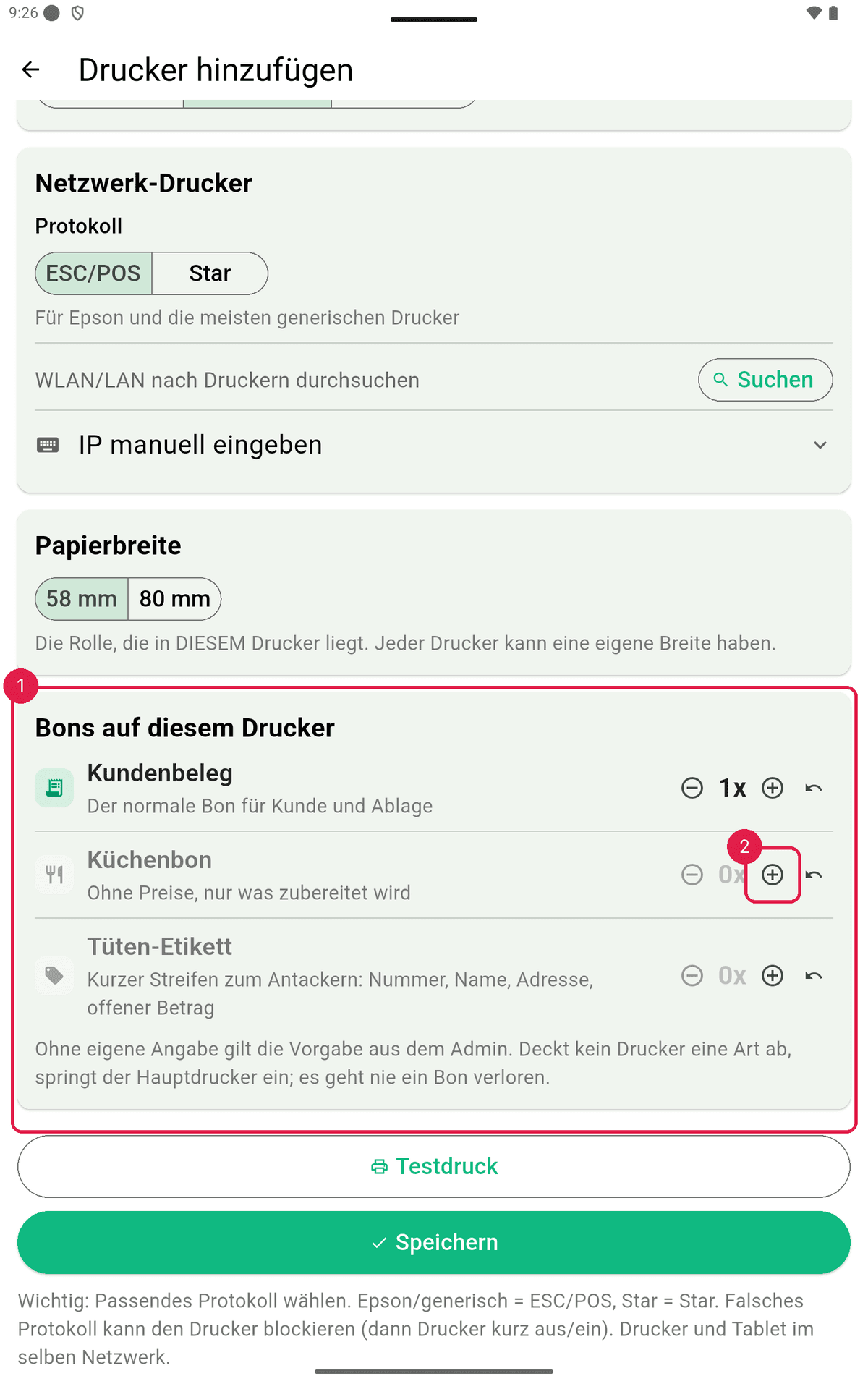
- Kundenbeleg (customer receipt): the normal receipt for the customer and records.
- Küchenbon (kitchen ticket): without prices, only what is prepared.
- Tüten-Etikett (bag label): a short strip to staple on with number, name, address and amount due.
- Weniger (fewer) and Mehr (more) set the number. The arrow (Vorgabe aus dem Admin verwenden, use admin default) resets to the default, see Set the number of receipts per order.
- Without a setting of its own, the admin default applies. If no printer covers a receipt type, the main printer steps in. No receipt is ever lost.
- A new printer starts with Kundenbeleg 1x, Küchenbon and Tüten-Etikett are set to 0x. If the main printer also prints customer receipts, each order then prints one customer receipt on each of the two. If the new printer should not print one, set it to 0x.
- If a receipt type applies only to delivery or only to pickup, this is shown below its name, for example Nur Lieferung (delivery only). You set this under Einstellung (settings) in the card Bons nach Bestellart (receipts by order type), see Set receipts by order type.
Requirements
The order terminal is connected with your restaurant.
Step by step
Set the number
Open Einstellung (settings) in the menu and tap Drucker (printer). Open a printer or Drucker hinzufügen. Under Bons auf diesem Drucker set the number per receipt type, in the picture for the Küchenbon, and tap Speichern (save).
Result
Each printer prints the chosen receipts.