Order terminalPrinters
Fix printing problems
Recognise and fix common printing problems at the terminal.
What it is for
If a receipt does not print, the terminal shows a message. You can fix most causes yourself.
What changes
- Drucker nicht erreichbar (printer not reachable): Is the printer on? On the same network? Is the IP address right? Did the printer get a new IP address after a restart?
- Bluetooth-Drucker nicht erreichbar: Is Bluetooth on? Is the printer on and paired?
- Es gab nichts zu drucken, bitte Drucker-Einstellungen prüfen (nothing to print, check printer settings): no printer is set up for this receipt type, or all are set to 0.
- Druckfehler (print error): check paper, lid and power, then Testdruck.
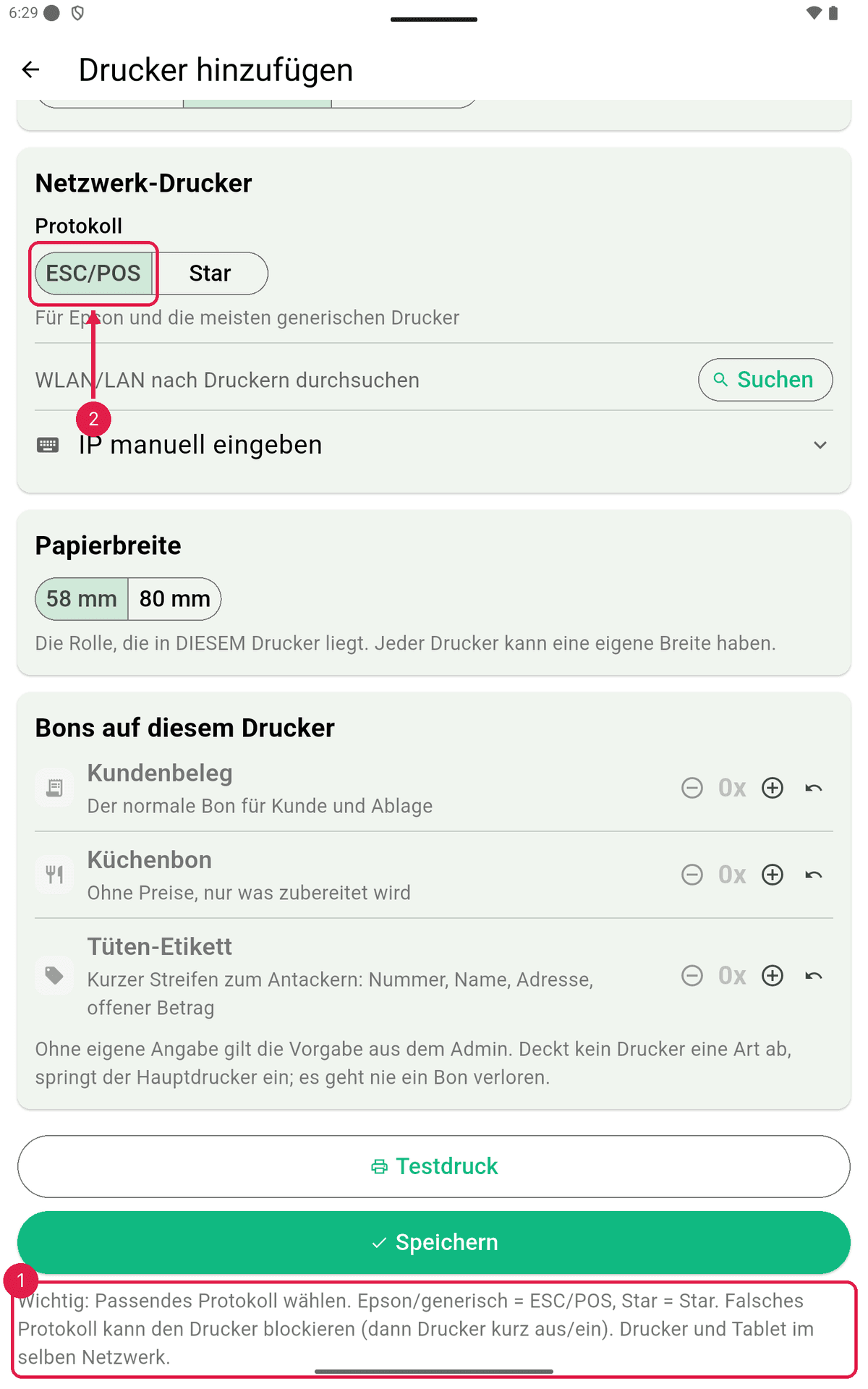
- Garbled characters or a blocked printer: the Protokoll (protocol) does not match. ESC/POS for Epson and generic printers, Star for Star printers. A wrong protocol can block the printer, then switch it off and on briefly.
- With automatic acceptance, the terminal reports receipts that were not printed and retries every 20 seconds.
Requirements
The order terminal is connected with your restaurant.
Step by step
Check the protocol
Open Einstellung (settings) in the menu and tap Drucker (printer). Open the printer and check the Protokoll and the note below it. Save and start a Testdruck.
Result
The printer prints again.