Order terminalPrinters
Deactivate or remove a printer
Deactivate a printer temporarily or remove it from the list.
What it is for
If a printer is broken or gone, you deactivate or remove it.
What changes
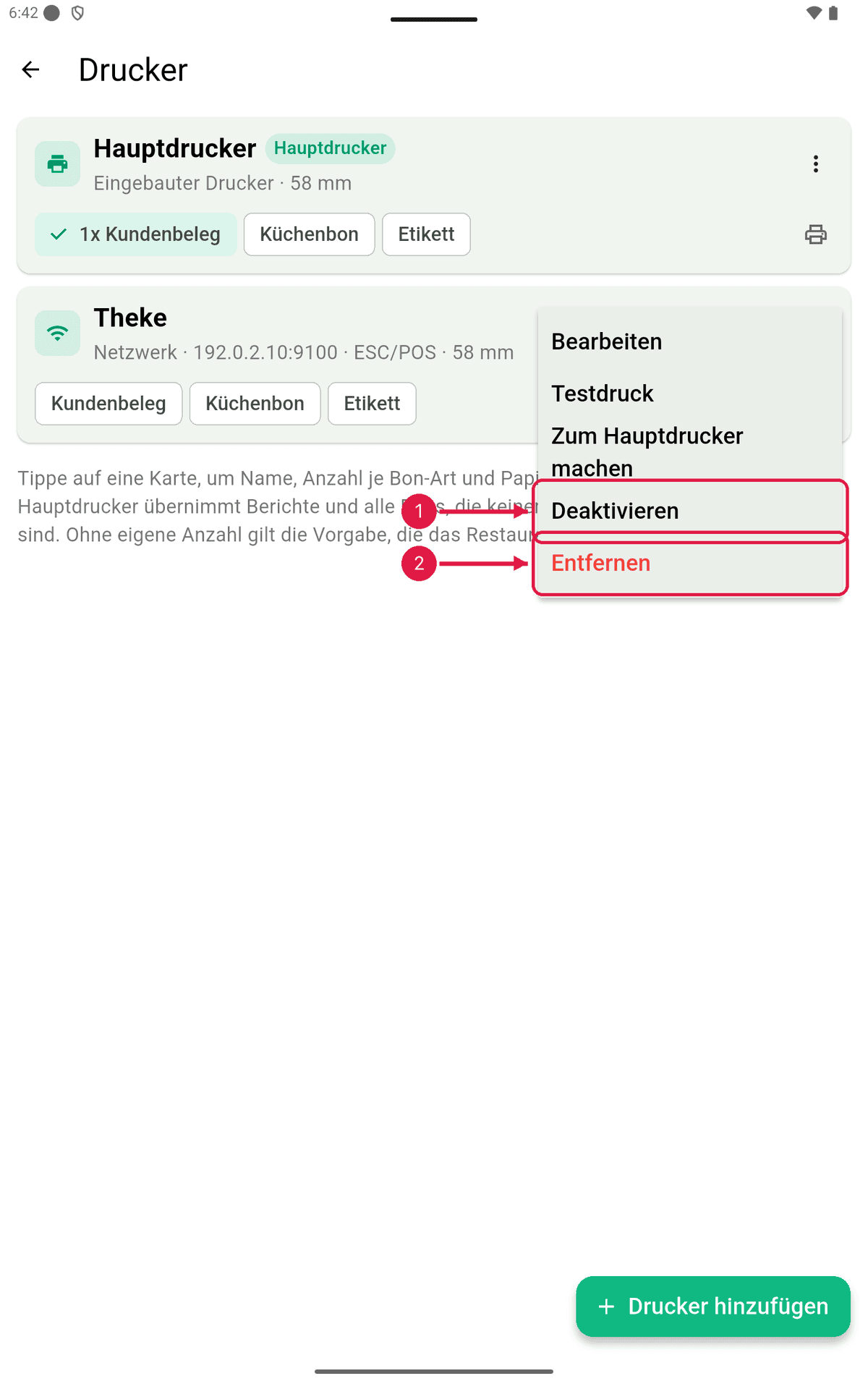
- Deaktivieren (deactivate): the printer stays in the list, shows Aus (off) and does not print. Aktivieren (activate) switches it back on.
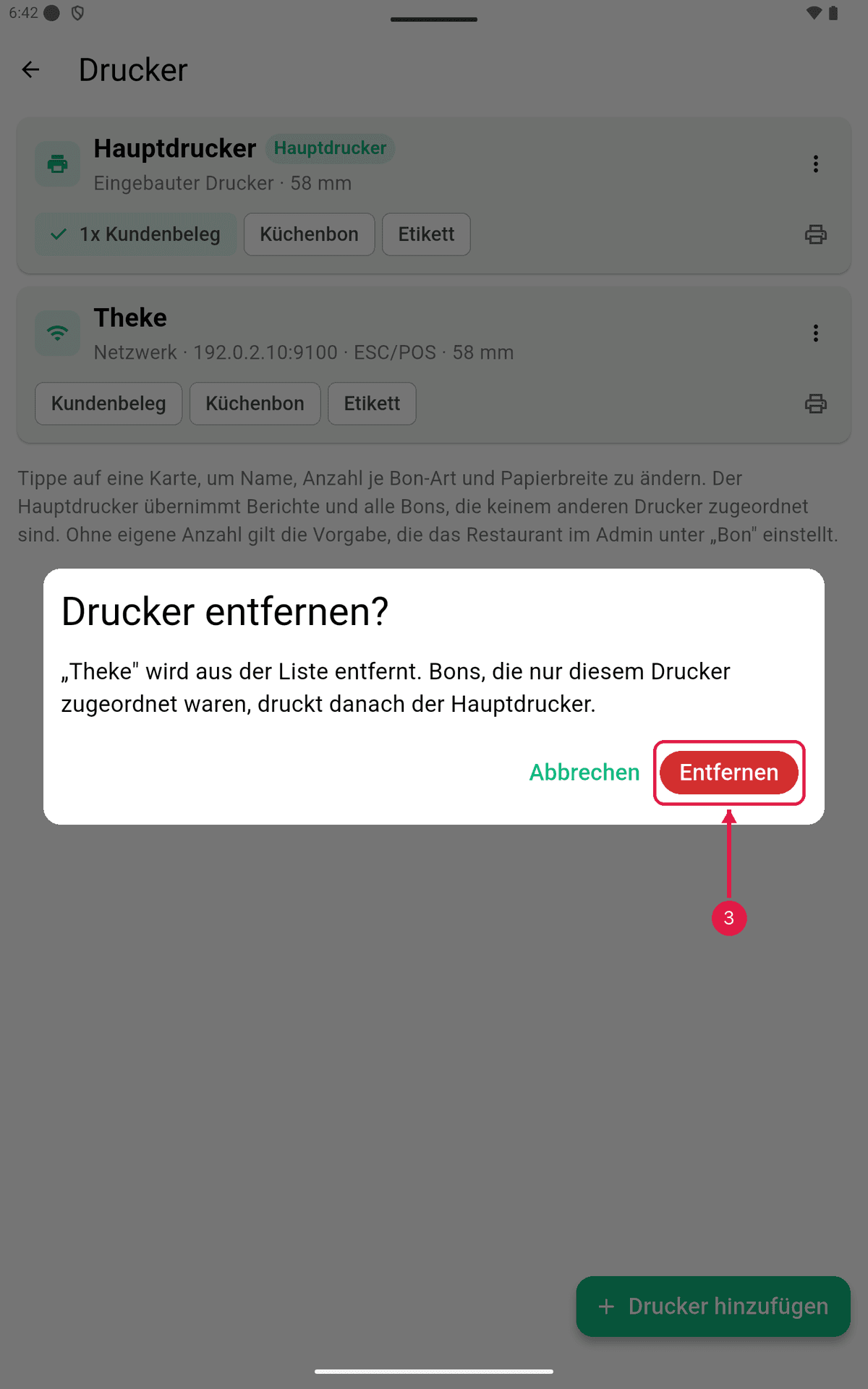
- Entfernen (remove): the Drucker entfernen? (remove printer?) window explains that receipts assigned only to this printer are then printed by the main printer. The message reads Drucker entfernt (printer removed).
Requirements
The order terminal is connected with your restaurant. There is another printer besides the main printer.
Step by step
Choose an action
Open Einstellung (settings) in the menu and tap Drucker (printer). On the printer tap Aktionen and choose Deaktivieren or Entfernen.
Result
The printer is deactivated or removed.