Order terminalPrinters
Set the main printer
Decide which printer is the main printer that prints reports and remaining receipts.
What it is for
The Hauptdrucker (main printer) prints reports and all receipts not assigned to another printer.
What changes
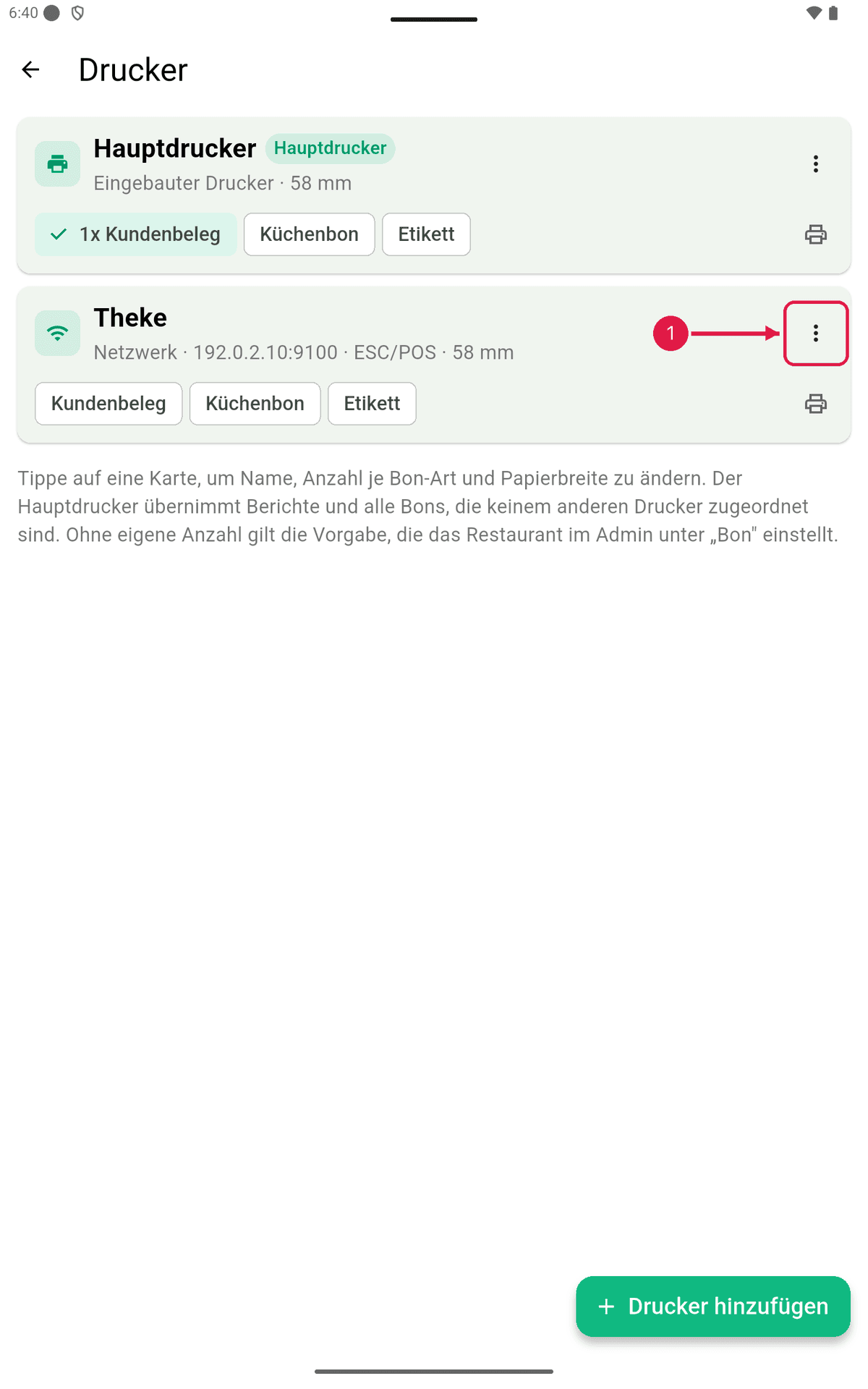
- The main printer carries the Hauptdrucker badge.
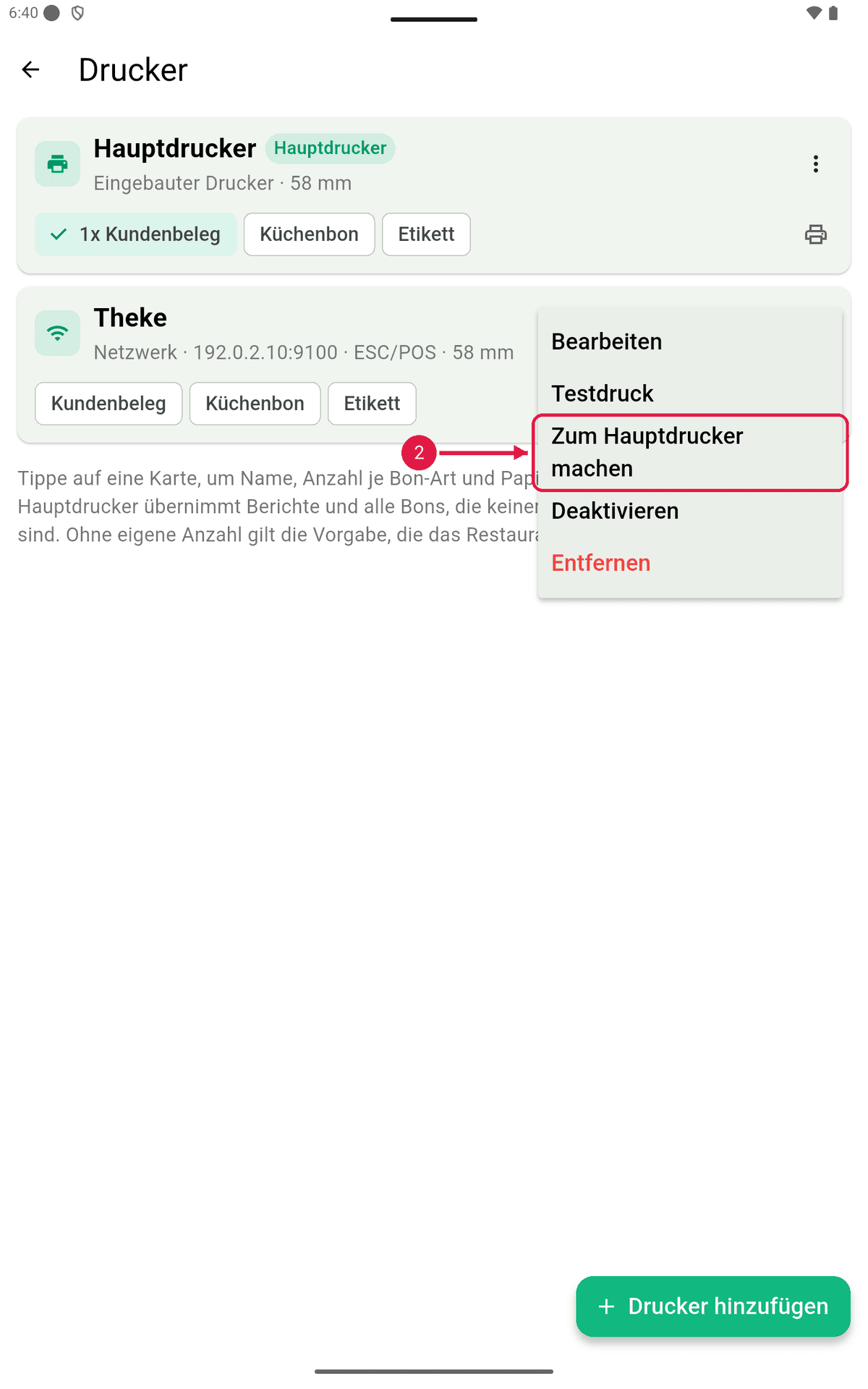
- Via Aktionen (actions, three dots) on another printer you choose Zum Hauptdrucker machen (make main printer). The message names the new main printer.
- The same menu has Bearbeiten (edit), Testdruck (test print), Deaktivieren (deactivate) and Entfernen (remove).
Requirements
The order terminal is connected with your restaurant. At least two printers are set up.
Step by step
Open actions
Open Einstellung (settings) in the menu and tap Drucker (printer). On the printer you want tap Aktionen (three dots).
Result
The chosen printer is the main printer.