Order terminalPrinters
Set up the built-in printer
Set up the built-in receipt printer of a terminal with a printer.
What it is for
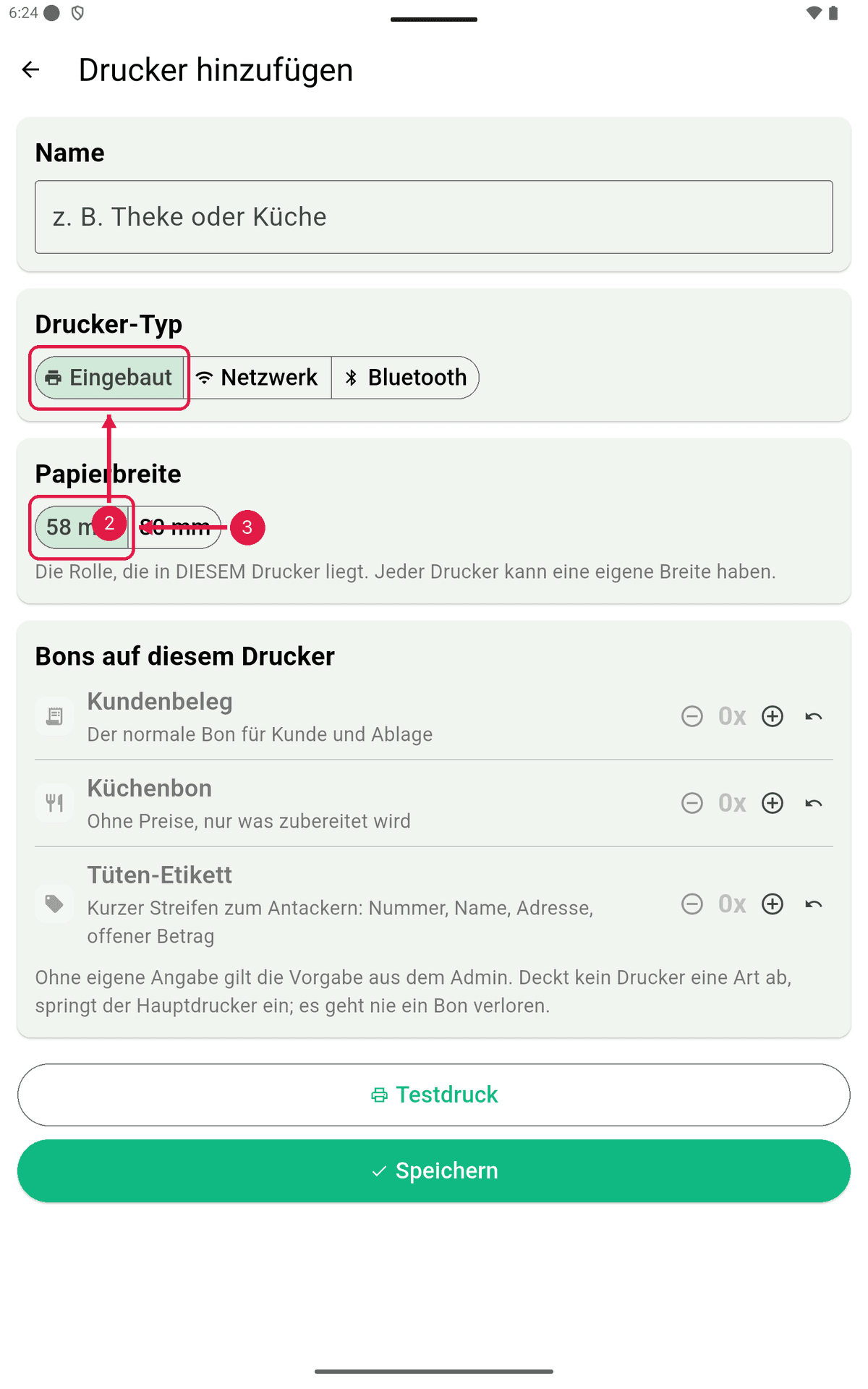
Many order terminals have a built-in receipt printer. You set it up as a printer of type Eingebaut (built-in).
What changes
- Name: for example "Theke" (counter) or "Küche" (kitchen).
- Drucker-Typ (printer type): Eingebaut (built-in), Netzwerk (network) or Bluetooth.
- Papierbreite (paper width): 58 mm or 80 mm, matching the roll in this printer.
- Bons auf diesem Drucker (receipts on this printer): which receipts are printed how often, see Set receipt types and copies per printer.
- Testdruck (test print) checks the setup, Speichern (save) applies it. The message reads Drucker gespeichert (printer saved).
- Printers are only stored on this device. You set up each terminal individually.
Requirements
The order terminal is connected with your restaurant. The terminal has a built-in printer.
Step by step
Add a printer
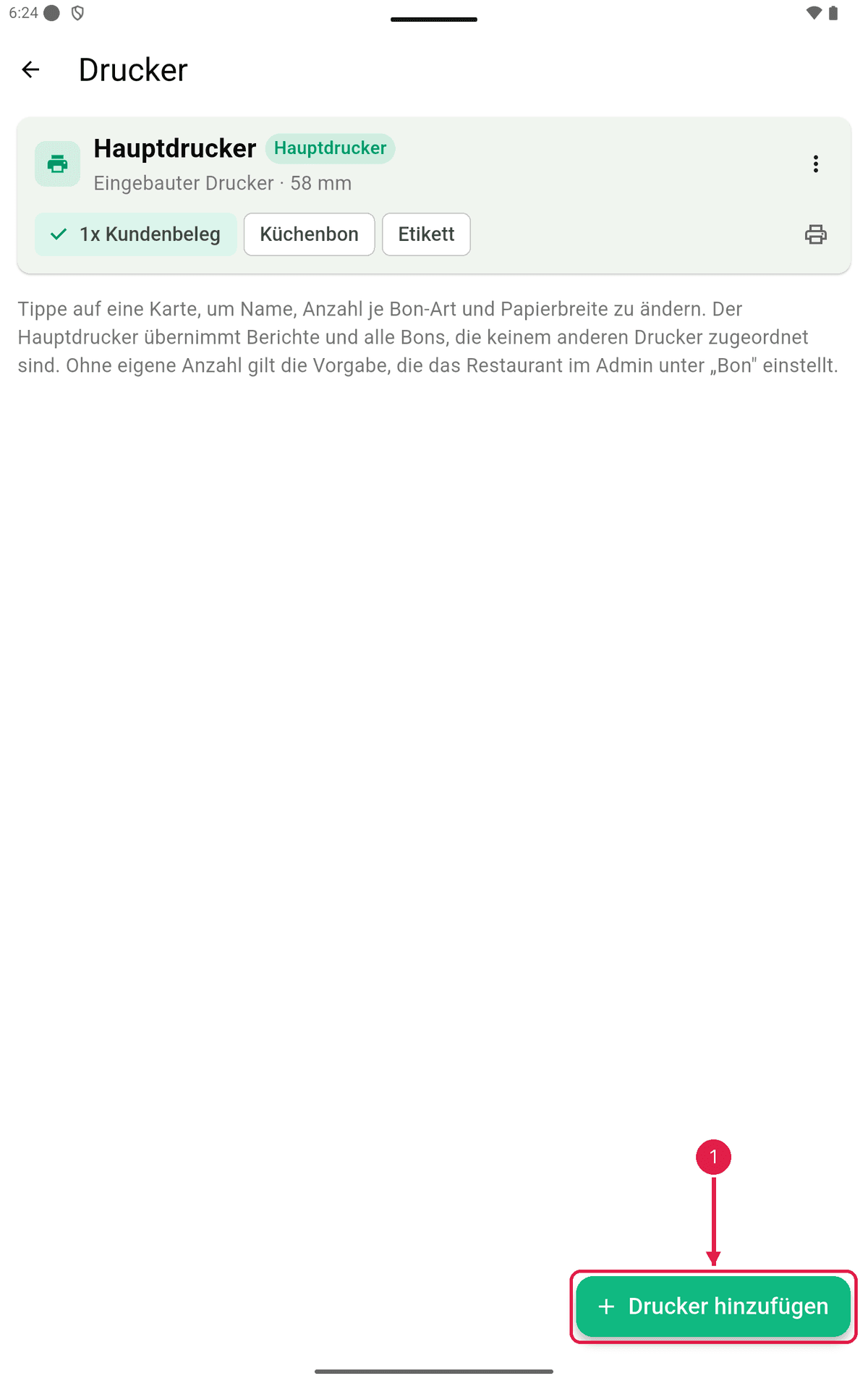
Open Einstellung (settings) in the menu and tap Drucker (printer). Tap Drucker hinzufügen (add printer) at the bottom.
Result
The built-in printer is set up.