Order terminalReservations
Decline a reservation
Decline a reservation request or cancel a confirmed reservation, with a reason for the guest.
What it is for
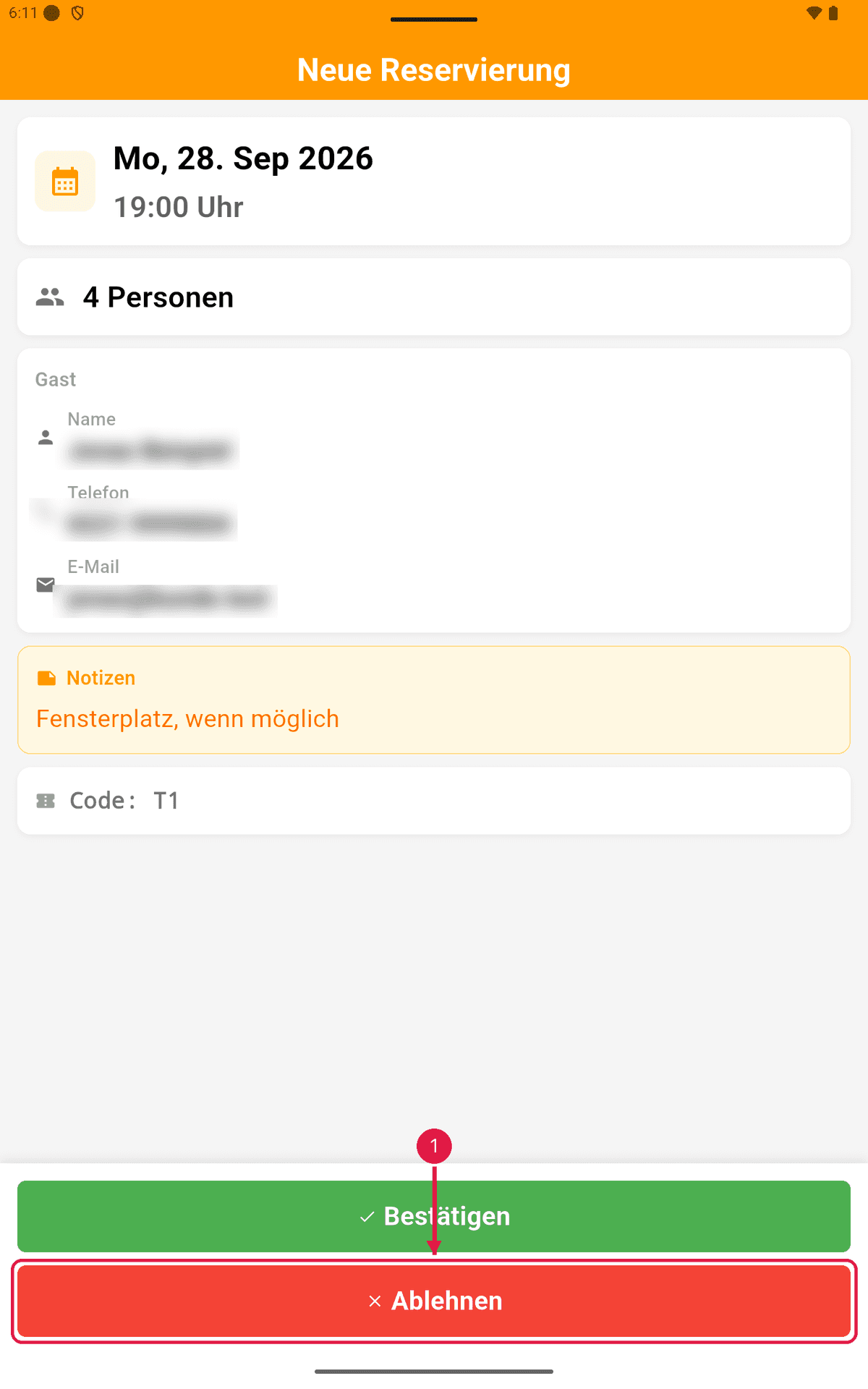
If you have no table, you decline the request. The guest is informed by e-mail.
What changes
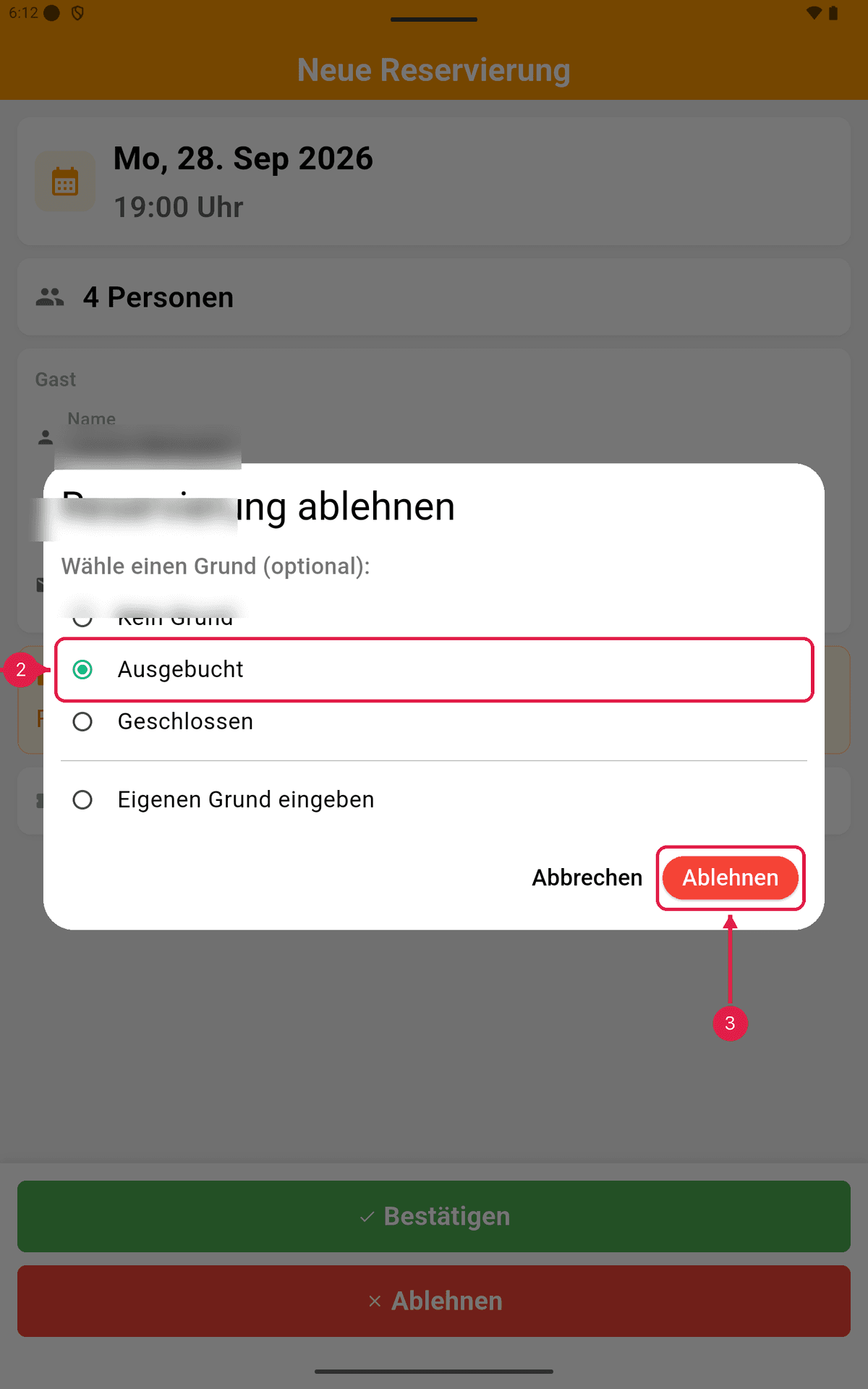
- In the Reservierung ablehnen (decline reservation) window you optionally choose a reason: Kein Grund (no reason), Ausgebucht (fully booked), Geschlossen (closed) or Eigenen Grund eingeben (enter own reason).
- The message reads Reservierung abgelehnt (declined), and the reservation appears under Storniert.
- You decline a confirmed reservation for today the same way.
Requirements
The order terminal is connected with your restaurant. Table reservations are switched on in the admin area, see Set up table reservations.
Step by step
Result
The reservation is declined and the guest informed.