Order terminalReservations
View reservations
See today's and upcoming reservations at a glance.
What it is for
Under Reservierungen (reservations) you see all table reservations of your restaurant.
What changes
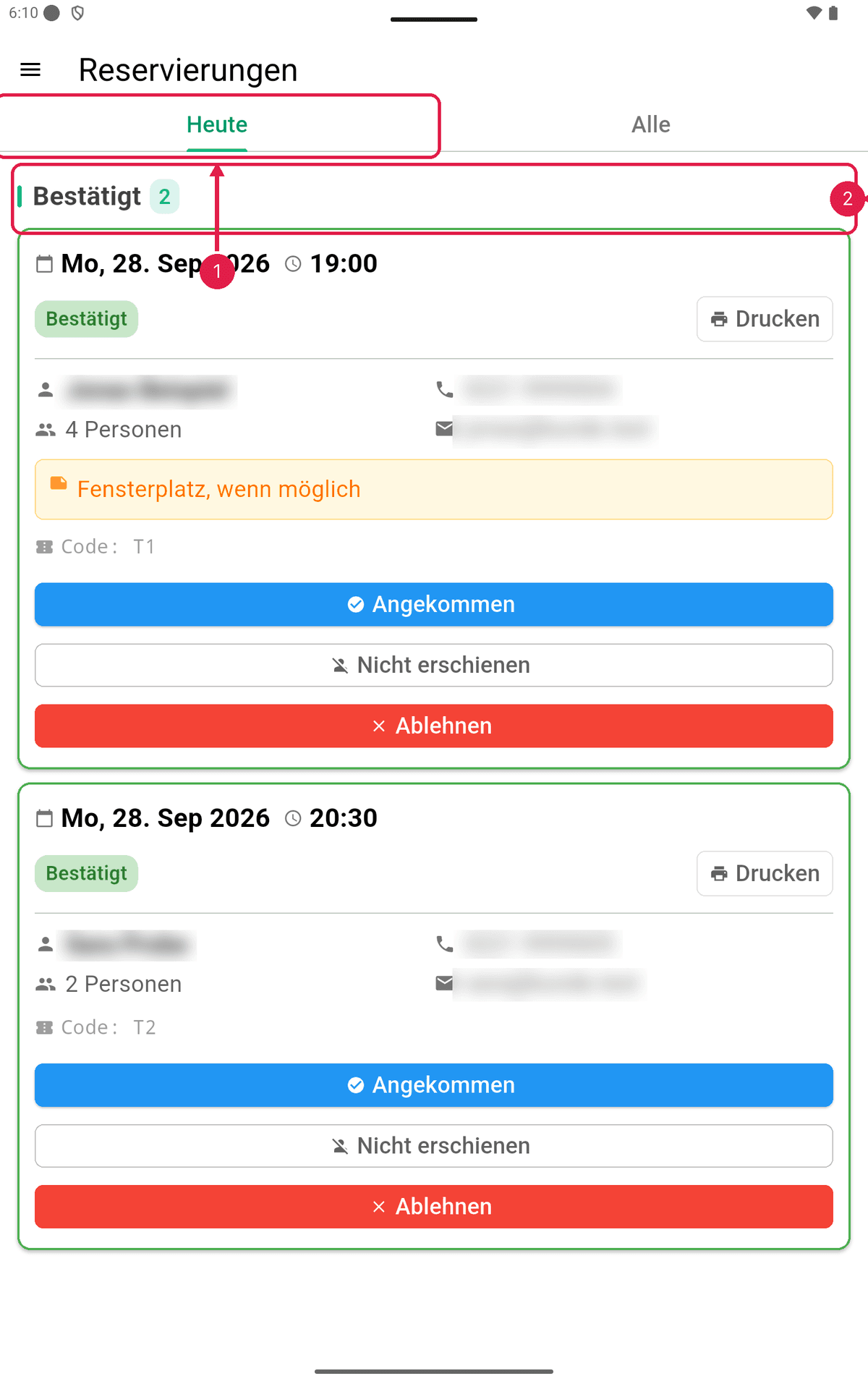
- Heute (today) shows all of today's reservations, grouped into Ausstehend (pending), Bestätigt (confirmed), Angekommen (arrived), Nicht erschienen (no-show) and Storniert (cancelled).
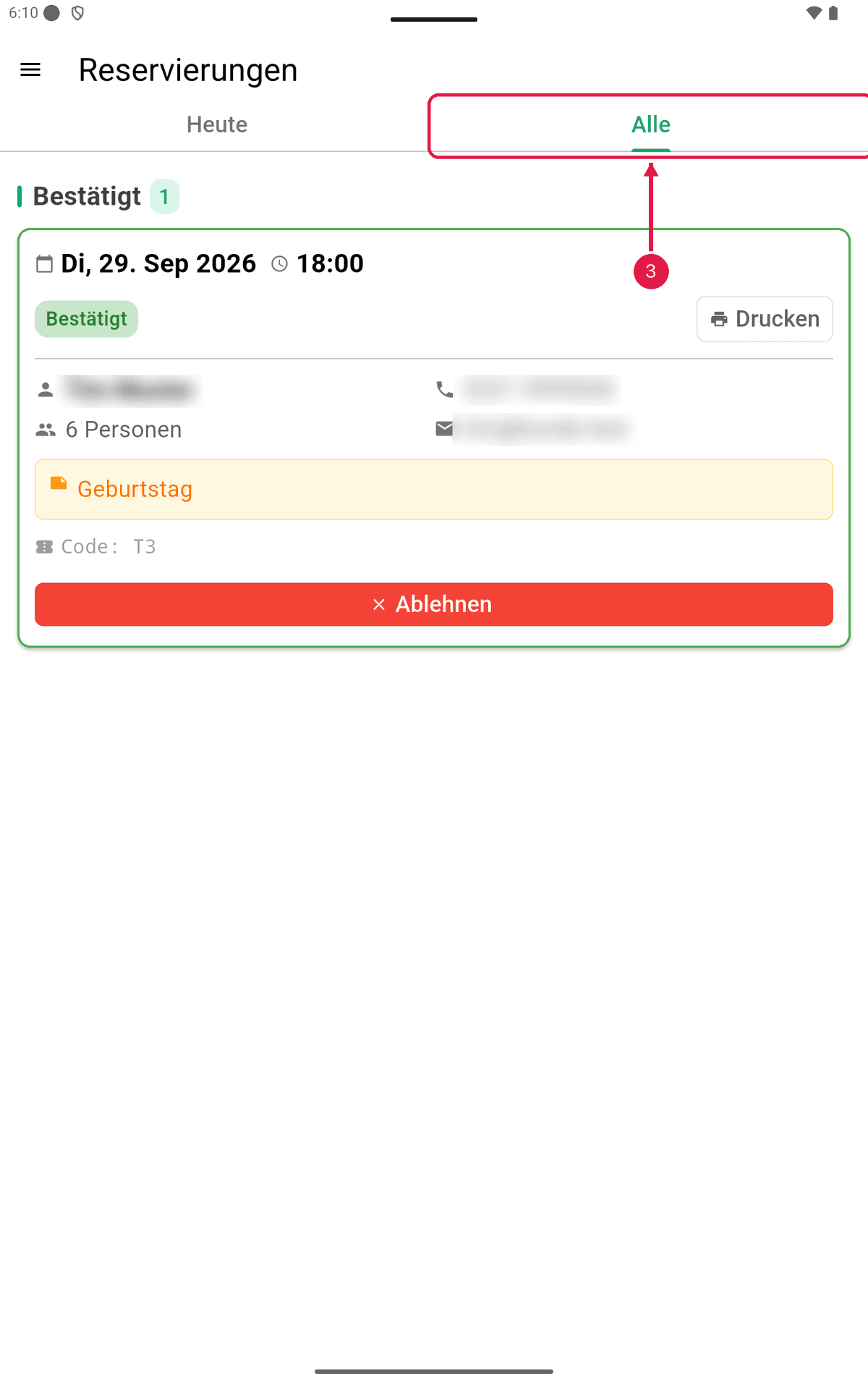
- Alle (all) shows upcoming reservations, pending and confirmed.
- Each card shows date, time, status, guest, party size, contact, notes and the code, plus Drucken (print) and the matching buttons.
- On the orders page a bar at the bottom summarises Reservierungen heute (reservations today). Alle Reservierungen anzeigen (show all reservations) leads here.
Requirements
The order terminal is connected with your restaurant. Table reservations are switched on in the admin area, see Set up table reservations.
Step by step
View today
Open Reservierungen (reservations) in the menu. The Heute tab shows the day's reservations.
Result
You know the reservations for today and the coming days.