Set up table reservations
Let guests reserve a table online and decide how requests are confirmed.
What it is for
With Tischreservierungen (table reservations), guests can reserve a table in the web shop. You set the party size, lead time, times and the type of confirmation.
What changes
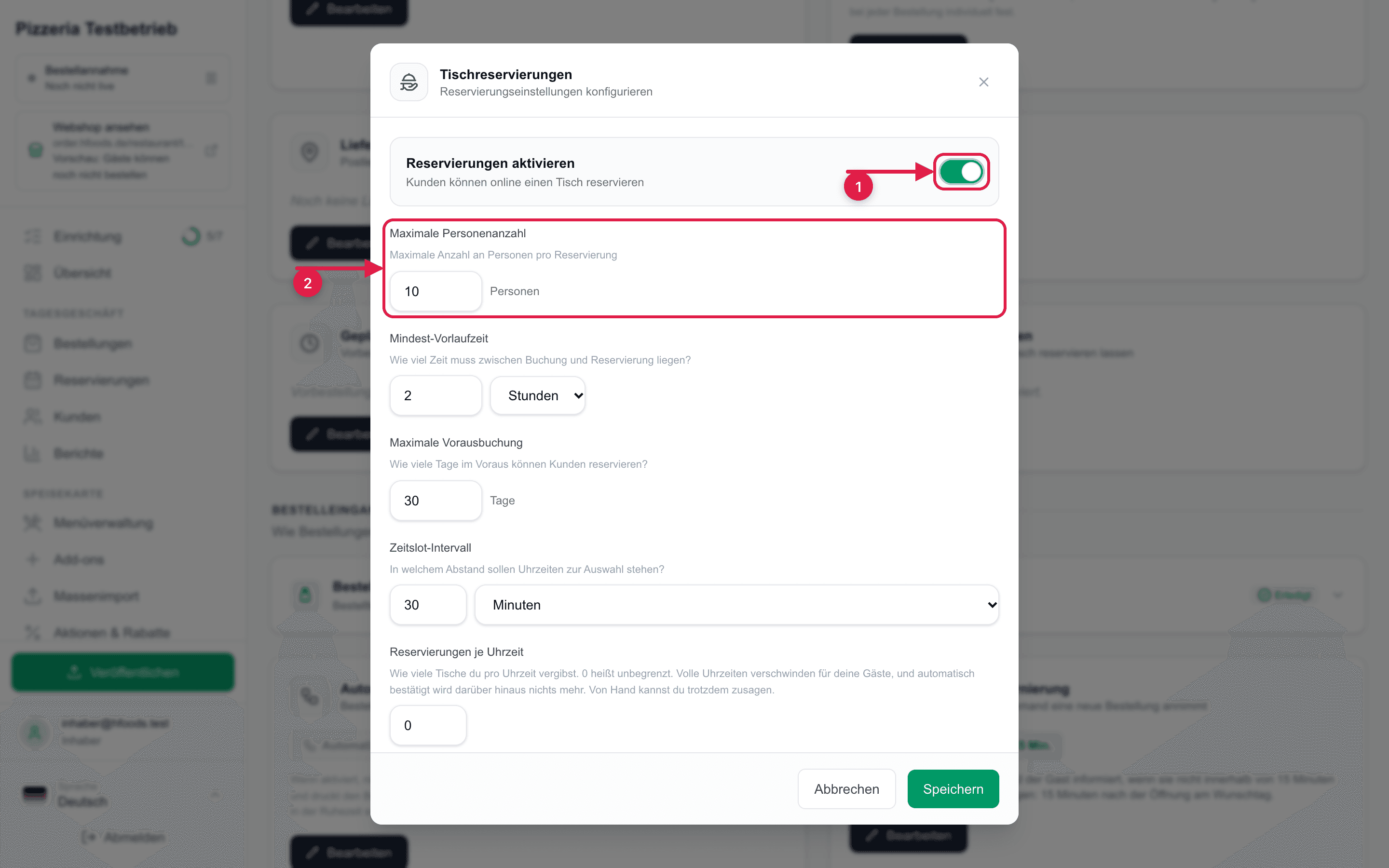
- Reservierungen aktivieren (activate reservations) switches the feature on. Default: off.
- Maximale Personenanzahl (maximum party size, 1 to 100, default 10), Mindest-Vorlaufzeit (minimum lead time, default 2 hours), Maximale Vorausbuchung (maximum advance booking, 1 to 365 days, default 30) and Zeitslot-Intervall (time slot interval, default 30 minutes).
- Reservierungen je Uhrzeit (reservations per time): 0 means unlimited. Full times are no longer offered to guests.
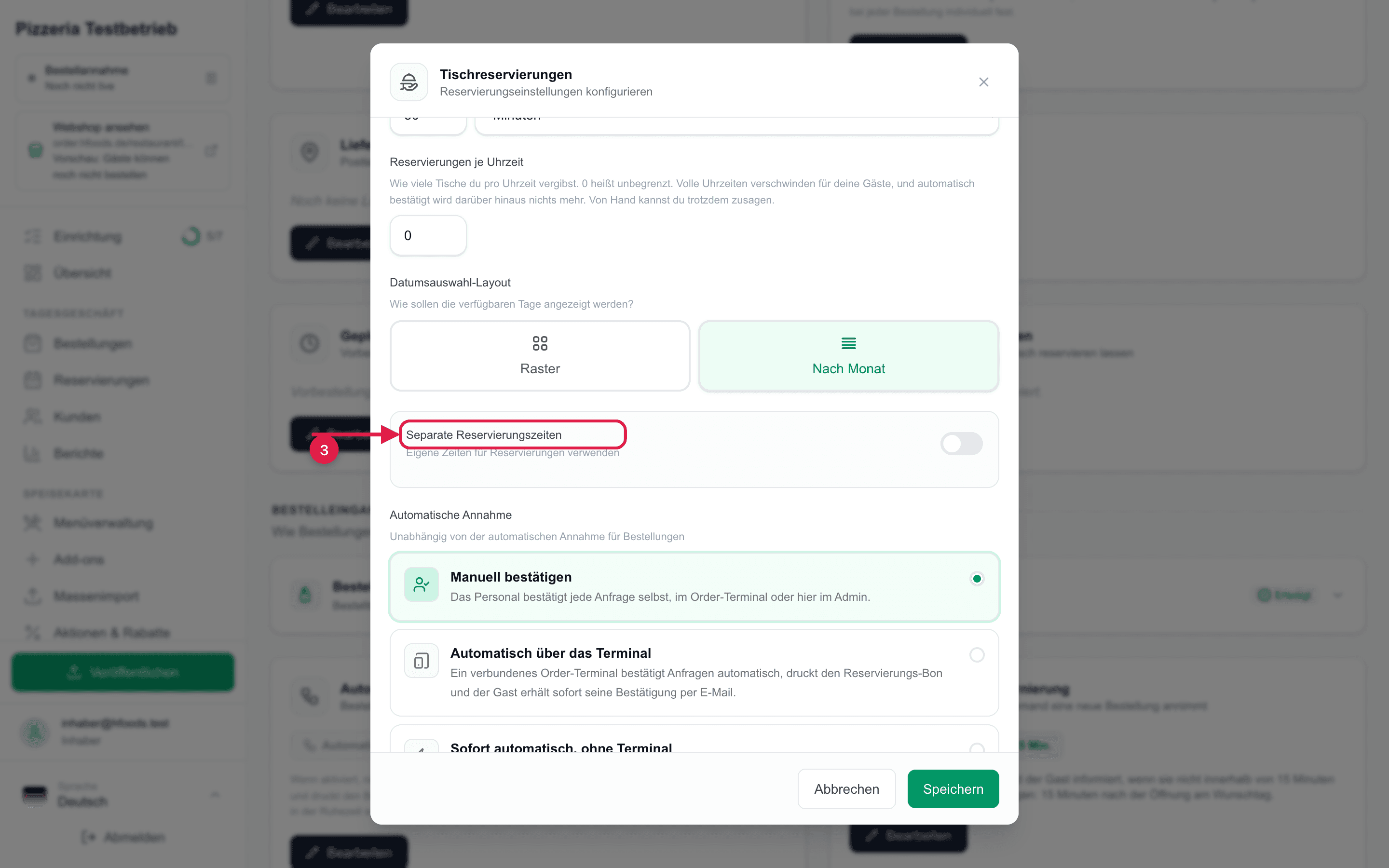
- Datumsauswahl-Layout (date picker layout): Raster (grid) or Nach Monat (by month, default).
- Separate Reservierungszeiten (separate reservation times): times of their own per weekday instead of the opening hours.
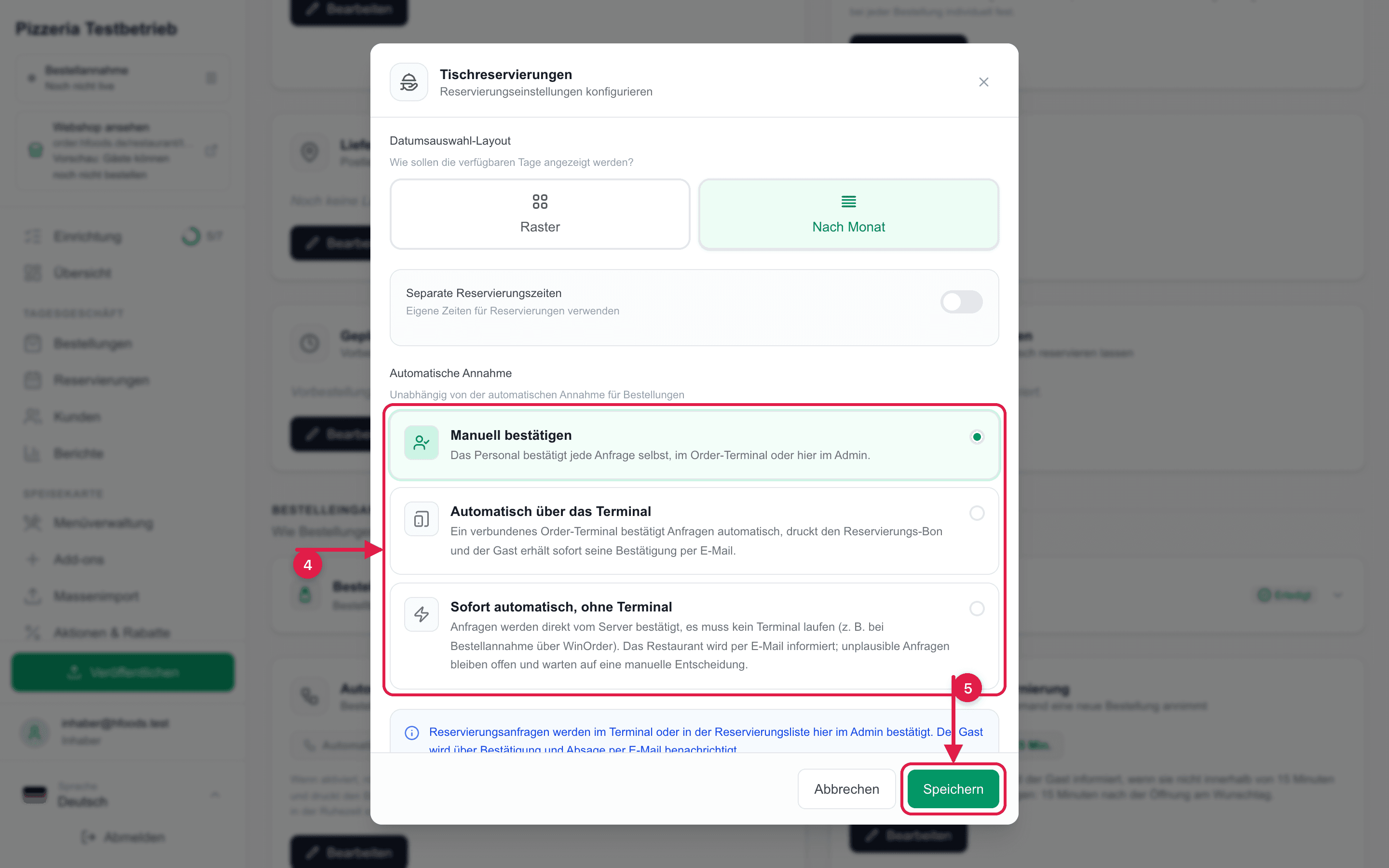
- Automatische Annahme (automatic acceptance) of reservations, independent of order acceptance:
- Manuell bestätigen (confirm manually, default): staff confirm each request themselves, on the order terminal or in the admin.
- Automatisch über das Terminal (automatically via the terminal): a connected order terminal confirms requests automatically and prints the reservation slip.
- Sofort automatisch, ohne Terminal (immediately, without terminal): requests are confirmed at once. For this you enter a Benachrichtigungs-E-Mail (notification e-mail). Without a valid address, reservations are confirmed but nobody at the restaurant is informed.
Requirements
You are signed in to the admin area as the owner. Staff do not see the settings.
Step by step
Switch on
In the sidebar on the left, click Einstellungen (settings). Next to Tischreservierungen click Bearbeiten (edit). Flip Reservierungen aktivieren and set Maximale Personenanzahl, lead time and interval.
Set the times
If reservations should have times different from the opening hours, switch on Separate Reservierungszeiten and set the times per weekday.
Choose confirmation and save
Under Automatische Annahme choose how requests are confirmed. Click Speichern (save).
Result
Guests can reserve online. You find requests under Reservierungen. Then click Veröffentlichen (publish) on the left so the web shop shows the new state.