Order terminalReservations
Mark a guest as a no-show
Mark a reservation as a no-show when the guest does not come.
What it is for
If a guest does not come, you mark the reservation as Nicht erschienen (no-show).
What changes
- The terminal asks Ist der Gast nicht erschienen? (did the guest not show up?).
- After Ja, nicht erschienen (yes, no-show) the message reads Als "Nicht erschienen" markiert (marked as no-show), and the reservation appears under Nicht erschienen.
Requirements
The order terminal is connected with your restaurant. Table reservations are switched on in the admin area, see Set up table reservations. The reservation is confirmed and for today.
Step by step
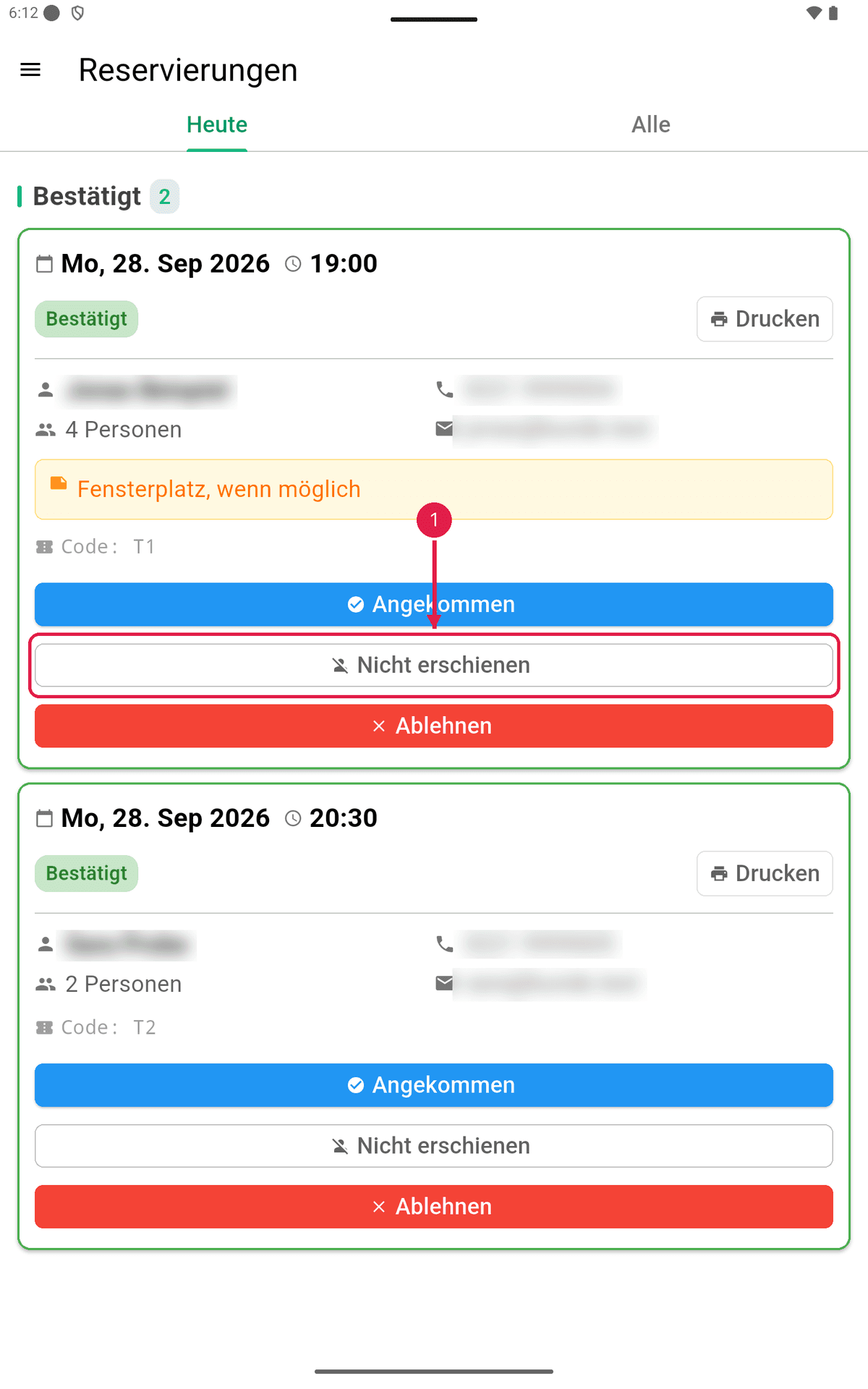
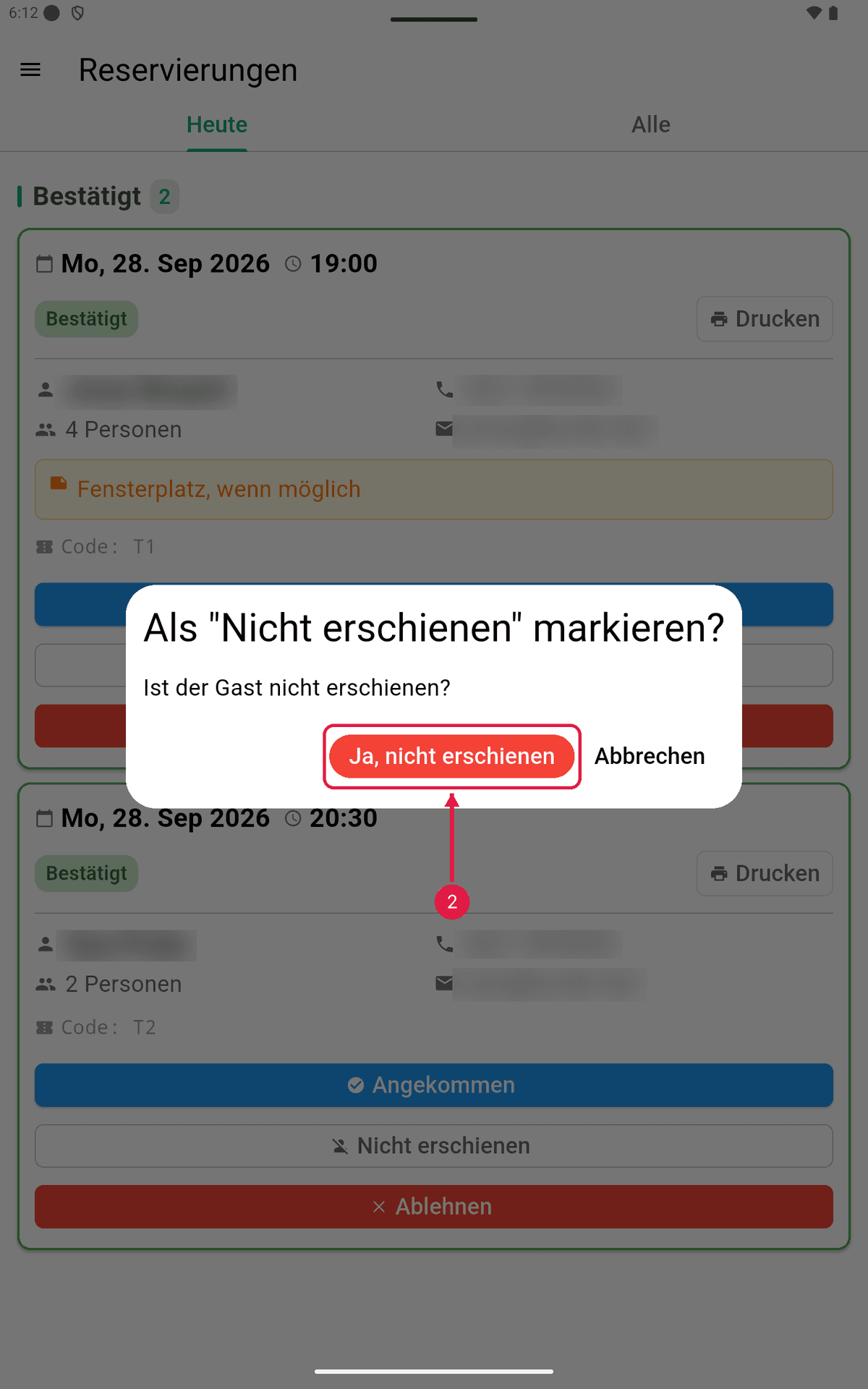
Result
The reservation is marked as a no-show.