Order terminalReservations
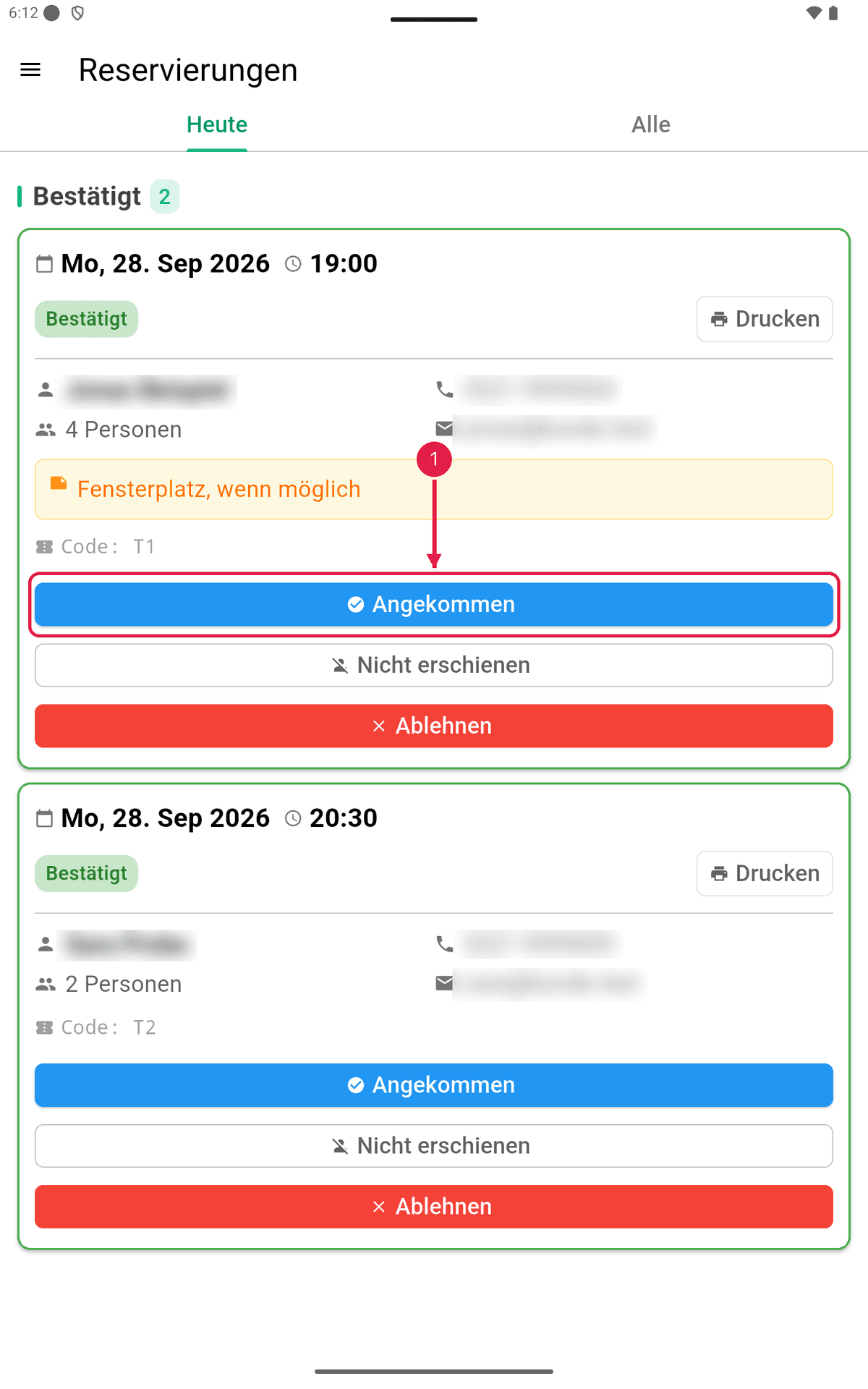
Mark a guest as arrived
Mark a confirmed reservation as arrived when the guest is there.
What it is for
When the guest has arrived, you mark their reservation as arrived. This keeps track of the evening.
What changes
- Angekommen (arrived) is available for confirmed reservations for today.
- The message reads Gast ist eingetroffen (guest has arrived), and the reservation appears under Angekommen.
Requirements
The order terminal is connected with your restaurant. Table reservations are switched on in the admin area, see Set up table reservations. The reservation is confirmed and for today.
Step by step
Result
The reservation is marked as arrived.