Order terminalReservations
Handle a new reservation
Recognise how the terminal announces a new reservation request.
What it is for
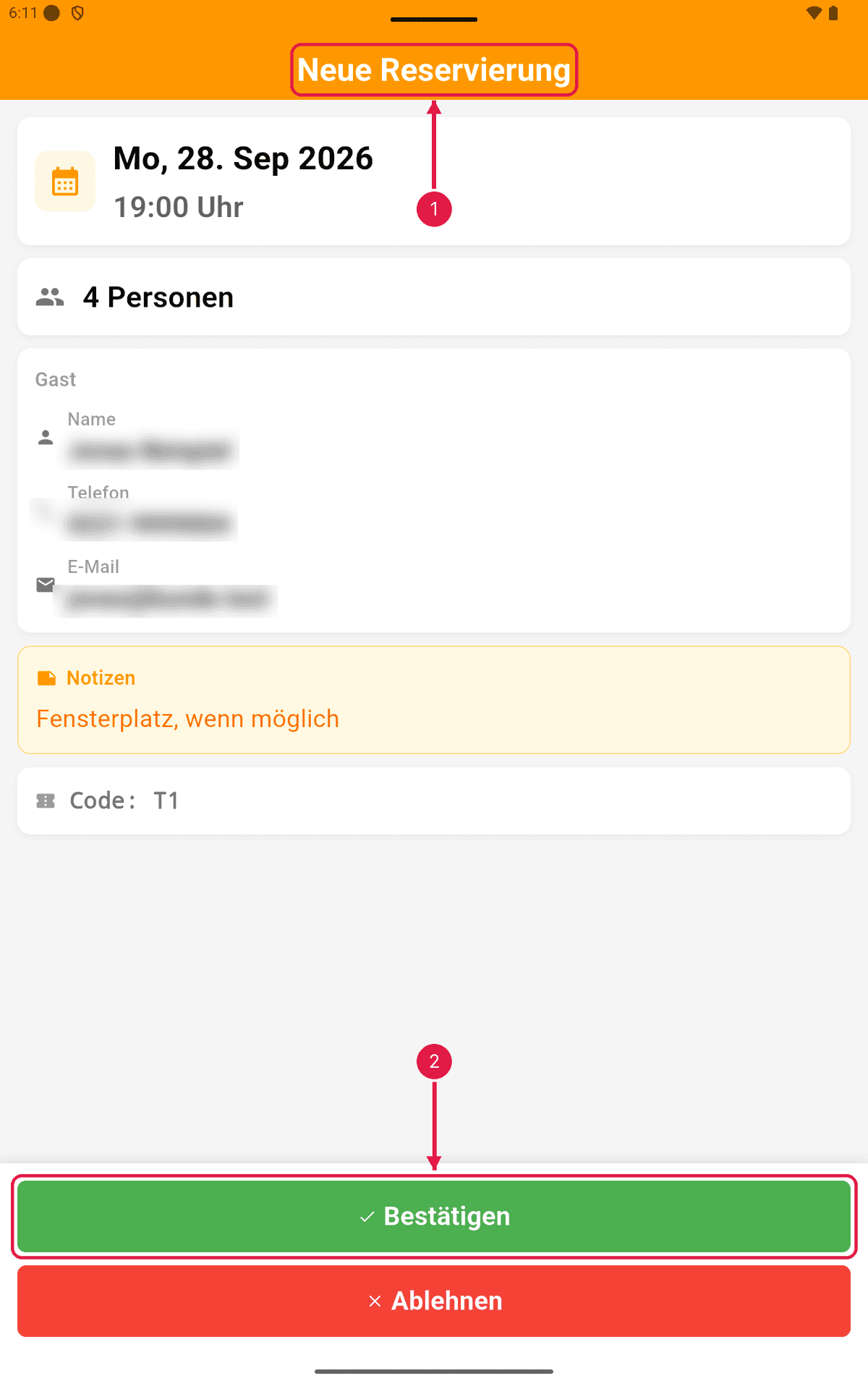
When a new reservation request comes in, the terminal rings and opens the request full screen as Neue Reservierung (new reservation).
What changes
- The page shows date, time, party size, Gast (guest) with name, phone and e-mail, Notizen (notes) and the code.
- At the bottom are Bestätigen (confirm) and Ablehnen (decline). At the top right you print the request.
- The guest automatically receives an e-mail after your decision.
Requirements
The order terminal is connected with your restaurant. Table reservations are switched on in the admin area, see Set up table reservations. Reservations are confirmed manually.
Step by step
Result
After your decision the sound stops and the reservation appears in the list.