Create add-on groups during import
In the add-on groups step of bulk import, check the groups from the file and create further groups.
What it is for
Add-on groups are extras such as extra toppings, sides or sauces. If they are in your CSV file, the import takes them over. In the Addon-Gruppen (add-on groups) step you see them, can remove them or create further groups directly in the assistant. The step is optional.
What changes
The groups are only saved in the Import step, together with the menu.
Requirements
You are in bulk import and have confirmed the preview, see Import a menu from a CSV file.
Step by step
Check the groups from the file
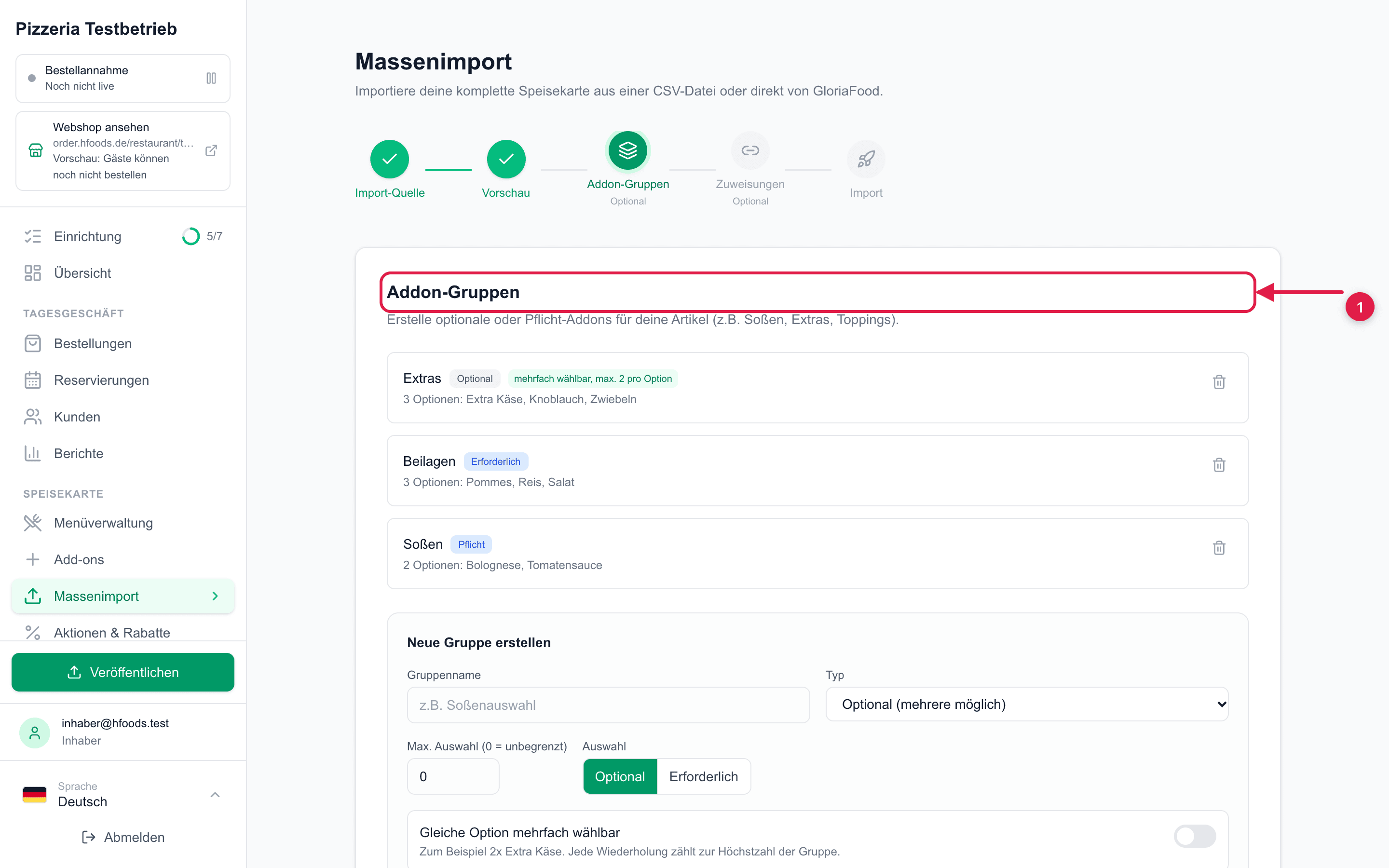
The Addon-Gruppen step shows each group with its type, such as Optional, Erforderlich (required) or Pflicht (mandatory), and its options. The bin (Gruppe löschen, delete group) takes a group out of the import.
Create another group
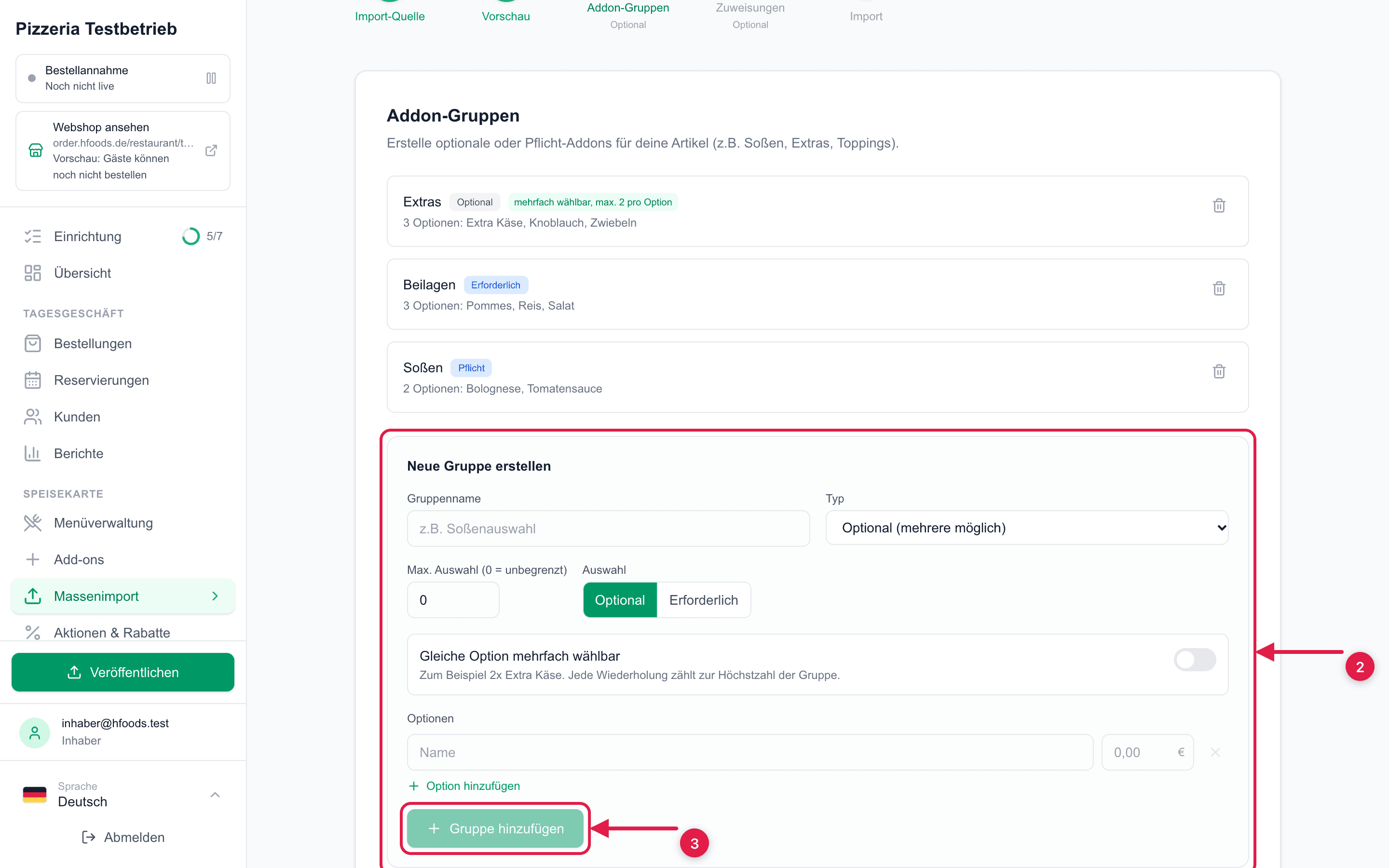
Under Neue Gruppe erstellen (create new group) you add another group:
- Gruppenname (group name): for example "Soßenauswahl" (choice of sauce).
- Typ (type): Optional (mehrere möglich) (optional, several possible) or Pflichtauswahl (genau eine) (required, exactly one).
- Max. Auswahl (0 = unbegrenzt) (maximum choice, 0 = unlimited) and Auswahl (Optional or Erforderlich) for optional groups.
- Gleiche Option mehrfach wählbar (same option can be chosen several times), for example for 2x extra cheese, with Höchstens pro Option (at most per option).
- Optionen (options): name and price for each option, more with Option hinzufügen (add option).
Then click Gruppe hinzufügen (add group). Weiter (next) takes you to the assignments. If you need no extras, click Ohne Addons fortfahren (continue without add-ons).
Result
All groups for the import are set. In the next step you decide where they appear, see Assign add-on groups during import.