Order terminalSettings
Activate the PIN lock
Protect the revenue on the terminal with a 4-digit PIN.
What it is for
The Bildschirmsperre (screen lock) protects the Umsatz (revenue) section with a 4-digit PIN. The PIN only applies on this device. If you forgot it, it can be reset in the admin area, see Pair, reset PIN, unpair a device.
What changes
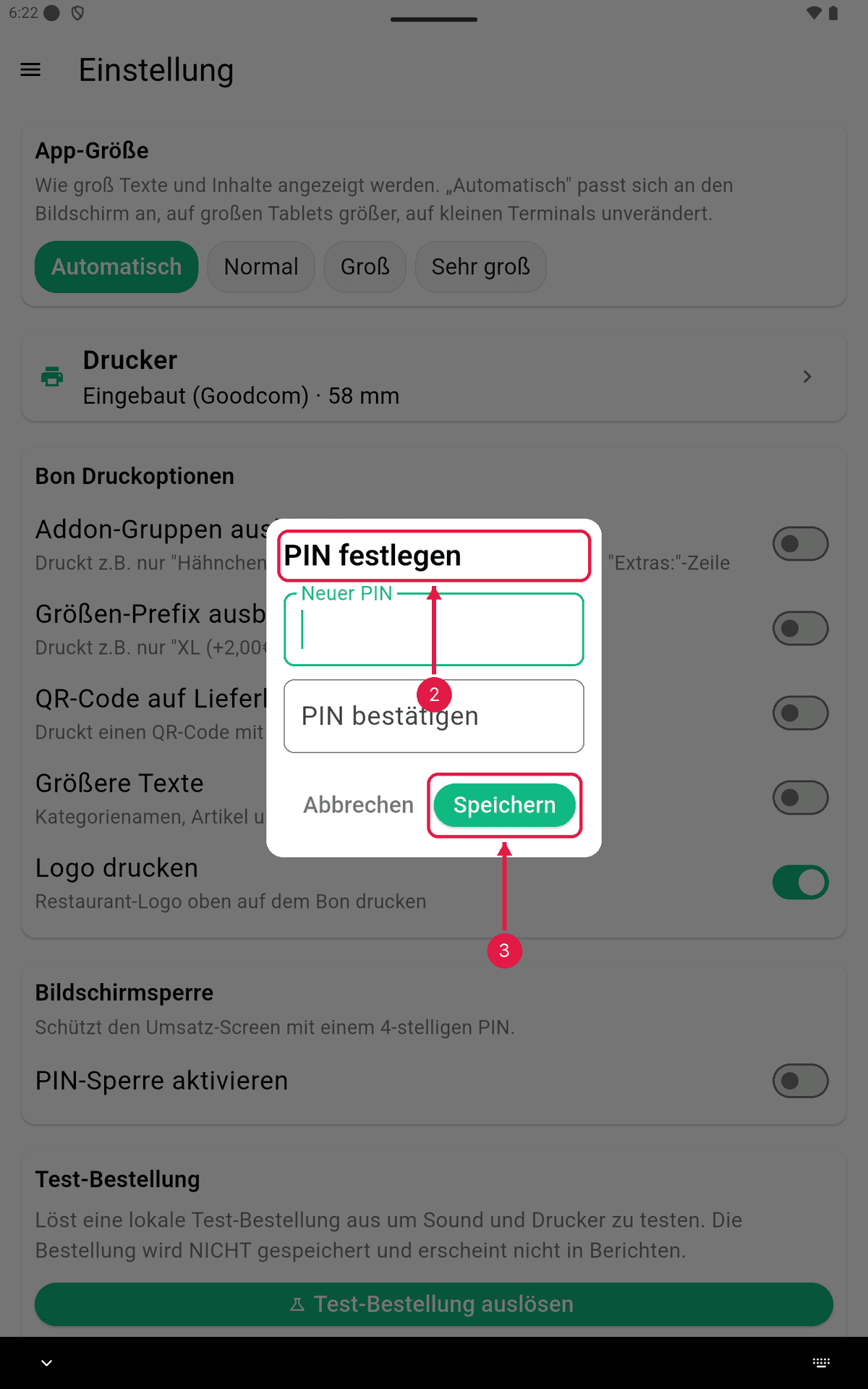
- In the PIN festlegen (set PIN) window you enter Neuer PIN (new PIN) and PIN bestätigen (confirm PIN) and tap Speichern (save).
- If the entries do not match, the terminal reports PINs stimmen nicht überein (PINs do not match), with fewer than 4 digits PIN muss 4 Stellen haben (PIN must have 4 digits).
- Then Umsatz shows a lock in the menu and asks for the PIN.
Requirements
The order terminal is connected with your restaurant.
Step by step
Switch the lock on
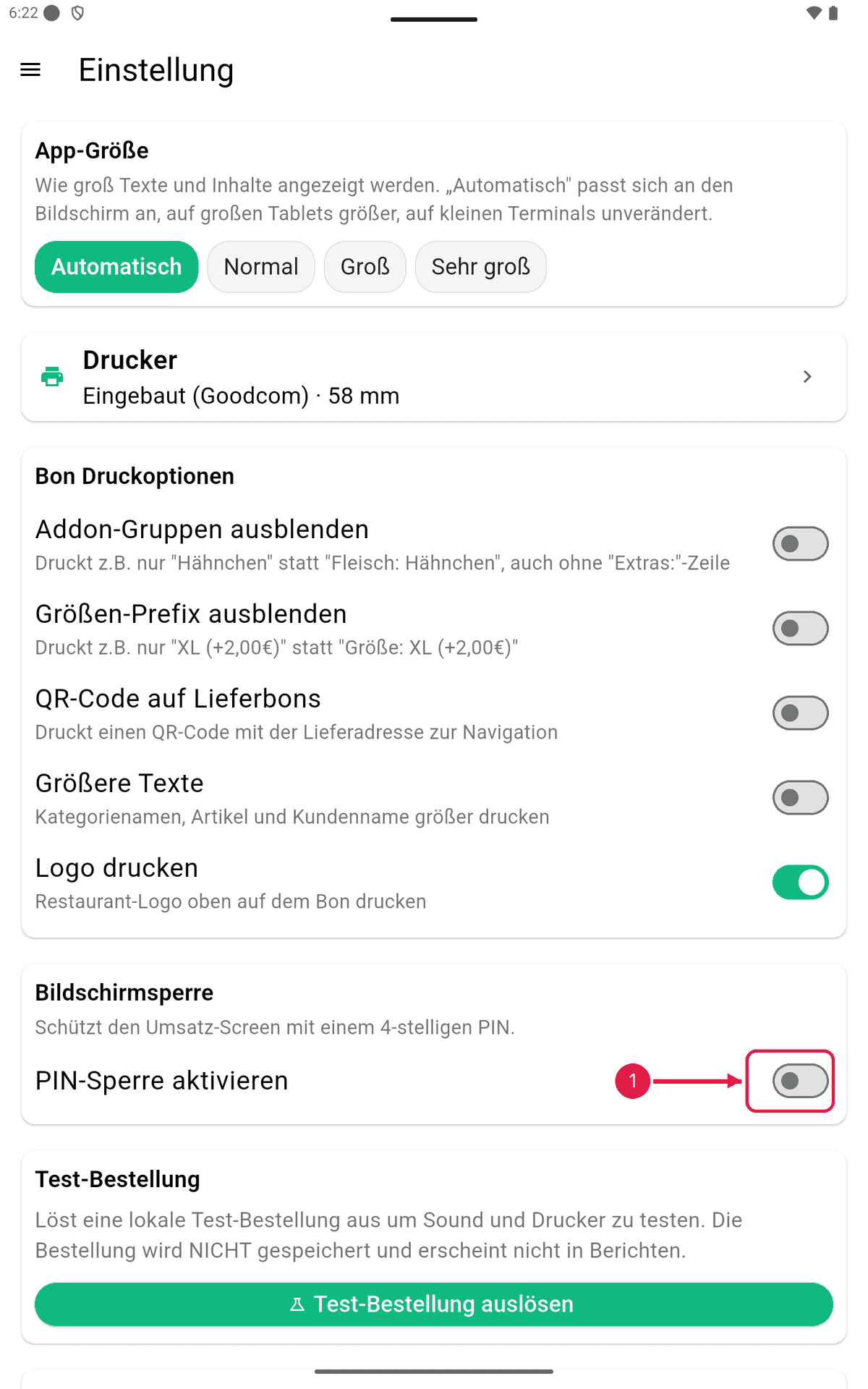
Open Einstellung (settings) in the menu. Under Bildschirmsperre flip the PIN-Sperre aktivieren (activate PIN lock) switch.
Result
The revenue is protected with the PIN.