Order terminalSettings
Check the background service
Check that the background service is running so the terminal receives orders in the background too.
What it is for
The Hintergrund-Dienst (background service) prevents Android from closing the app. This way orders arrive even when the terminal has not been used for a while. The notification bar then shows "Order Terminal".
What changes
- Aktiv - App bleibt wach für Bestellungen (active, app stays awake for orders): everything is fine.
- Nicht aktiv (not active): tap Manuell starten (start manually).
- Status aktualisieren (refresh status) checks again.
Requirements
The order terminal is connected with your restaurant. The terminal is an Android device.
Step by step
Check the status
Open Einstellung (settings) in the menu. Scroll to Hintergrund-Dienst and read the status.
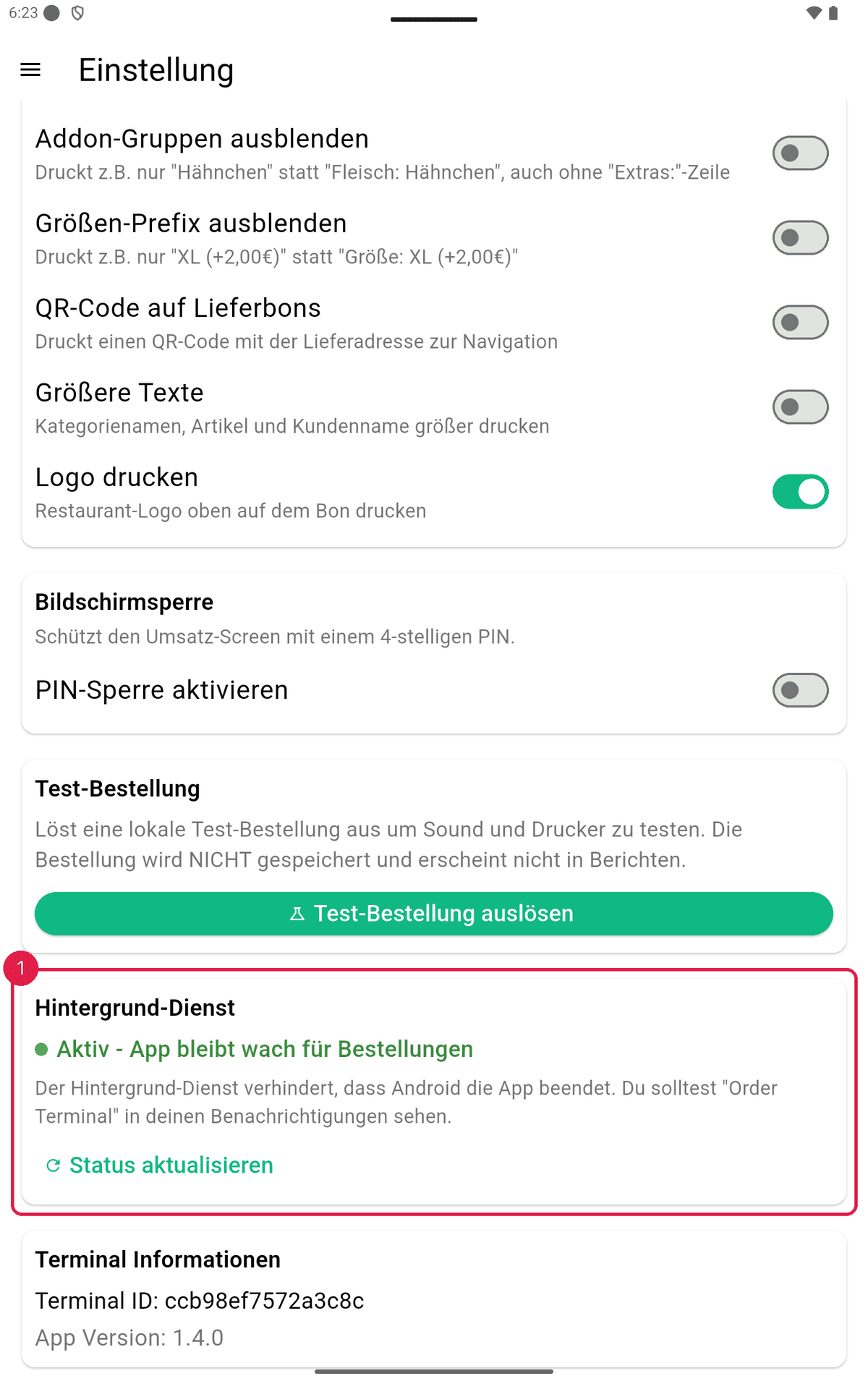
Result
The service is running and the terminal receives orders reliably.