Order terminalSettings
Set the receipt print options
Decide how receipts are printed: add-on groups, size prefix, QR code, larger text and logo.
What it is for
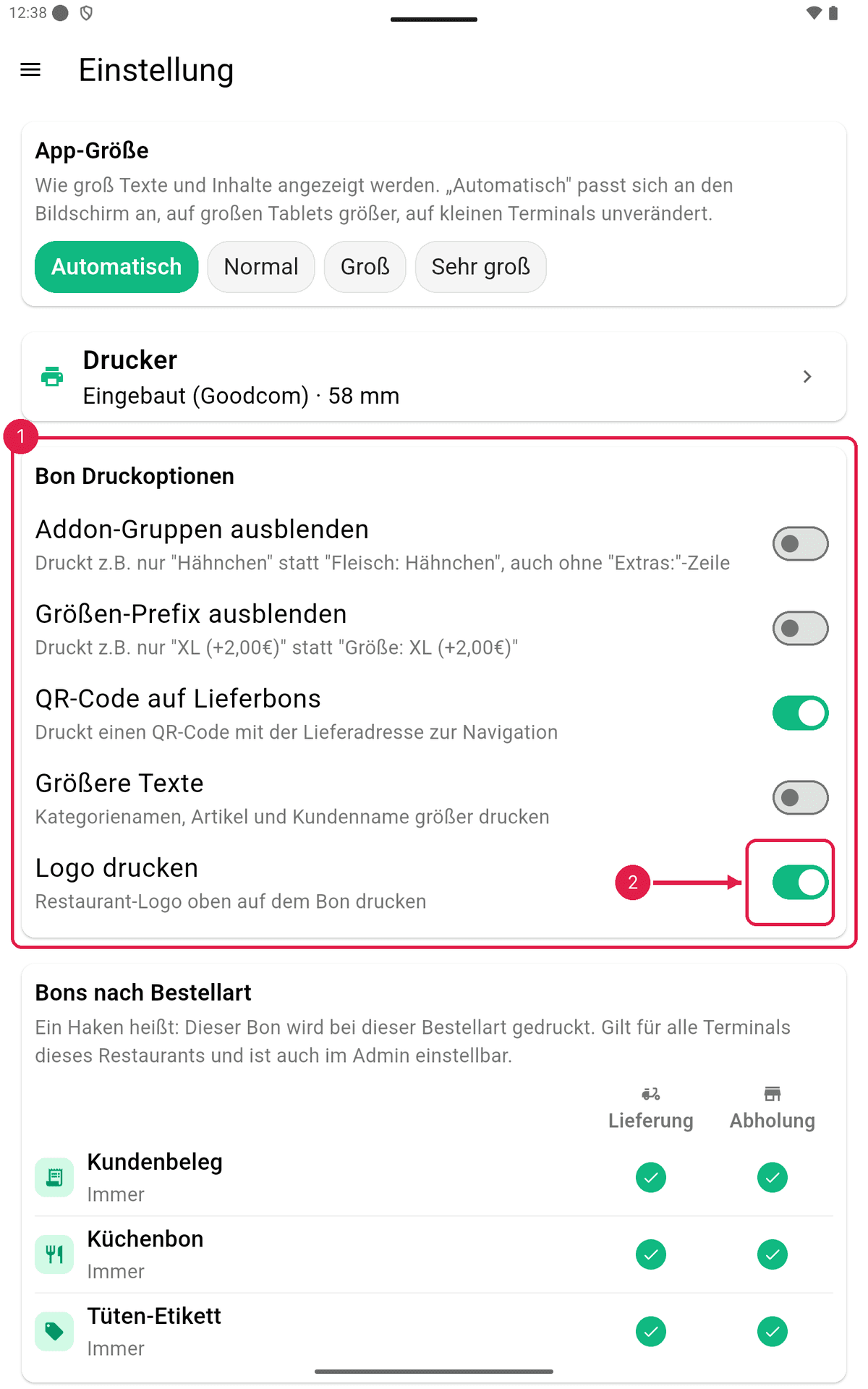
Under Bon Druckoptionen (receipt print options) you switch how receipts look.
What changes
- Kategorien als Überschriften drucken (print categories as headings): prints, for example, "Pizza" above the pizzas. When switched off, all items are listed one below the other without headings, in the same order. On by default.
- Addon-Gruppen ausblenden (hide add-on groups): prints only "Hähnchen" instead of "Fleisch: Hähnchen".
- Größen-Prefix ausblenden (hide size prefix): prints only the size instead of "Größe: …".
- QR-Code auf Lieferbons (QR code on delivery receipts): prints a QR code with the delivery address for navigation.
- Größere Texte (larger text): categories, items and customer name larger.
- Logo drucken (print logo): restaurant logo at the top of the receipt.
- These switches apply to the whole restaurant, so to all terminals and the admin area, see Set the receipt switches.
- In the card below, Bons nach Bestellart (receipts by order type), you set whether a receipt type is printed always, only for delivery or only for pickup, see Set receipts by order type.
Requirements
The order terminal is connected with your restaurant.
Step by step
Set the switches
Open Einstellung (settings) in the menu. Under Bon Druckoptionen flip the switches, in the picture Logo drucken.
Result
The next receipts are printed with these settings.