Understand missed orders
Understand why an order counts as missed and what happens then.
What it is for
If a new order is not accepted in time, the system cancels it automatically. It then counts as missed. How much time there is, your restaurant sets in the admin area, by default 15 minutes: an ASAP order must be accepted this long after it arrives, a pre-order this long after the opening on the requested day, a pre-order for today this long after the next opening. There the automatic cancellation can also be limited to orders paid online or switched off completely, see Set automatic cancellation. On the terminal a countdown in the window of the new order shows how much time is left.
What changes
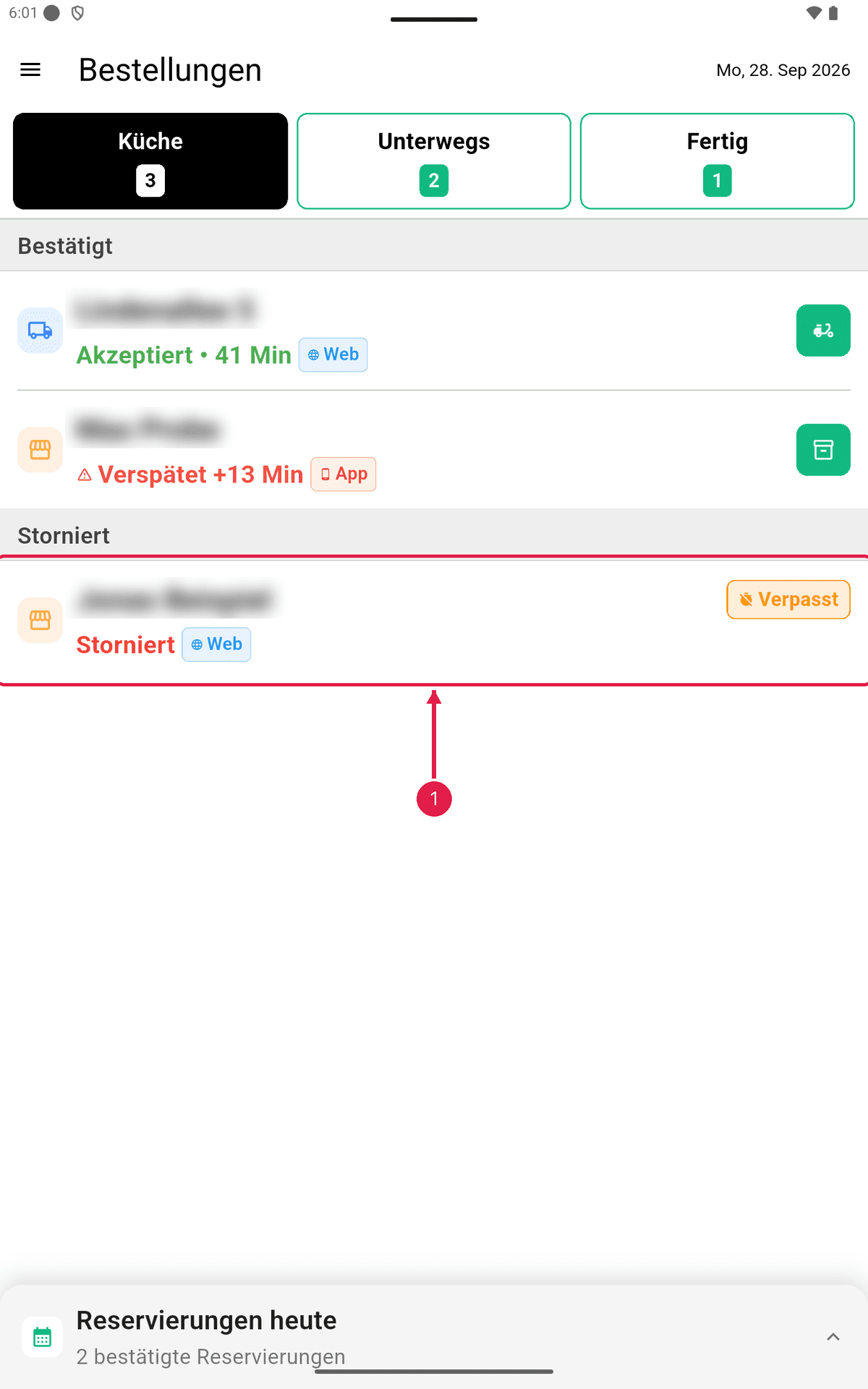
- In the list it appears under Storniert (cancelled) with the note Verpasst (missed).
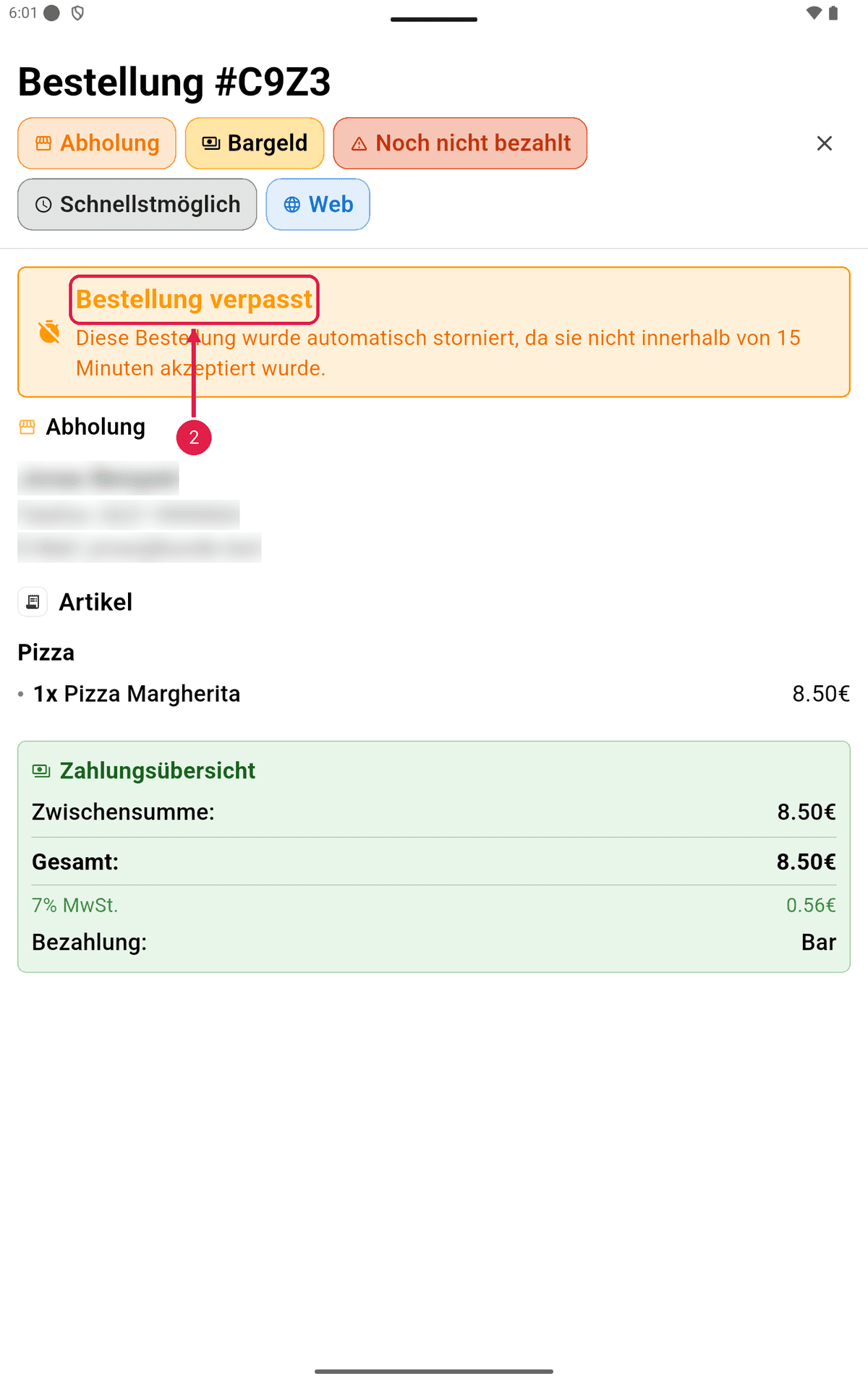
- The detail page says Bestellung verpasst (order missed): „Diese Bestellung wurde automatisch storniert, da sie nicht rechtzeitig akzeptiert wurde.“ (this order was cancelled automatically because it was not accepted in time).
Requirements
The order terminal is connected with your restaurant.
Avoid missed orders
Keep the terminal switched on, loud and connected. Check the background service, see Check the background service. If you cannot accept orders, pause them.
Step by step
Recognise in the list
Open Bestellungen (orders) in the menu. Under Storniert missed orders carry the note Verpasst.
Result
You recognise missed orders and their reason.