Order terminalOrders
Read the order details
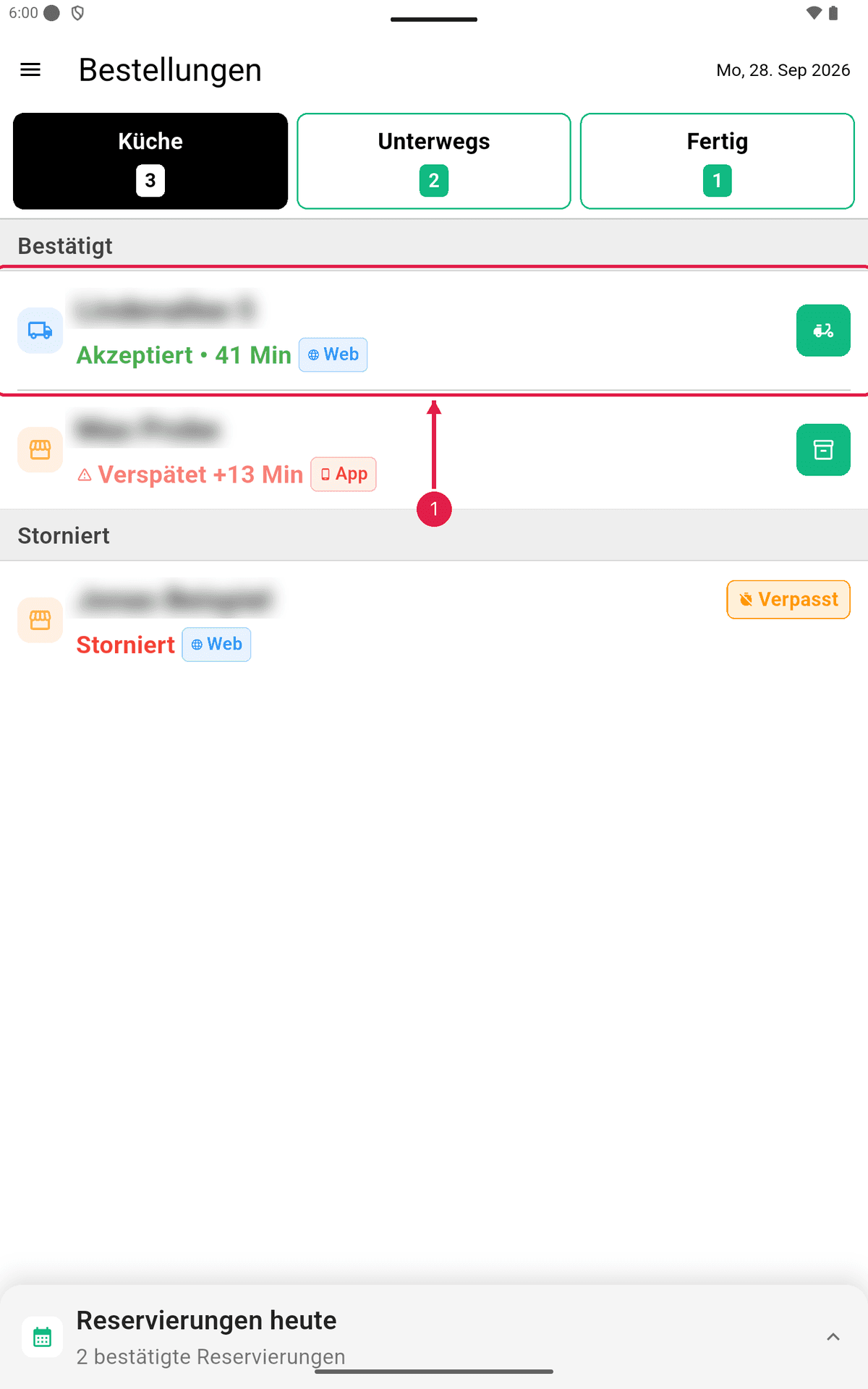
Open an order and read the guest, address, notes, items and amounts.
What it is for
When you tap an order in the list, its detail page opens with everything you need for preparation and handover.
What changes
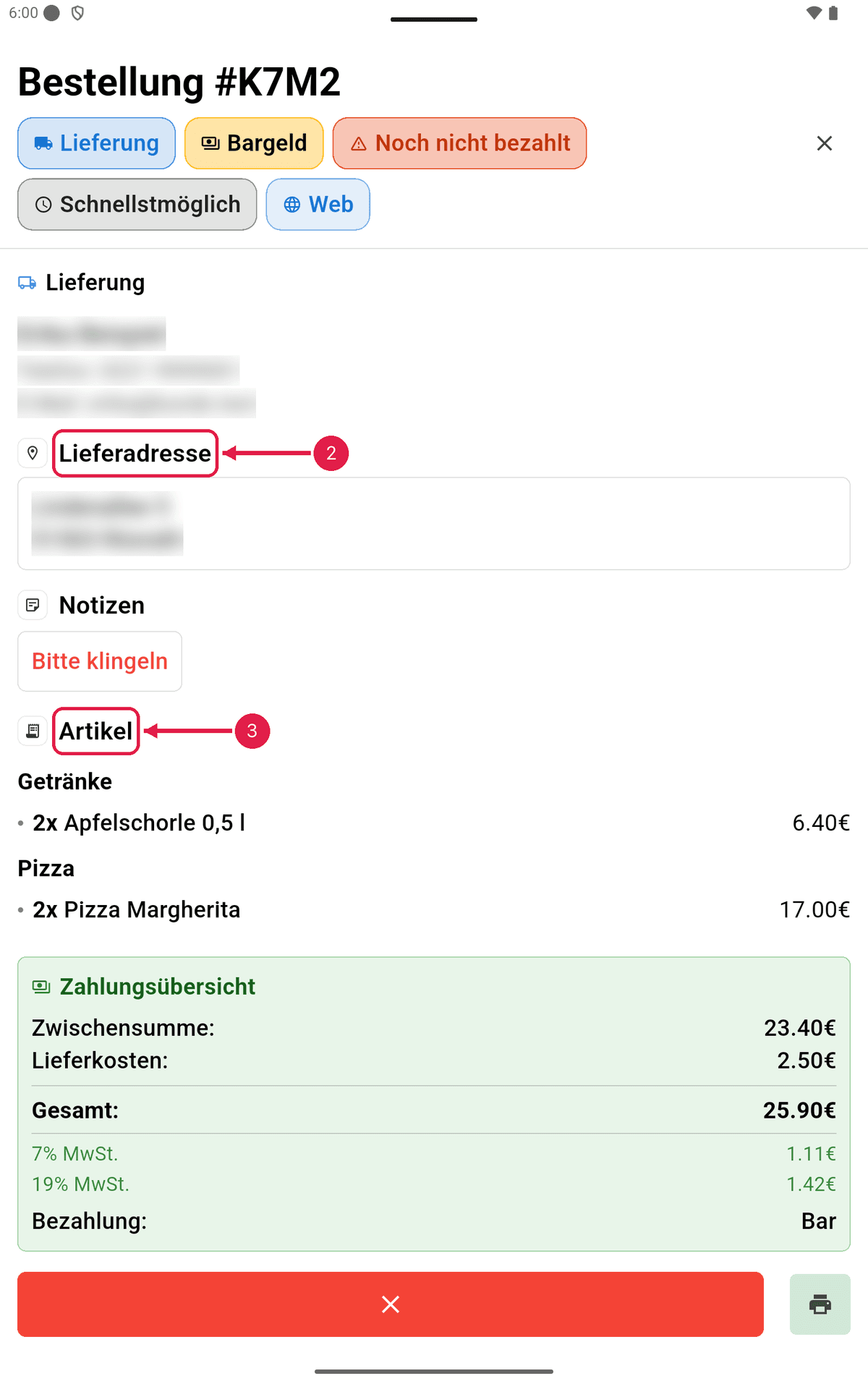
- Header: order number, type, payment method, time and source.
- Lieferung or Abholung with the guest's name, Telefon (phone) and E-Mail.
- Lieferadresse (delivery address) and the guest's Notizen (notes).
- Artikel (items) by category, with Größe (size), Extras and notes per item, promotions and free items.
- Zahlungsübersicht (payment summary) with subtotal, discounts, delivery fee, total, tip, VAT and payment. VAT is missing if it is hidden for the order terminal in the admin area.
- Schließen (close) or the X at the top right takes you back.
Requirements
The order terminal is connected with your restaurant.
Step by step
Result
You have all details of the order.