Order terminalOrders
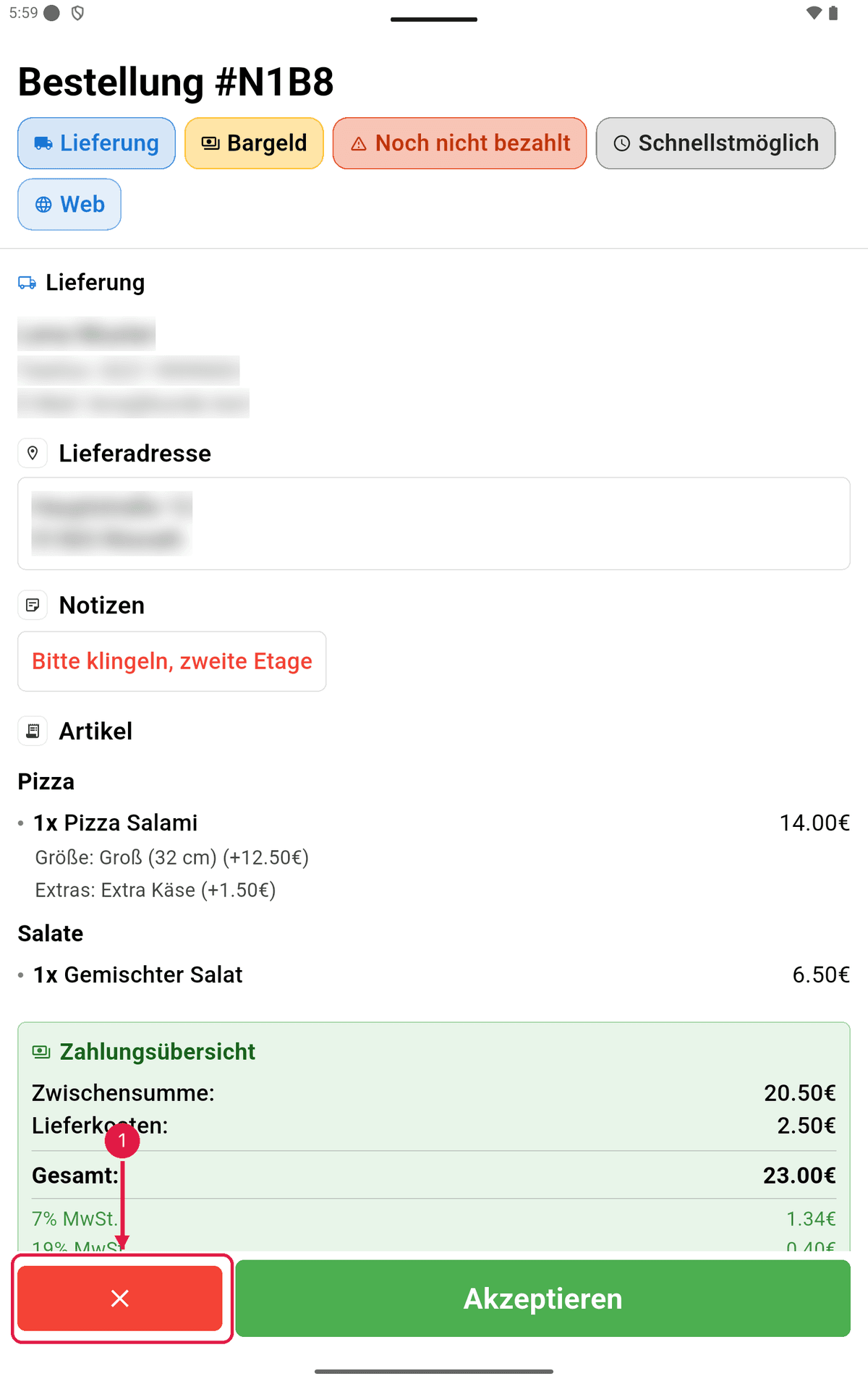
Cancel an order
Cancel an order with a reason for the guest. Online payments are refunded.
What it is for
If you cannot fulfil an order, you cancel it. This works for new and already accepted orders.
What changes
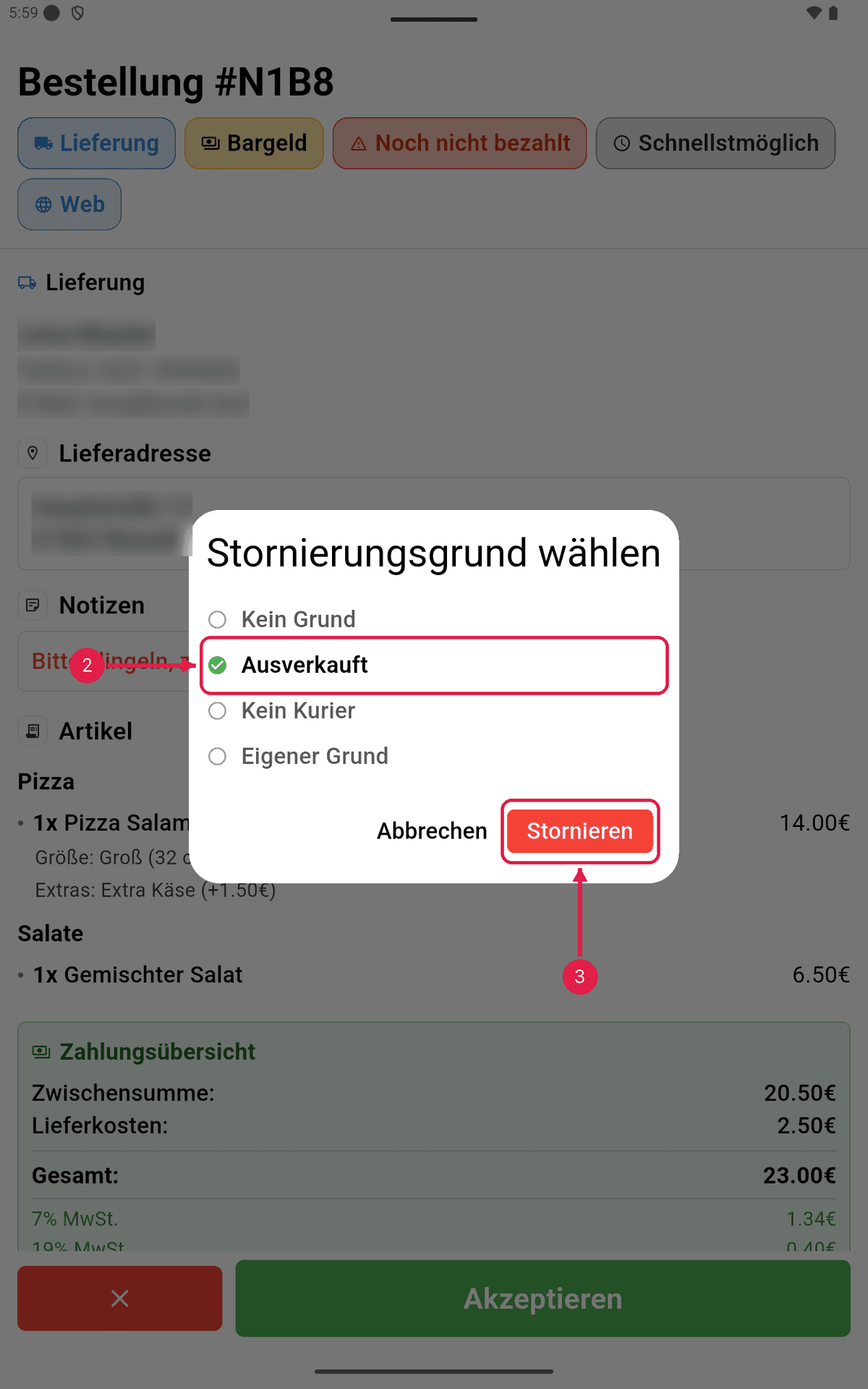
- In the Stornierungsgrund wählen (choose cancellation reason) window you choose Kein Grund (no reason, default), Ausverkauft (sold out), Kein Kurier (no courier) or Eigener Grund (own reason) with your own text.
- The order then appears under Storniert (cancelled).
- If it was paid online, the payment is voided or refunded.
Requirements
The order terminal is connected with your restaurant.
Cannot be undone
A cancelled order cannot be accepted again.
Step by step
Result
The order is cancelled.