Link to your own app
Enter the links to your own app in the App Store and Play Store so your shop points to it.
What it is for
If you have your own app, your shop should point guests to it. For that you enter the links to the App Store and the Play Store. Without links, this section of the shop stays empty.
What changes
- Your shop promotes your app in several places: on a computer at the top above the menu and in the section below the menu, on a phone in a banner at the top of the screen. If you have a landing page, it shows the same hint.
- The same heading and the same text appear everywhere. If you change them, they change the same way in every place.
- On a phone, the button in the banner leads straight to the right store: the App Store on an iPhone, Google Play on Android.
- On a computer, a click on the hint or on the store buttons shows a QR code. Guests scan it with their phone and go straight to your app. It is the same code as under QR-Code in the admin area. Below the menu, it also stands next to the store buttons on a computer.
- The message Deine App-Verweise sind gespeichert. (your app links are saved) confirms saving.
- The web shop takes over the change with Veröffentlichen (publish).
Requirements
- You are signed in to the admin area as the owner, and the area is unlocked.
- Your app is published in the App Store or Play Store, and you know the links.
Step by step
Enter the links
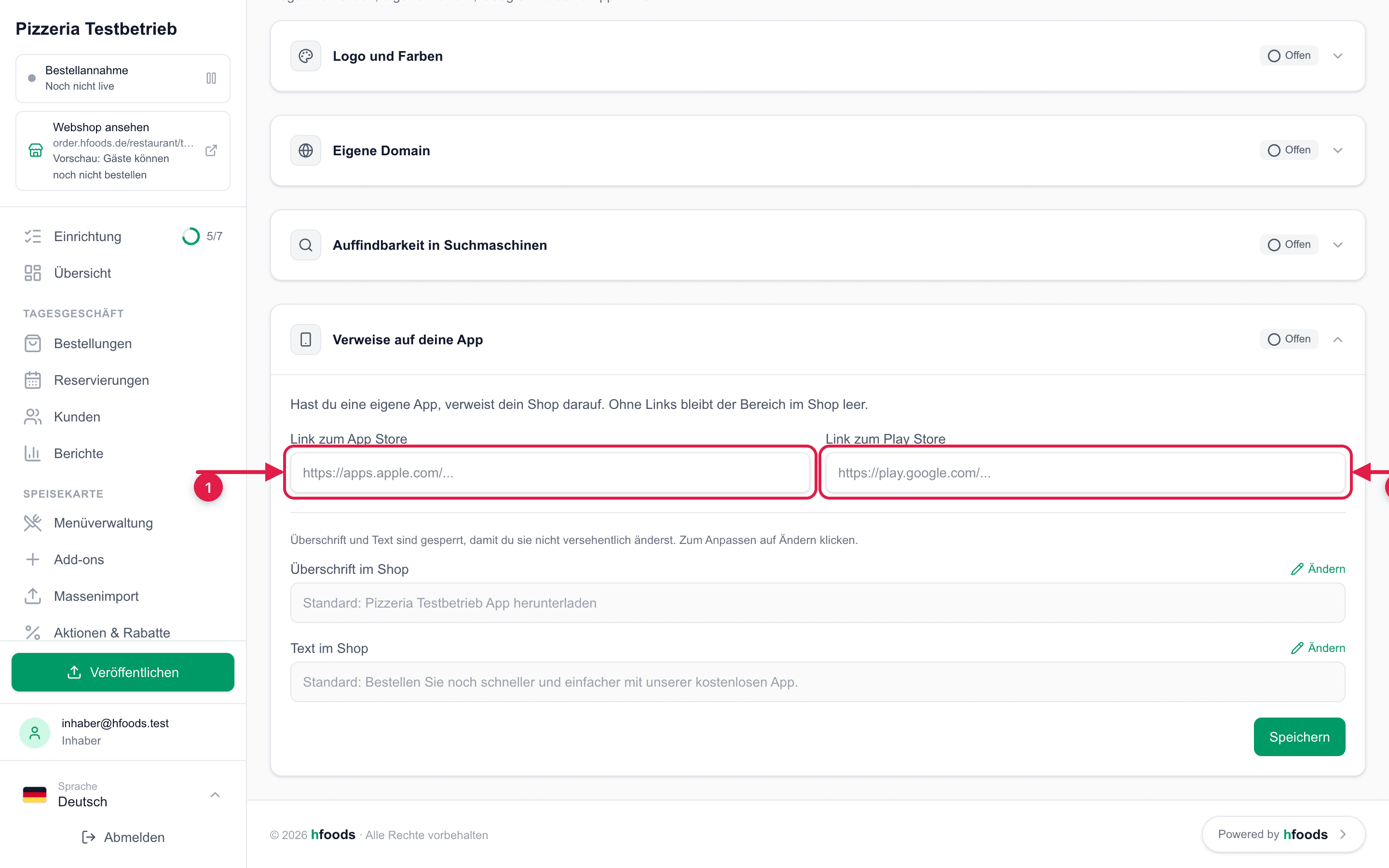
In the sidebar on the left, click Einstellungen (settings) under Shop. In the Aussehen & Auffindbarkeit (look and visibility) group, open the Verweise auf deine App (links to your app) card. Under Link zum App Store and Link zum Play Store, enter the addresses of your app, for example "https://apps.apple.com/…" and "https://play.google.com/…". If you only have one of the two, leave the other field empty.
Adjust the texts and save
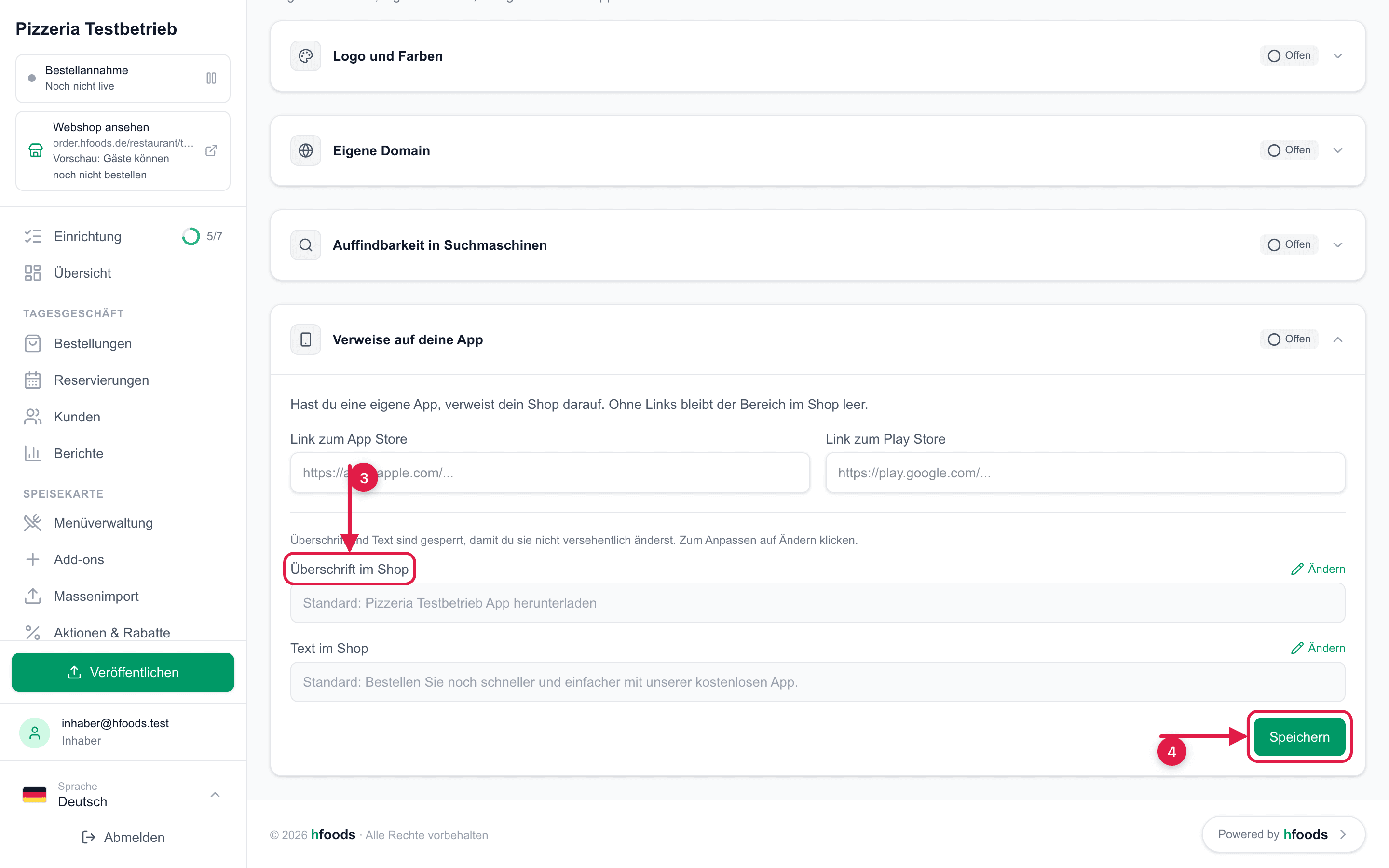
Überschrift im Shop (heading in the shop) and Text im Shop (text in the shop) are locked so you do not change them by accident. Without your own entry a standard text is shown there, for example "Pizzeria Testbetrieb App herunterladen" (download the app). To change the texts, click Ändern (change) next to them. Then click Speichern (save) and Veröffentlichen (publish) on the left.
Result
Your shop points guests to your app.
Tips
- Open the links yourself once after saving to make sure they lead to the right app.