Maintain business details
Enter the name, address and phone number of your business that guests see in the shop.
What it is for
In Einstellungen (settings) you set how your business comes across to guests. The page is divided into groups. At the very top is the Betrieb & Kontakt (business and contact) group, and in it the Betrieb und Kontakt card with the basics: name, address and phone number. Guests see these details in the shop. The address also determines from where the distance to your guests is calculated, for example for delivery areas by distance.
What changes
- Guests see name, address and phone number in the shop. They see the phone number when they have questions about their order.
- After saving, the location coordinates are determined from the address, see Set location coordinates manually.
- The message Deine Betriebsdaten sind gespeichert. (your business details are saved) confirms saving.
- The web shop takes over the change with Veröffentlichen (publish). Without publishing it can take up to six hours.
Requirements
You are signed in to the admin area as the owner, and the area is unlocked for your business. If it is not, the card is missing from Einstellungen. Then get in touch with us.
Step by step
Enter the details
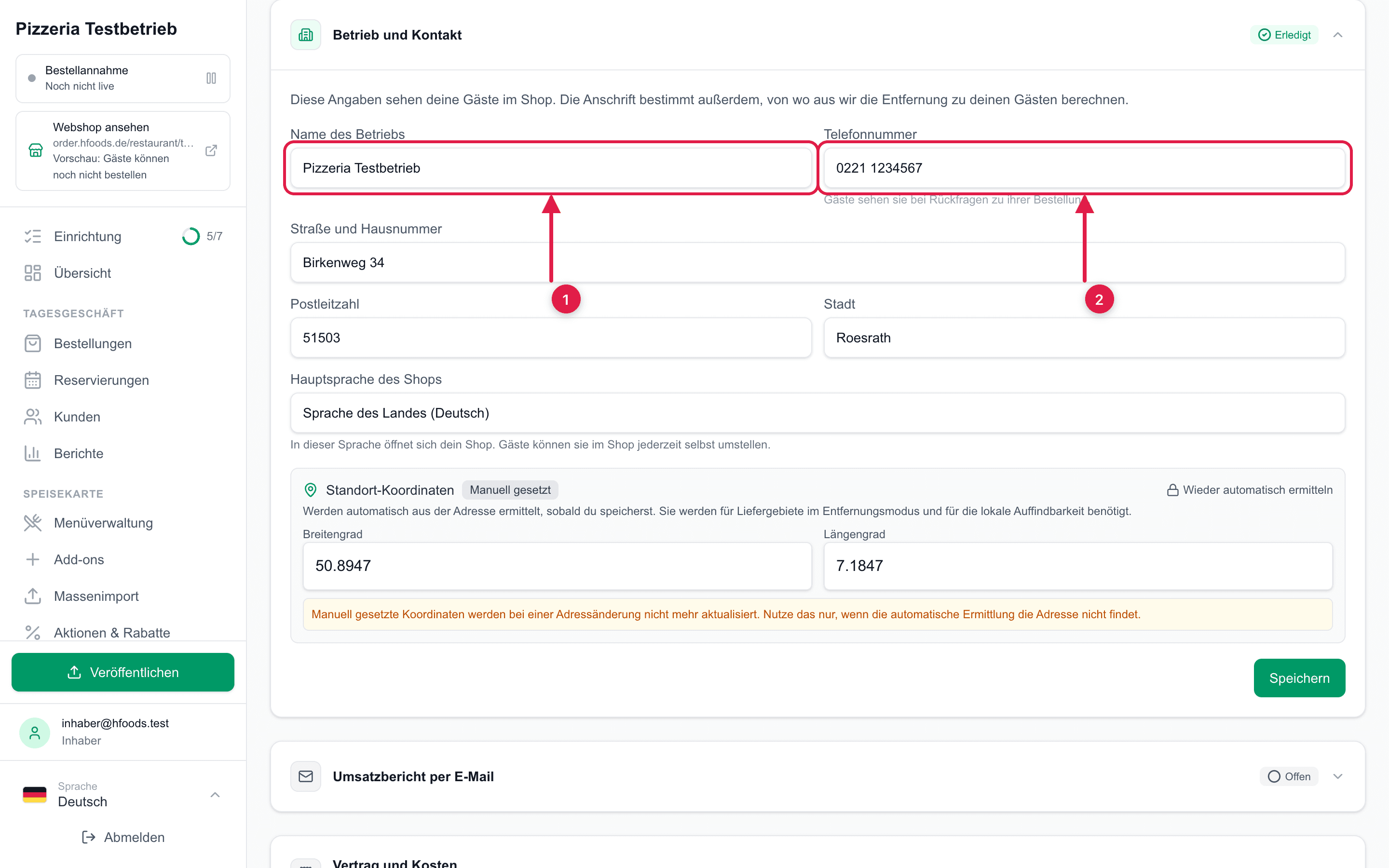
In the sidebar on the left, click Einstellungen (settings) under Shop. In the Betrieb & Kontakt group, open the Betrieb und Kontakt card. Fill in:
- Name des Betriebs (business name, required): what your shop is called. Without a name your shop cannot be displayed.
- Telefonnummer (phone number): guests see it when they have questions about their order.
- Straße und Hausnummer (street and number), Postleitzahl (postcode) and Stadt (city): the address of your business. Spell it exactly so the location is determined correctly.
Save and publish
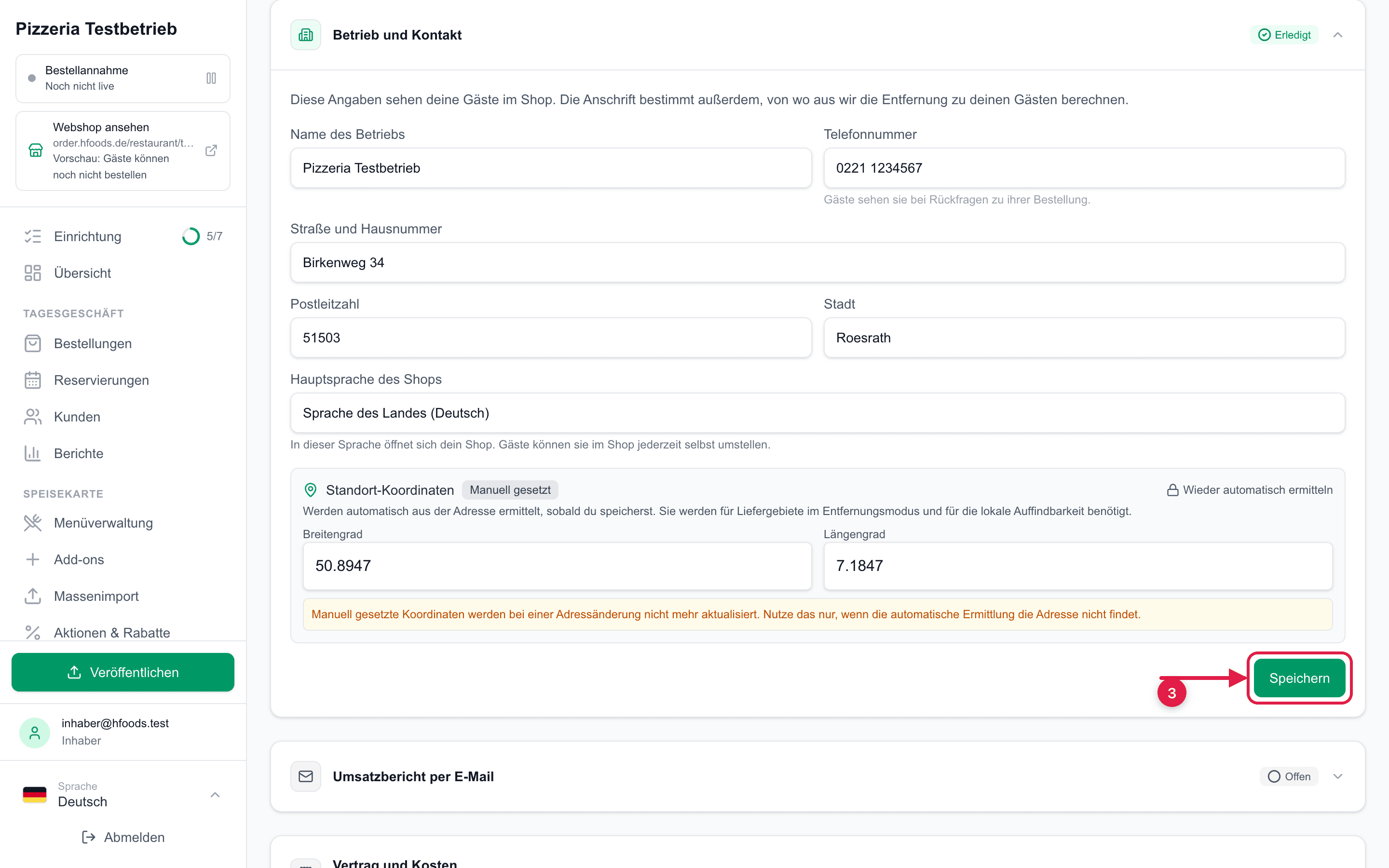
Click Speichern (save) at the bottom of the card. The card then shows Erledigt (done) at the top right. Then click Veröffentlichen (publish) on the left.
Result
Your shop shows the new contact details. The Betrieb und Kontakt step in setup is done.
Tips
- Enter a phone number where someone can really be reached during opening hours.
- If your address changes, check your delivery area afterwards. It calculates from the new location.
Frequently asked questions
Are these details also used for the imprint?
Yes. The imprint template takes address and phone number from these details, see Create the imprint and legal texts.