Set guest payment methods
Set how guests can pay, separately for delivery and pickup.
What it is for
Guests pay you in cash, by card at the door, online by card or with PayPal. You set which of these payment methods you offer separately for Lieferung (delivery) and Abholung (pickup). If no payment method is active, nobody can complete an order.
What changes
- When ordering, guests only see the payment methods that are active for the chosen order type.
- The message Deine Zahlungsarten sind gespeichert. (your payment methods are saved) confirms saving.
- The web shop takes over the change with Veröffentlichen (publish). Without publishing it can take up to six hours.
Requirements
You are signed in to the admin area as the owner, and the area is unlocked for your business.
Step by step
Choose payment methods
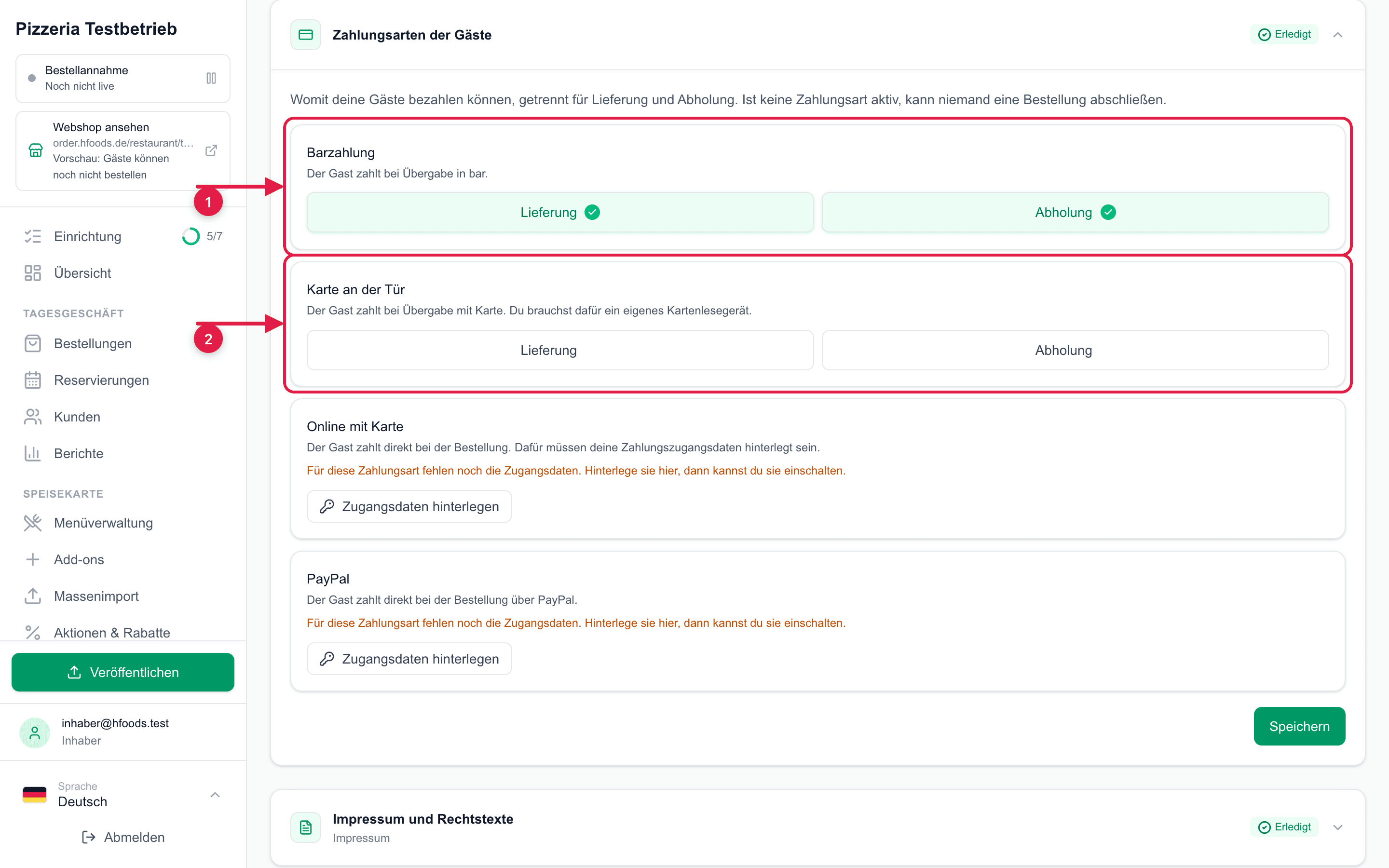
In the sidebar on the left, click Einstellungen (settings) under Shop. In the Bezahlung & Rechtliches (payment and legal) group, open the Zahlungsarten der Gäste (guest payment methods) card. Each payment method has two buttons, Lieferung and Abholung. A click switches it on or off for that order type; a green tick shows that it is active.
- Barzahlung (cash): the guest pays in cash on handover.
- Karte an der Tür (card at the door): the guest pays by card on handover. You need your own card reader for this.
- Online mit Karte (online by card): the guest pays directly when ordering. Your payment access credentials must be stored for this.
- PayPal: the guest pays directly when ordering via PayPal.
You set up PayPal yourself in the PayPal tile if entering payment credentials is enabled for your business: Set up PayPal for your web shop. If a payment method says "Für diese Zahlungsart fehlen noch die Zugangsdaten" (access credentials are still missing for this payment method), the hfoods team sets it up with you. Get in touch with us.
Save and publish
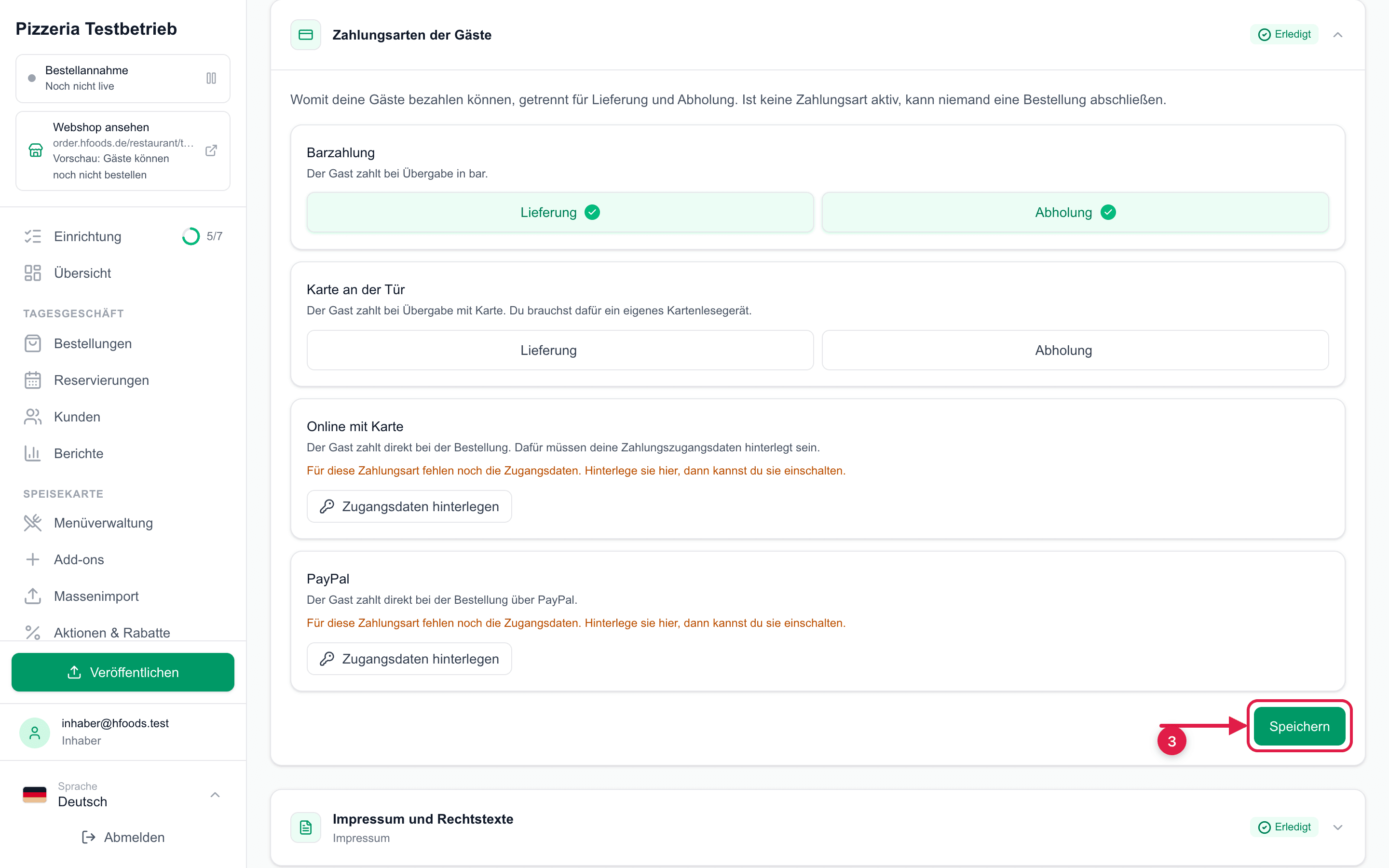
Click Speichern (save) at the bottom of the card, then Veröffentlichen (publish) on the left.
Result
Guests can pay with the chosen payment methods, depending on whether they have the order delivered or collect it.
Tips
- Cash alone is enough to start with. You can add online payment later.
- If online payment with Stripe has been enabled for your business, you can set it up yourself with one click: Set up online payment with Stripe.
- If you offer Karte an der Tür, make sure your drivers carry a card reader.
Frequently asked questions
What happens if no payment method is active?
Then no guest can complete an order. The card warns you with "Aktuell ist keine Zahlungsart aktiv." (no payment method is currently active).
I switched on an online payment method, but guests cannot pay with it. Why?
Most likely the access credentials are missing. The card then shows "Für diese Zahlungsart fehlen die Zugangsdaten, sie ist aber aktiv." (credentials are missing for this payment method, but it is active). Switch it off or get in touch with us.