Set location coordinates manually
Enter the latitude and longitude of your business yourself if the automatic lookup does not find the address.
What it is for
From your address, the admin area automatically determines the location coordinates, that is latitude and longitude. They are needed for delivery areas in distance mode and for local findability. If the automatic lookup does not find your address, or only imprecisely, you enter the coordinates yourself.
What changes
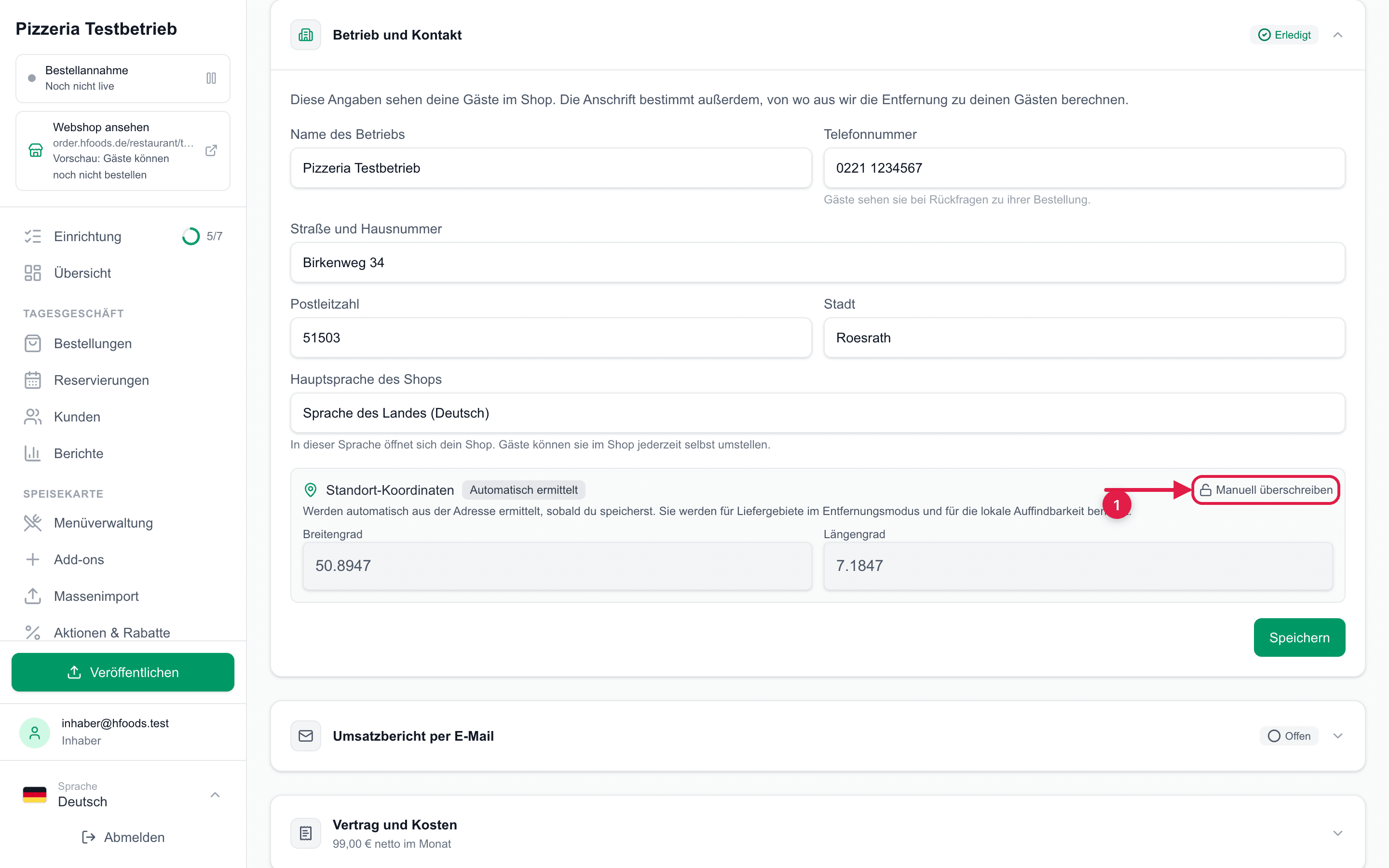
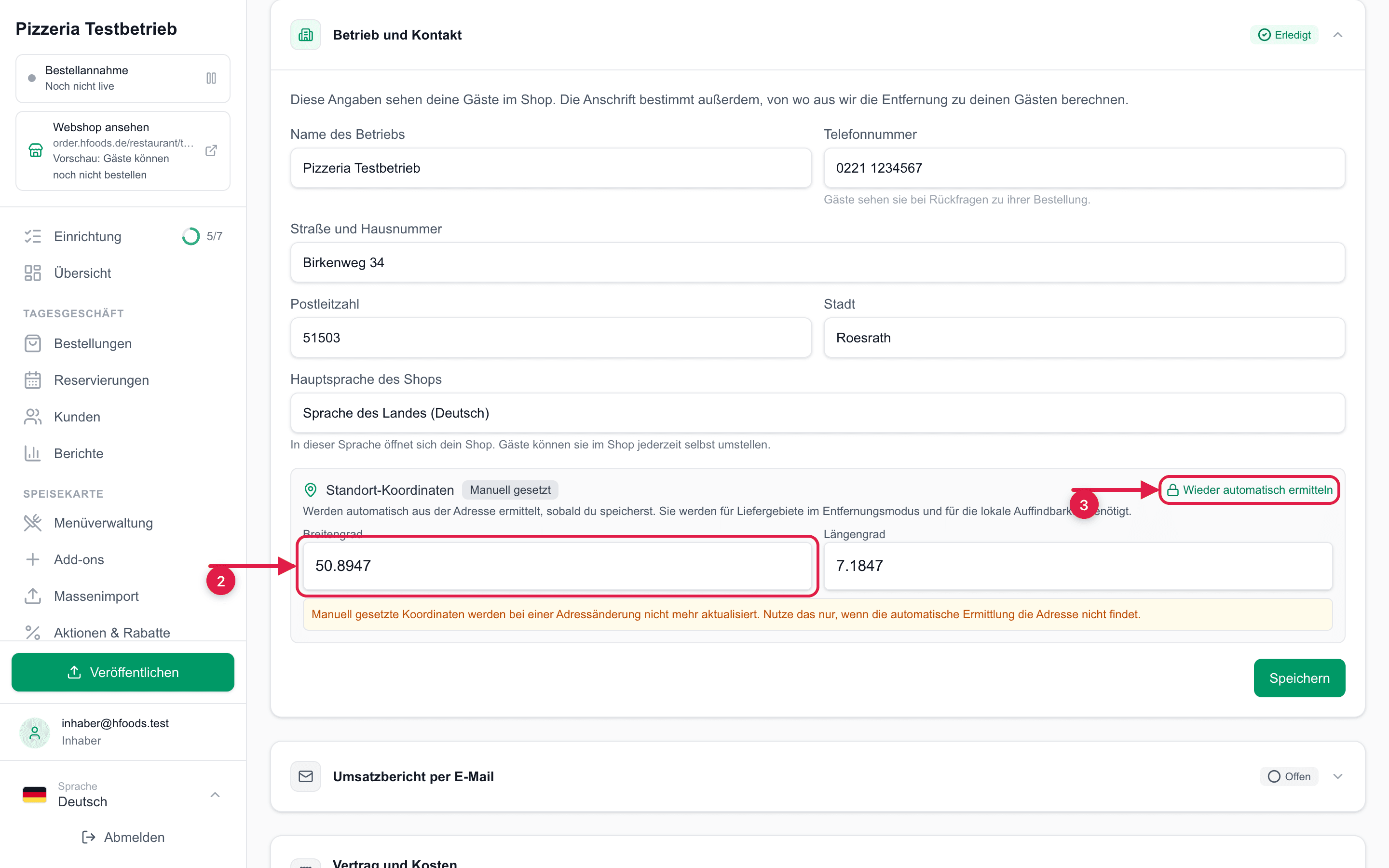
- Your location is set to the coordinates you enter. Standort-Koordinaten (location coordinates) shows Manuell gesetzt (set manually) instead of Automatisch ermittelt (determined automatically).
- Manually set coordinates are no longer updated when the address changes.
Requirements
You are signed in to the admin area as the owner, and you know the coordinates of your business, for example from a map service.
Only when necessary
Use this only if the automatic lookup does not find the address. If the coordinates are wrong, your delivery area calculates from the wrong place.
Step by step
Choose Manuell überschreiben
In the sidebar on the left, click Einstellungen (settings) under Shop and, in the Betrieb & Kontakt group, open the Betrieb und Kontakt (business and contact) card. The Standort-Koordinaten section shows the status. Notes such as "Die Adresse wurde nicht gefunden. Bitte Schreibweise prüfen." (the address was not found, please check the spelling) show why the automatic lookup did not work. Check the address first. If that does not help, click Manuell überschreiben (override manually) on the right.
Enter the coordinates and save
Enter Breitengrad (latitude) and Längengrad (longitude) and click Speichern (save). To go back to automatic lookup, click Wieder automatisch ermitteln (determine automatically again).
Result
Your location is fixed. Delivery areas by distance calculate from this point.
Tips
- Most map services show latitude and longitude when you tap or click on your business.
- If you move, switch back with Wieder automatisch ermitteln, otherwise the old location stays stored.
Frequently asked questions
What does the note mean that the coordinates still belong to the previous address?
You changed the address, but the coordinates have not been determined again yet. Until this is fixed, your delivery area calculates with the old location.