Prioritise categories for printing
Always print certain categories first on the receipt, regardless of the order in which they were ordered.
What it is for
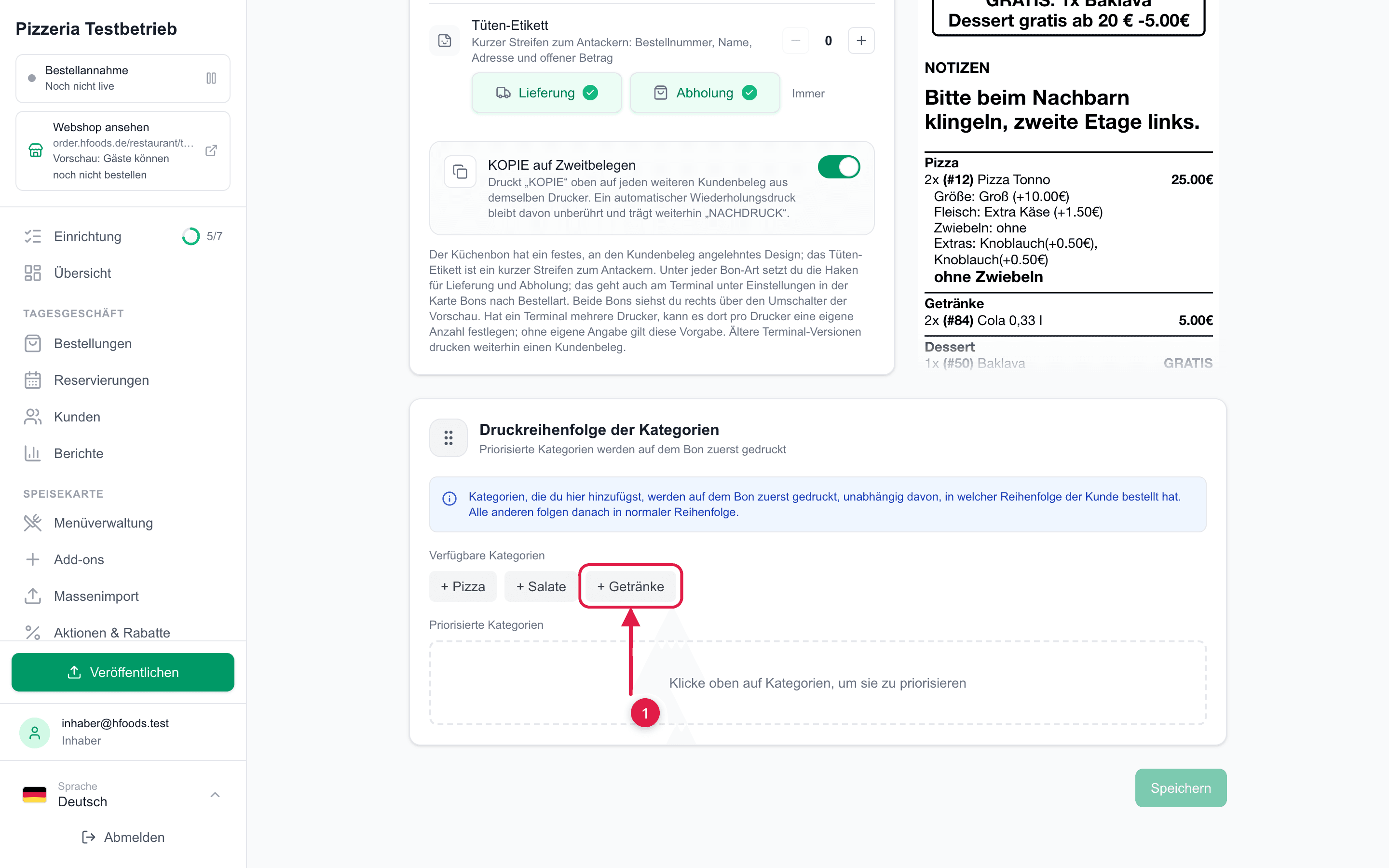
Under Druckreihenfolge der Kategorien (category print order) you decide which categories come first on the receipt, for example drinks so they are served straight away.
What changes
- Prioritised categories are printed first, regardless of the order in which the guest ordered.
- All others follow in the normal order.
- The cross (Entfernen, remove) takes a category out again.
Requirements
You are signed in to the admin area as the owner. There are categories, see Create a category.
Step by step
Choose a category
In the sidebar on the left, click Bon-Druck (receipt printing). Under Druckreihenfolge der Kategorien all categories are listed at Verfügbare Kategorien (available categories). Click one, in the picture + Getränke (drinks).
Check and save
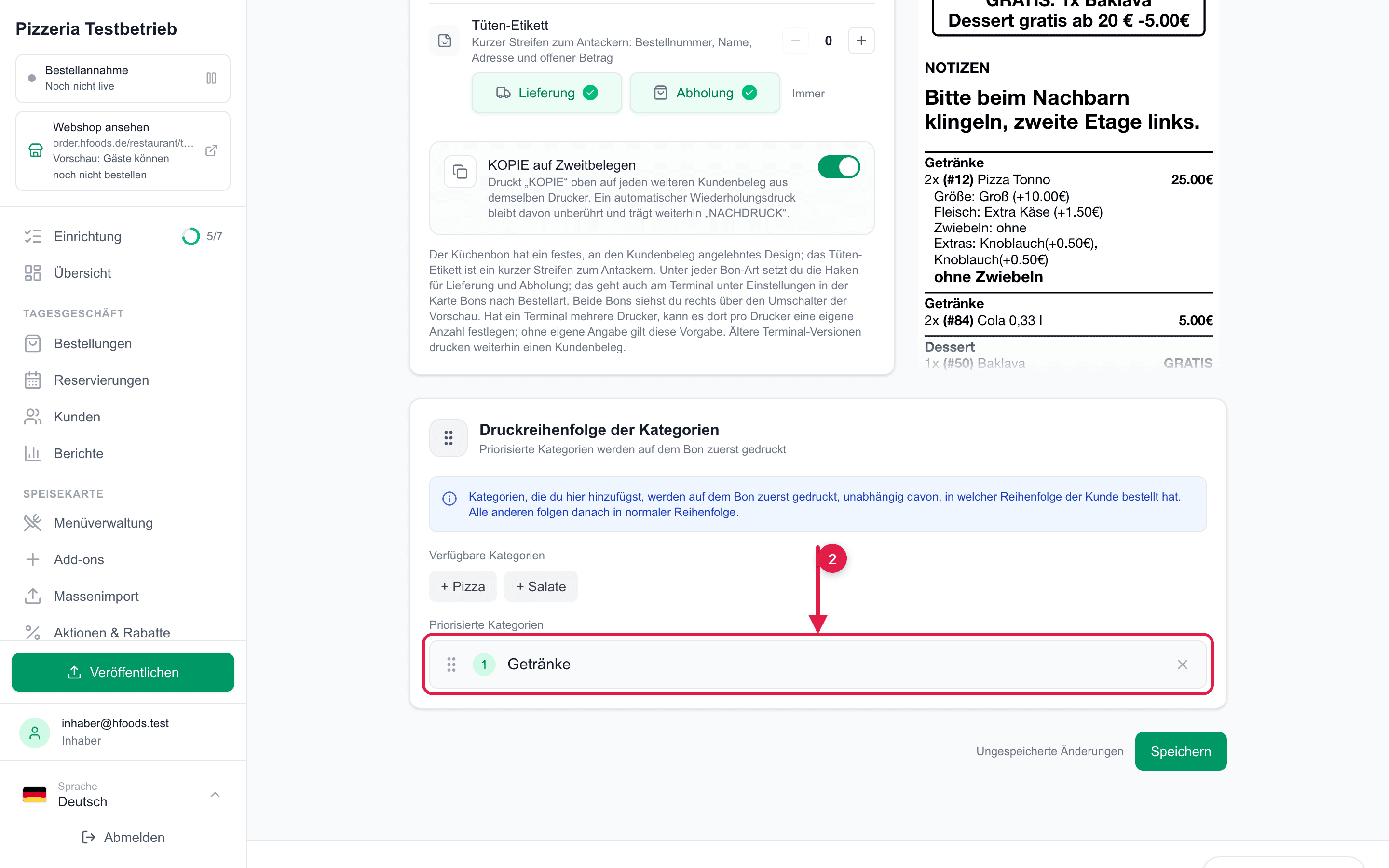
The category is now under Priorisierte Kategorien (prioritised categories), with its position. Click Speichern (save) at the bottom, see Save the receipt settings.
Result
The chosen categories are at the very top of every receipt.