Admin areaReceipt printing
Reset the receipt to default
Reset the receipt switches, order and font sizes to the built-in defaults.
What it is for
If something got mixed up, Zurücksetzen (reset) puts the receipt back to the built-in defaults.
What changes
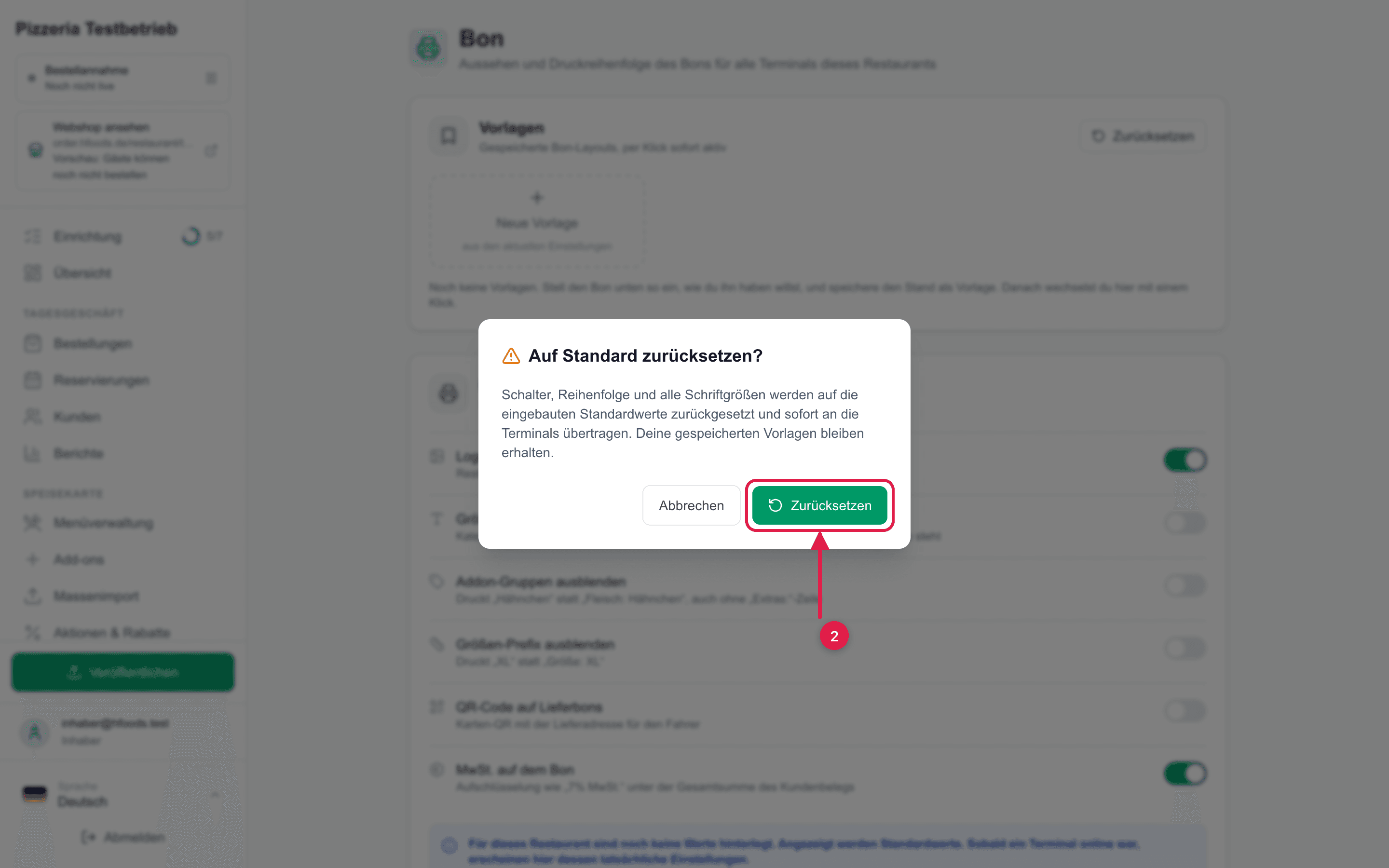
- Switches, order and all font sizes are set to the defaults and sent to the terminals straight away.
- Your saved templates are kept.
- The number of receipts per order and the order types stay as they are, see Print receipts only for delivery or pickup.
- The message reads Bon-Einstellungen auf Standard zurückgesetzt (receipt settings reset to default).
Requirements
You are signed in to the admin area as the owner.
Step by step
Choose reset
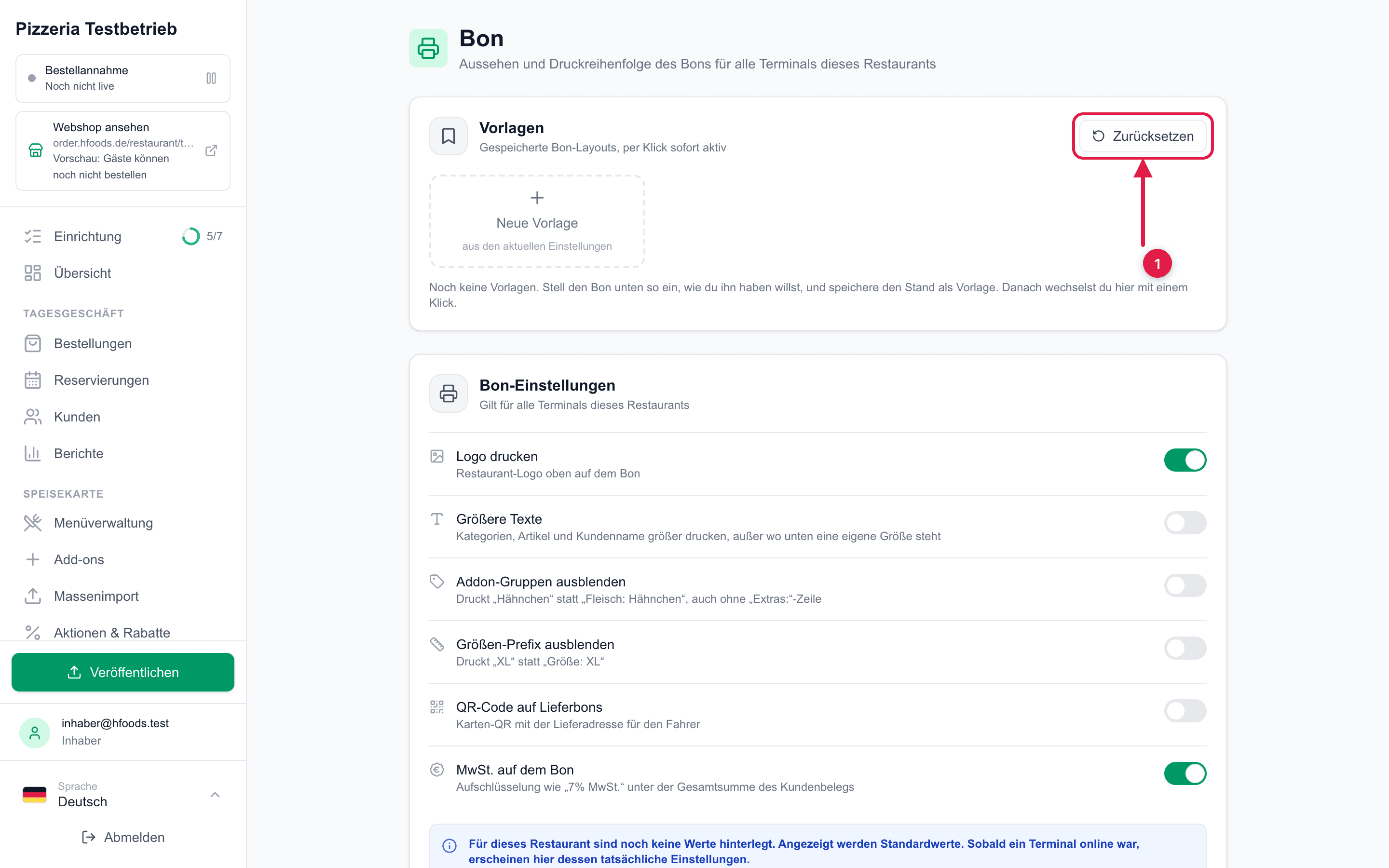
In the sidebar on the left, click Bon-Druck (receipt printing). At the top, next to Vorlagen, click Zurücksetzen.
Confirm
The Auf Standard zurücksetzen? (reset to default?) window explains the consequences. Click Zurücksetzen or Abbrechen (cancel).
Result
The receipt is back at the default. With a template you return to your own state.