Admin areaReceipt printing
Set the receipt font sizes
Set the font size of individual receipt lines in print points, separately for 58 and 80 mm paper.
What it is for
Under Schriftgrößen (font sizes) you set a size of your own in print points for individual lines of the receipt, for example for the total or the notes.
What changes
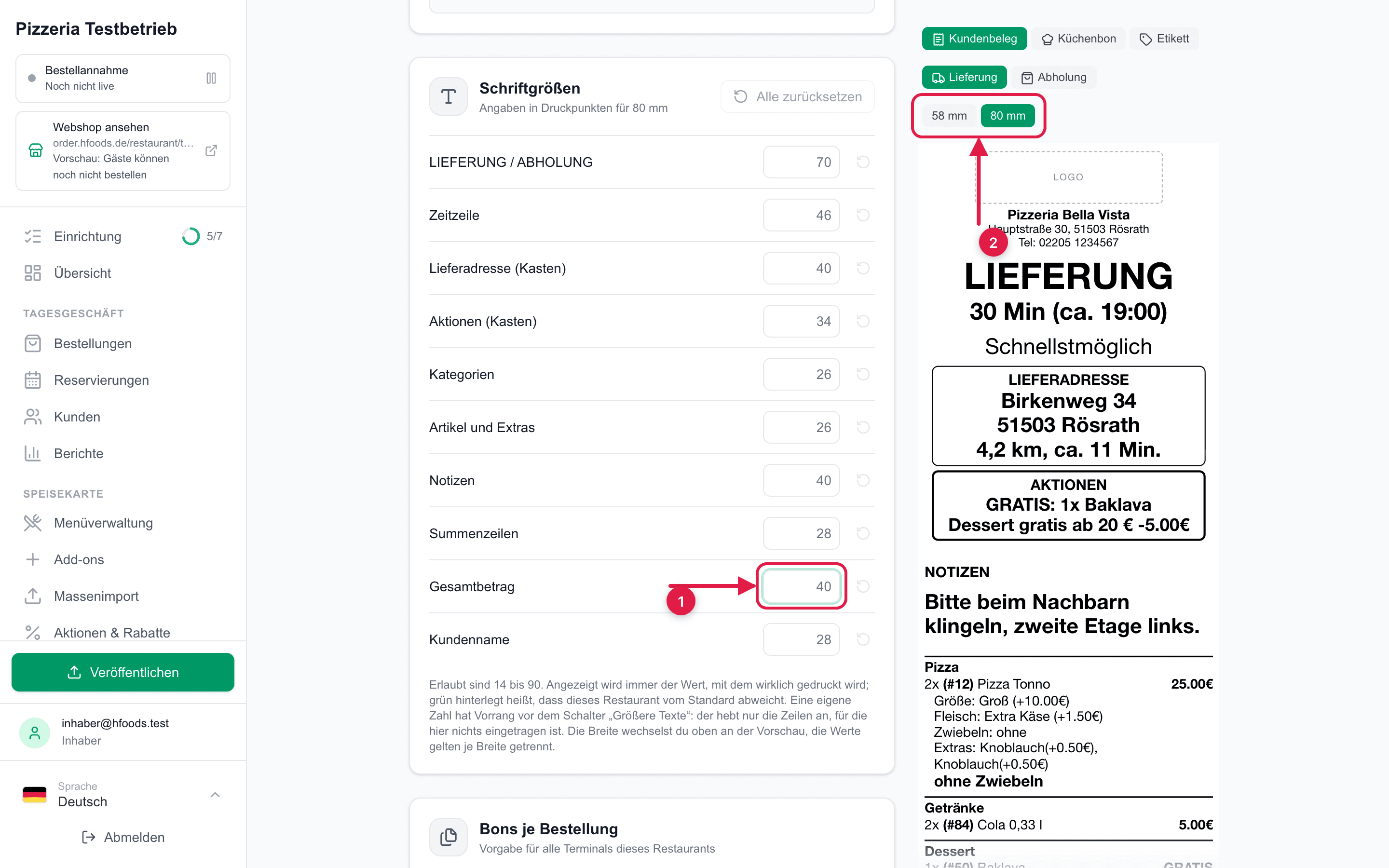
- You can set LIEFERUNG / ABHOLUNG (delivery or pickup), Zeitzeile (time line), Lieferadresse (Kasten) (delivery address box), Aktionen (Kasten) (promotions box), Kategorien (categories), Artikel und Extras (items and extras), Notizen (notes), Summenzeilen (total lines), Gesamtbetrag (grand total) and Kundenname (customer name).
- 14 to 90 are allowed. The value shown is always the one actually printed. A green background means: this value differs from the default.
- A number of your own takes priority over the Größere Texte (larger text) switch, which only enlarges the lines with nothing entered here.
- The values apply separately per paper width. You change the width above the preview with 58 mm or 80 mm.
- The arrow next to a line resets it to the default, Alle zurücksetzen (reset all) resets all lines of the chosen width.
Requirements
You are signed in to the admin area as the owner.
Step by step
Enter a size
In the sidebar on the left, click Bon-Druck (receipt printing). Choose your printer's paper width above the preview. Under Schriftgrößen enter the number you want, in the picture 40 for Gesamtbetrag. Click Speichern (save) at the bottom, see Save the receipt settings.
Result
The receipt prints these lines in your size.