Admin areaReceipt printing
Apply a receipt template
Switch to a saved receipt template with one click.
What it is for
A Vorlage (template) is a named state of your switches, order and font sizes, for example "Küchenlayout" or "Wochenende". One click switches between such states.
What changes
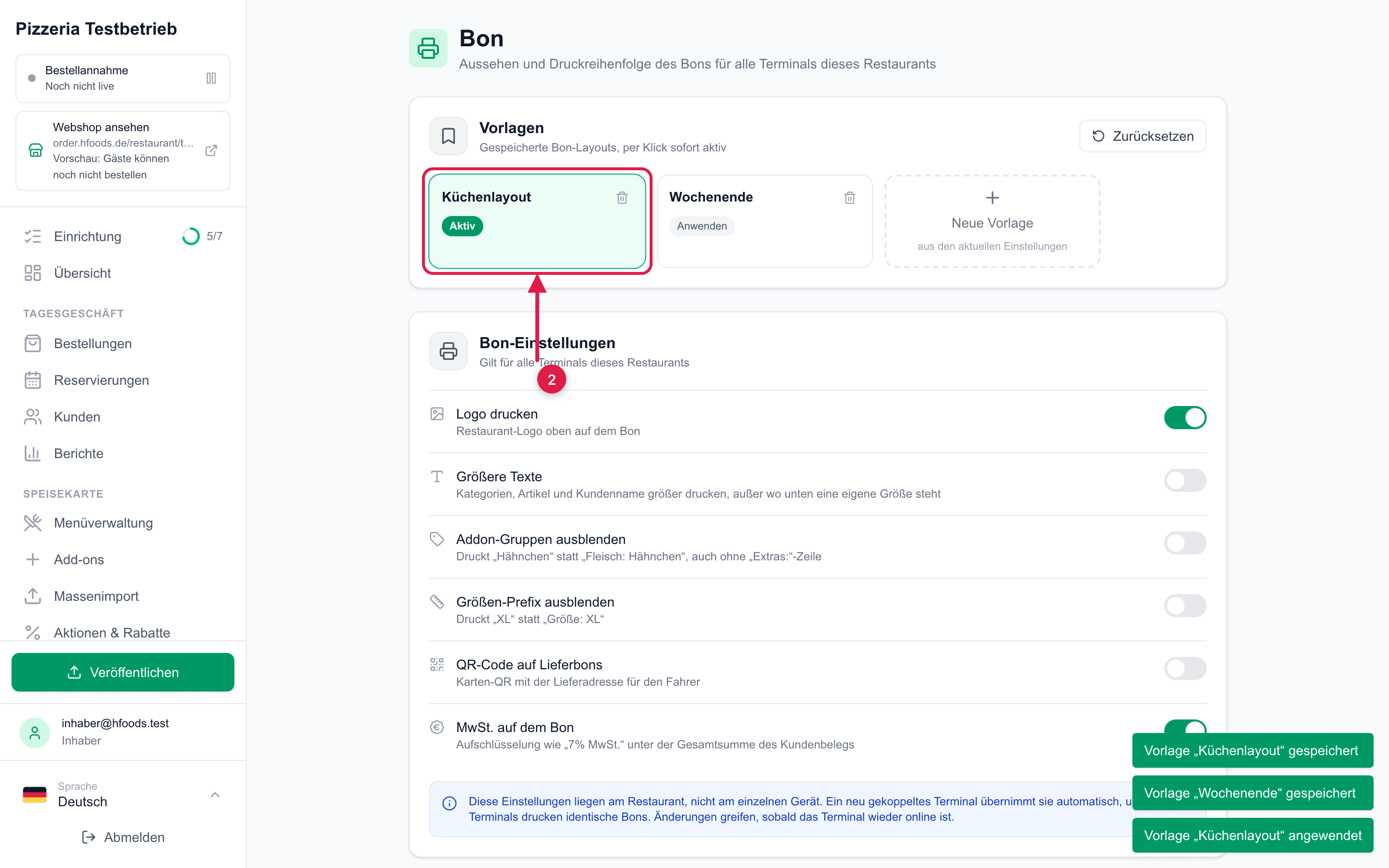
- The template becomes active straight away and is sent to the terminals. The message reads, for example, Vorlage „Küchenlayout“ angewendet (template applied).
- If you have unsaved changes, the Vorlage anwenden? (apply template?) window asks first, because they are lost when applying. Confirm with Anwenden (apply).
Requirements
You are signed in to the admin area as the owner. There are at least two templates.
Step by step
Click the template
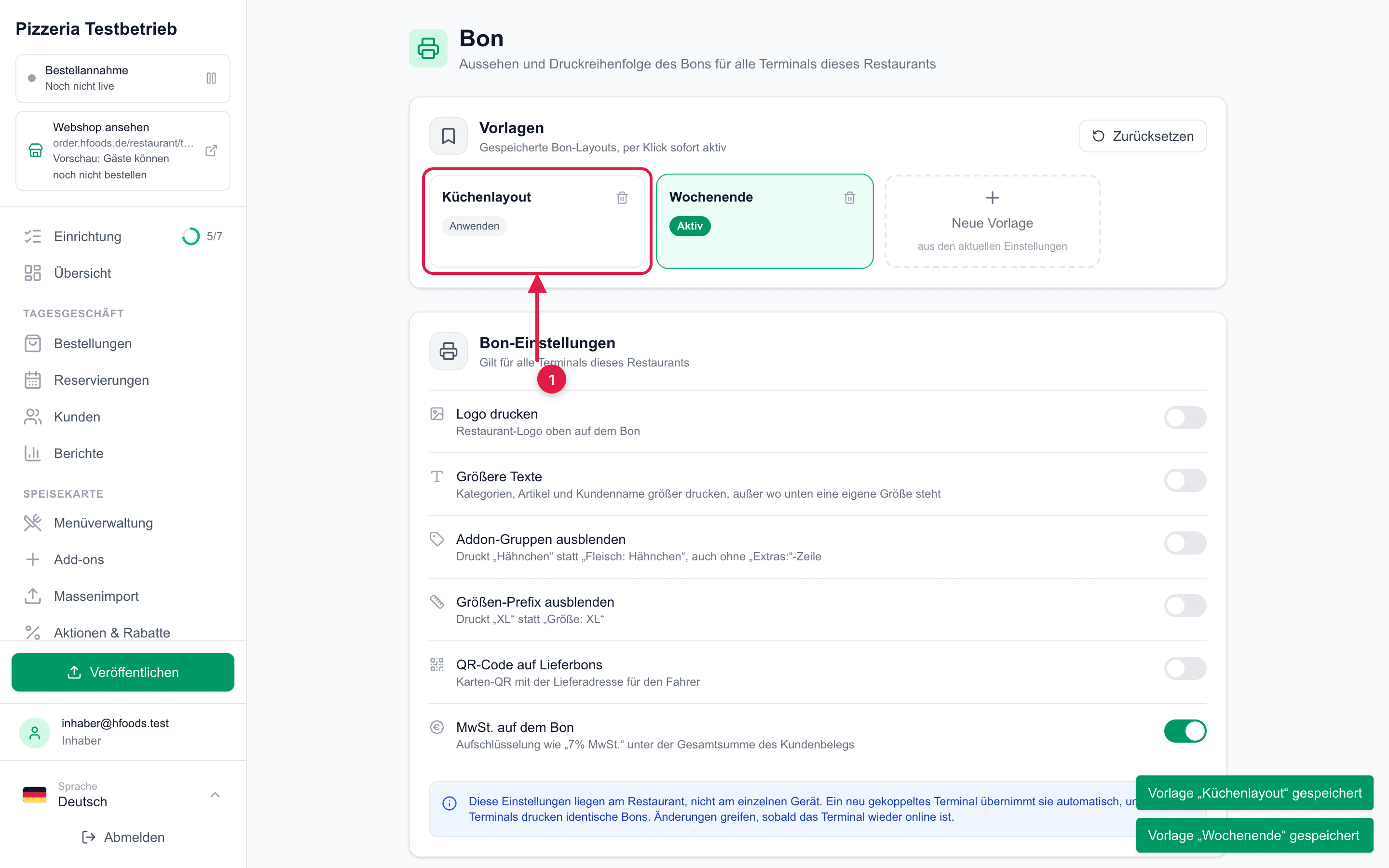
In the sidebar on the left, click Bon-Druck (receipt printing). Under Vorlagen every inactive template shows Anwenden. Click the one you want, in the picture Küchenlayout.
Result
Your terminals print with the chosen template.