Admin areaReceipt printing
Save a new receipt template
Save the current receipt settings as a named template to switch back to it later with one click.
What it is for
A Vorlage (template) is a named state of your switches, order and font sizes, for example "Küchenlayout" or "Wochenende". One click switches between such states.
What changes
- The template records the current state: switches, order and font sizes.
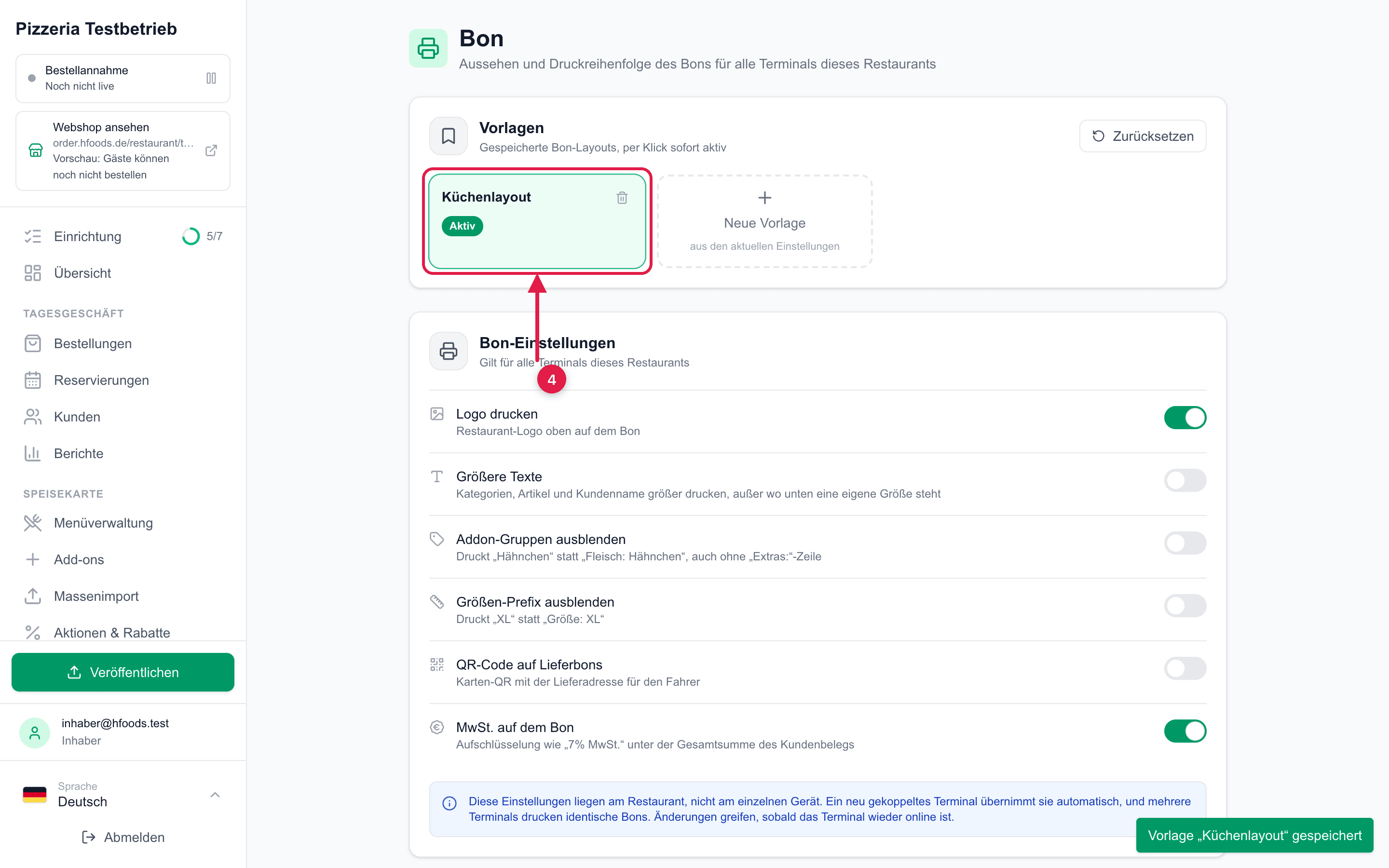
- This state is also saved and active straight away. The template card shows Aktiv (active).
- The message reads, for example, Vorlage „Küchenlayout“ gespeichert (template saved).
Requirements
You are signed in to the admin area as the owner. You have set the receipt the way you want it as a template.
Step by step
Choose new template
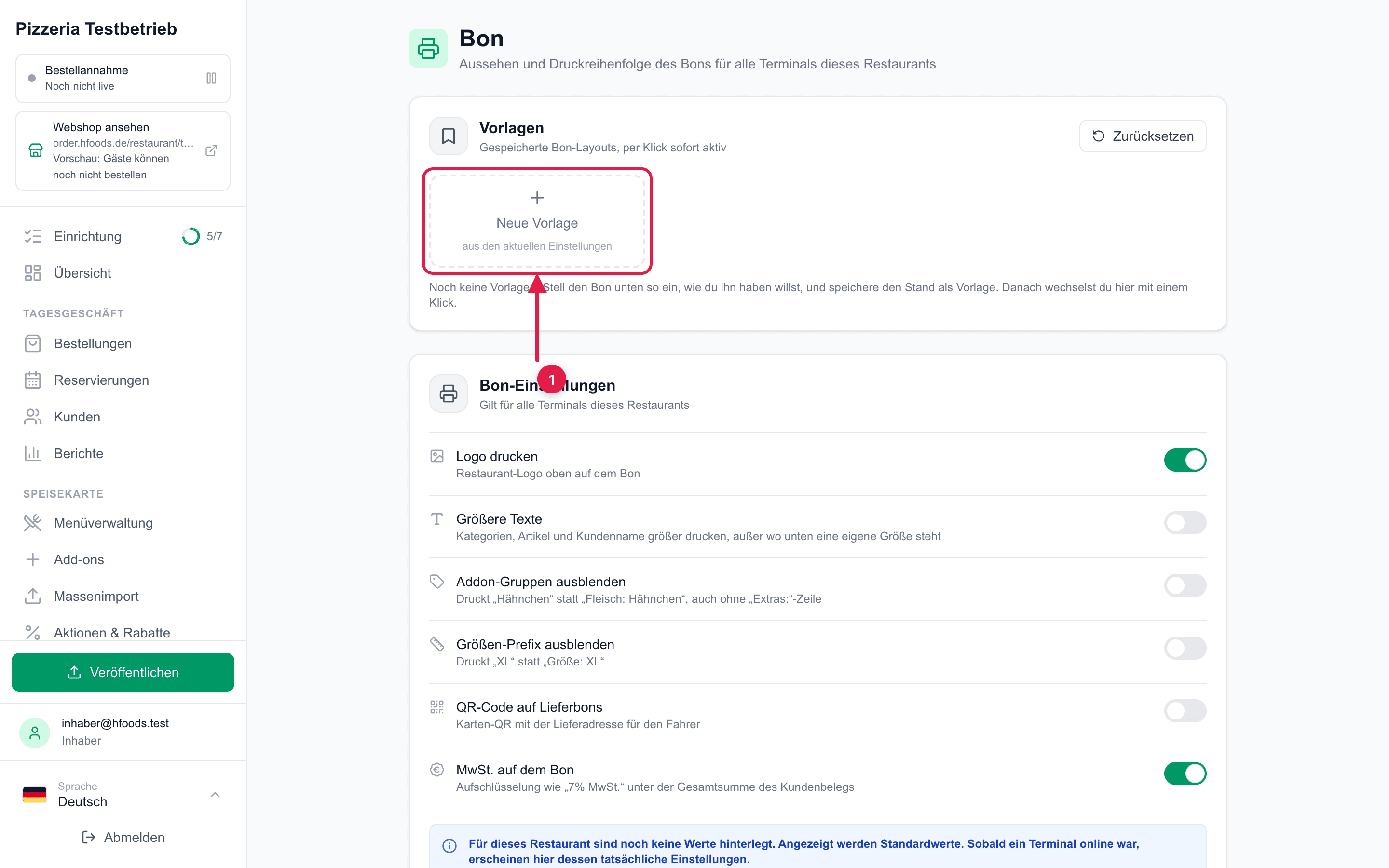
In the sidebar on the left, click Bon-Druck (receipt printing). Under Vorlagen (templates) click Neue Vorlage (new template).
Give it a name
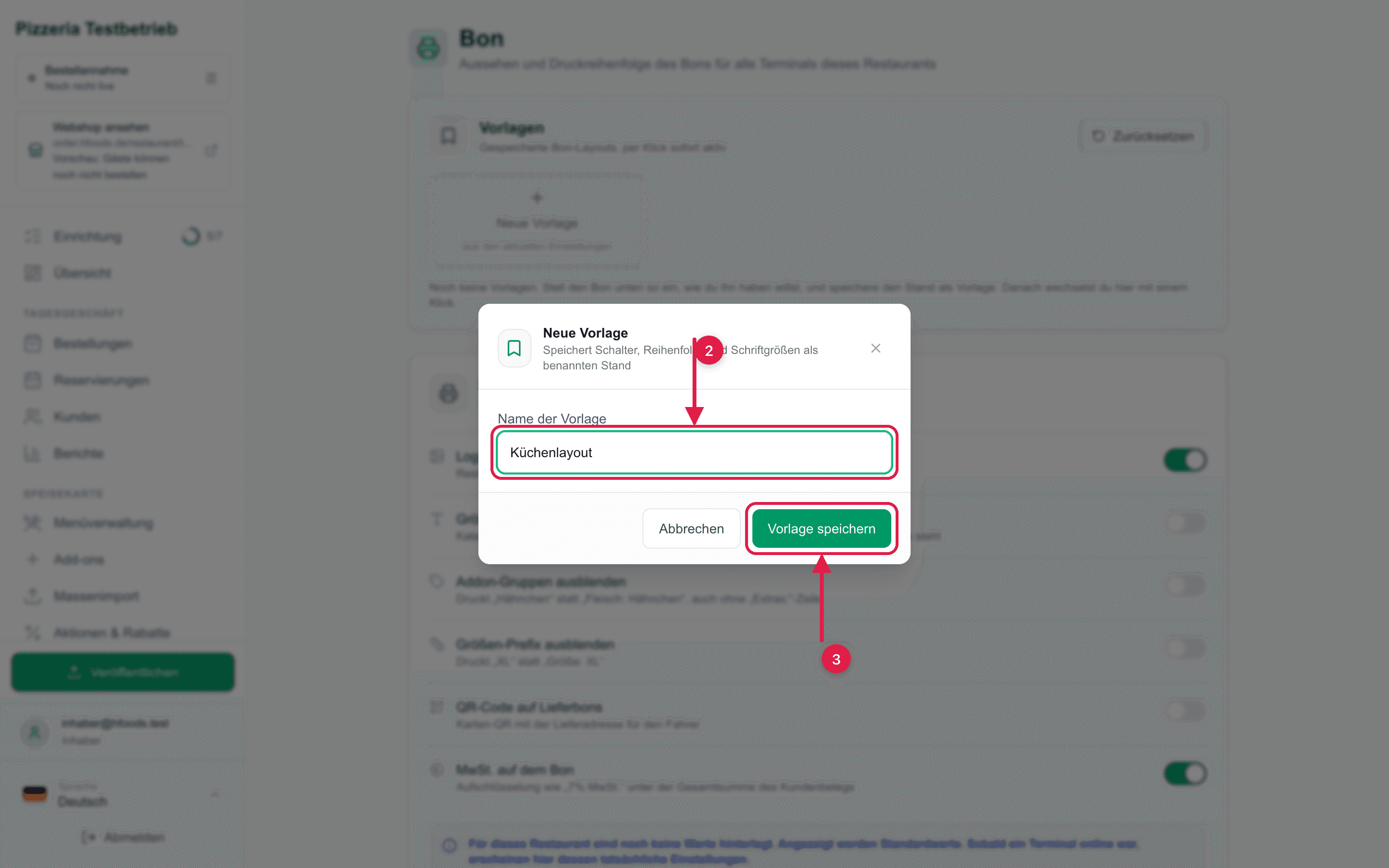
In the Neue Vorlage window enter the Name der Vorlage (template name), for example "Küchenlayout", and click Vorlage speichern (save template).
Result
Your template is saved. Later you switch back to it with one click.