Set the order of sections on the receipt
Decide in which order the header, order type, address, items and the other sections appear on the customer receipt.
What it is for
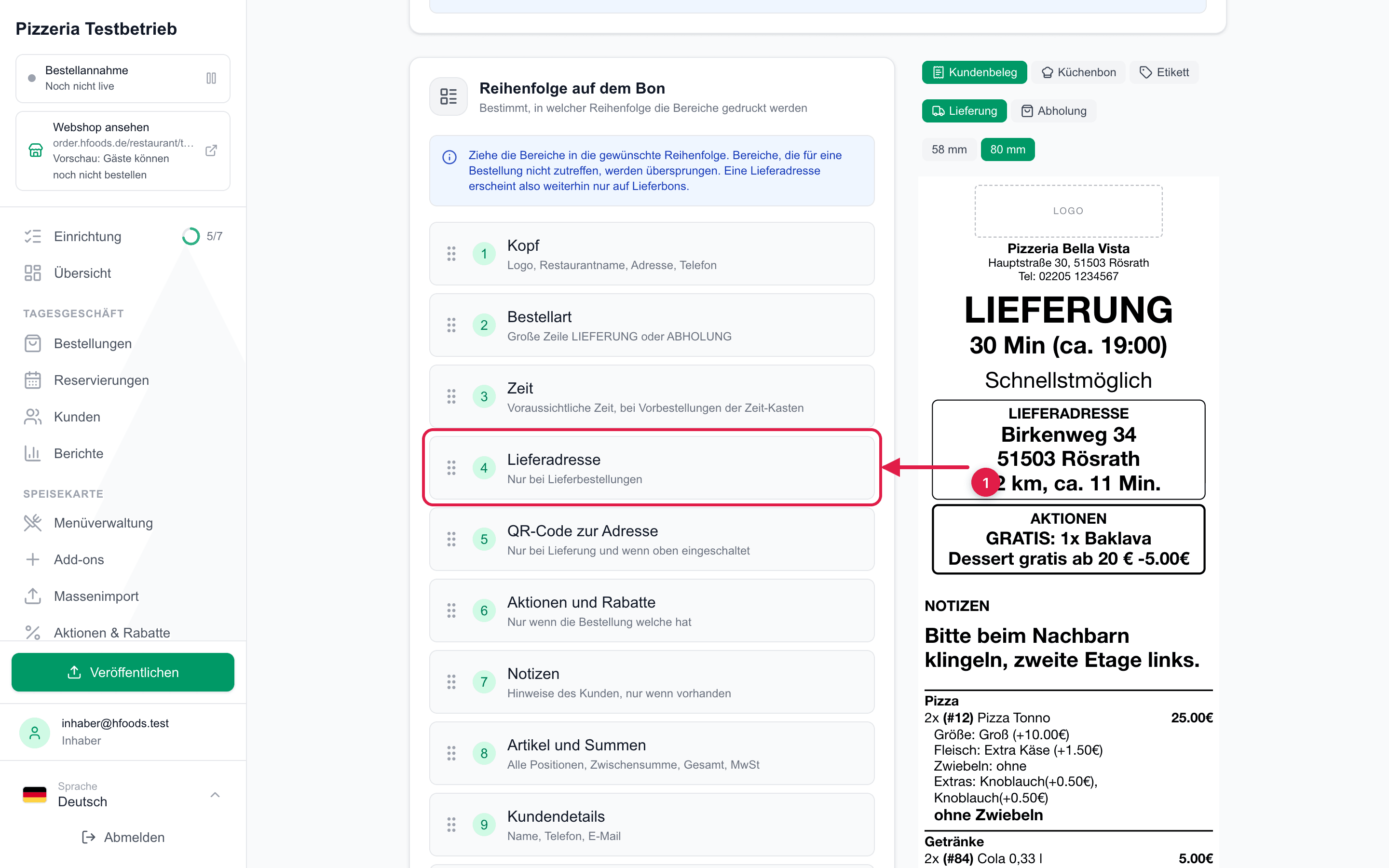
Under Reihenfolge auf dem Bon (order on the receipt) you decide in which order the sections of the customer receipt are printed.
What changes
- The sections are Kopf (header), Bestellart (order type), Zeit (time), Lieferadresse (delivery address), QR-Code zur Adresse (QR code for the address), Aktionen und Rabatte (promotions and discounts), Notizen (notes), Artikel und Summen (items and totals), Kundendetails (customer details), Bezahlung (payment) and Bestelldetails (order details).
- Sections that do not apply to an order are skipped. A delivery address still only appears on delivery receipts.
- The order applies to the customer receipt. The kitchen ticket has a fixed design.
Requirements
You are signed in to the admin area as the owner.
Step by step
Drag the sections
In the sidebar on the left, click Bon-Druck (receipt printing). Under Reihenfolge auf dem Bon drag a section by the handle on the left to the place you want, in the picture Lieferadresse. The preview shows the new order. Click Speichern (save) at the bottom, see Save the receipt settings.
Result
The customer receipt prints the sections in your order.
Applies to all terminals
The settings belong to the restaurant, not to a single device. A newly paired terminal takes them over automatically, and several terminals print identical receipts. Changes take effect as soon as the terminal is online again.