Admin areaReceipt printing
Overwrite a receipt template
Overwrite the active receipt template with the changed settings.
What it is for
If you changed something after applying a template, you can overwrite the template with the new state.
What changes
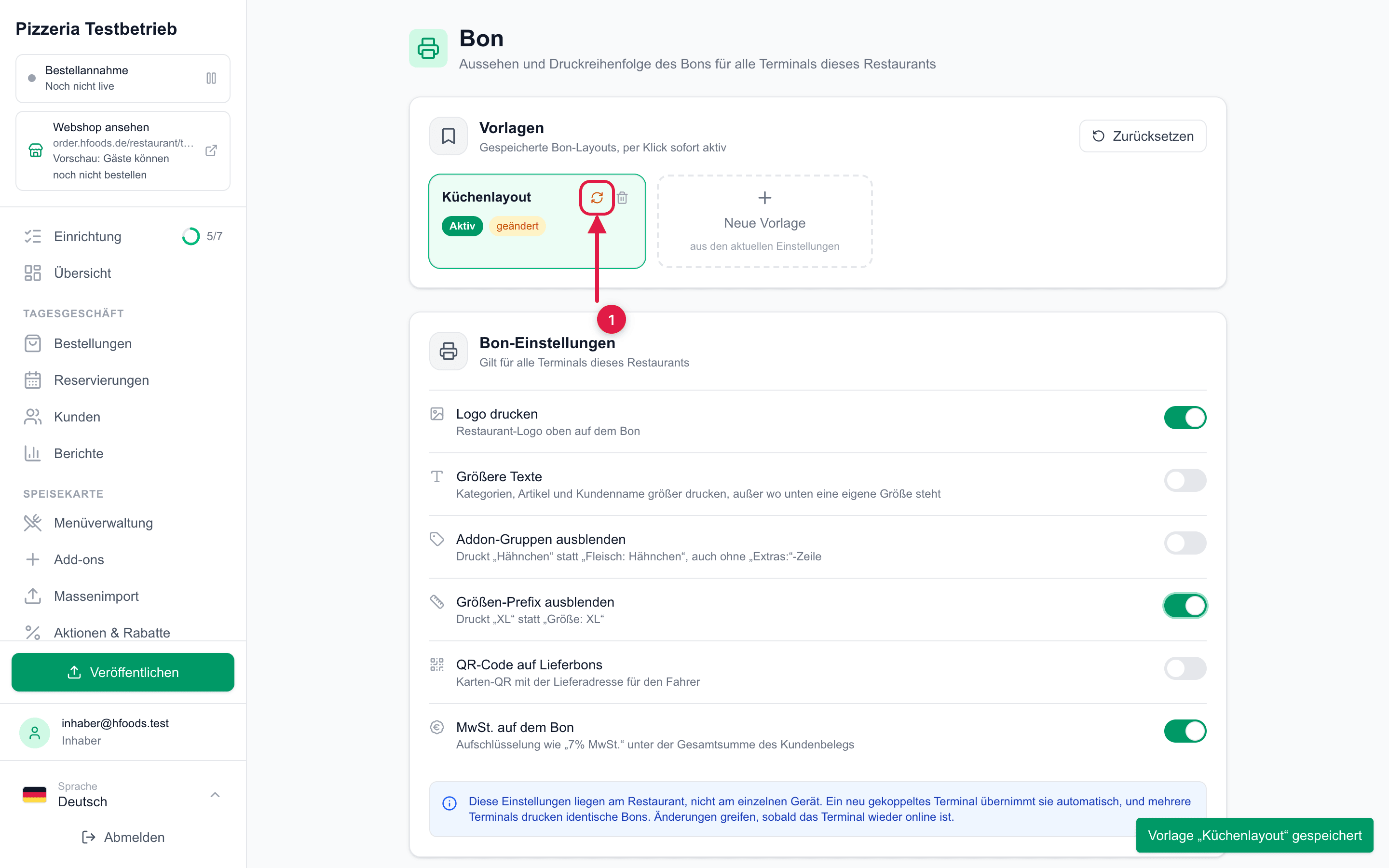
- If the current state differs from the active template, its card shows geändert (changed) and an icon for overwriting.
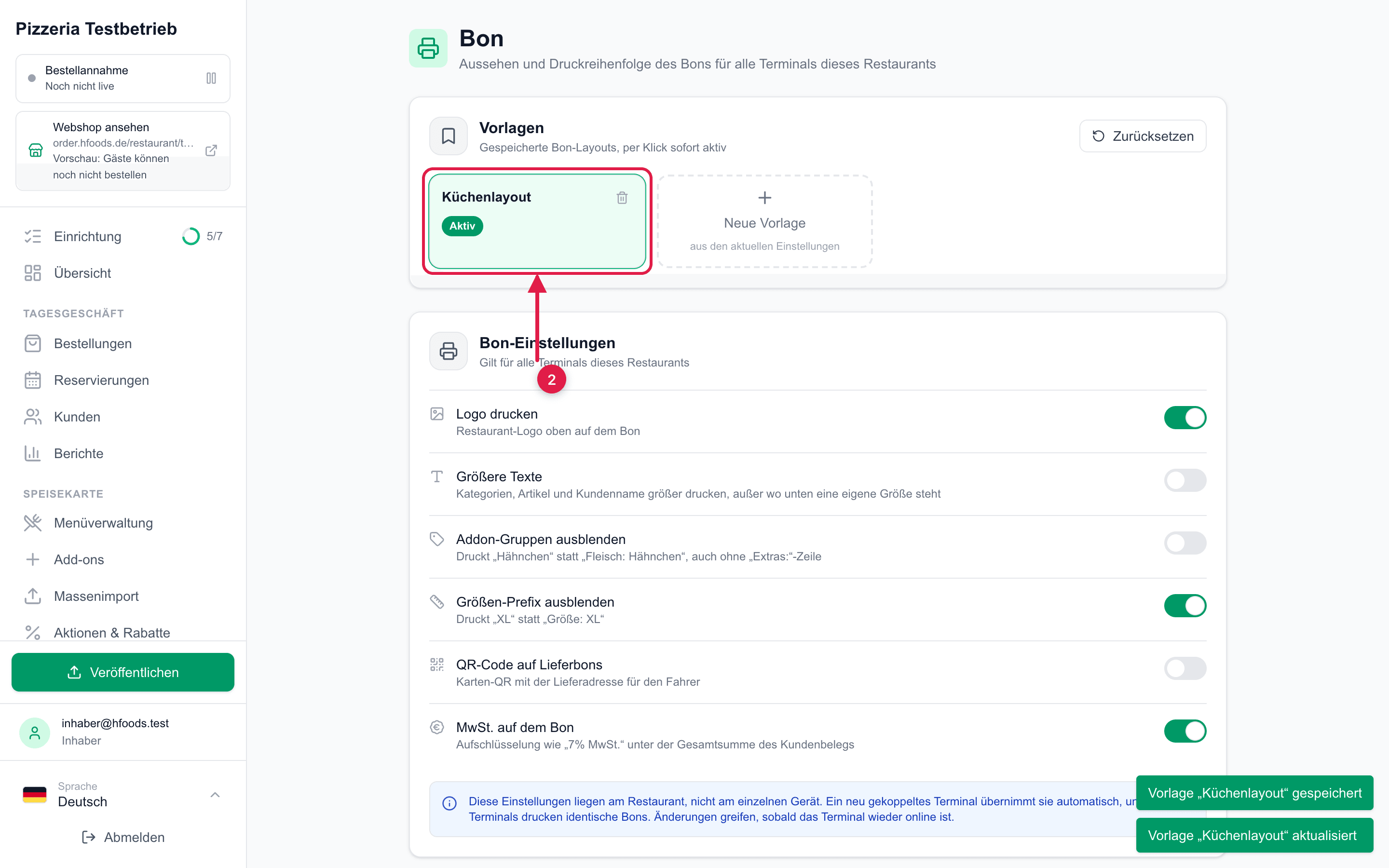
- After overwriting, the message reads, for example, Vorlage „Küchenlayout“ aktualisiert (template updated), and the note disappears.
Requirements
You are signed in to the admin area as the owner. There is an active template, see Save a new receipt template.
Step by step
Overwrite
In the sidebar on the left, click Bon-Druck (receipt printing). Change the receipt, in the picture the Größen-Prefix ausblenden switch. The active template shows geändert. Click its icon Vorlage mit den aktuellen Einstellungen überschreiben (overwrite template with the current settings).
Result
The template holds the new state, and the receipt is saved.