Admin areaReceipt printing
Delete a receipt template
Permanently delete a receipt template you no longer need.
What it is for
If you no longer need a template, delete it. Your current receipt settings stay unchanged.
What changes
- The template is deleted permanently. The message reads, for example, Vorlage „Wochenende“ gelöscht (template deleted).
- The current receipt settings stay unchanged.
Requirements
You are signed in to the admin area as the owner. There is a template.
Cannot be undone
A deleted template cannot be restored.
Step by step
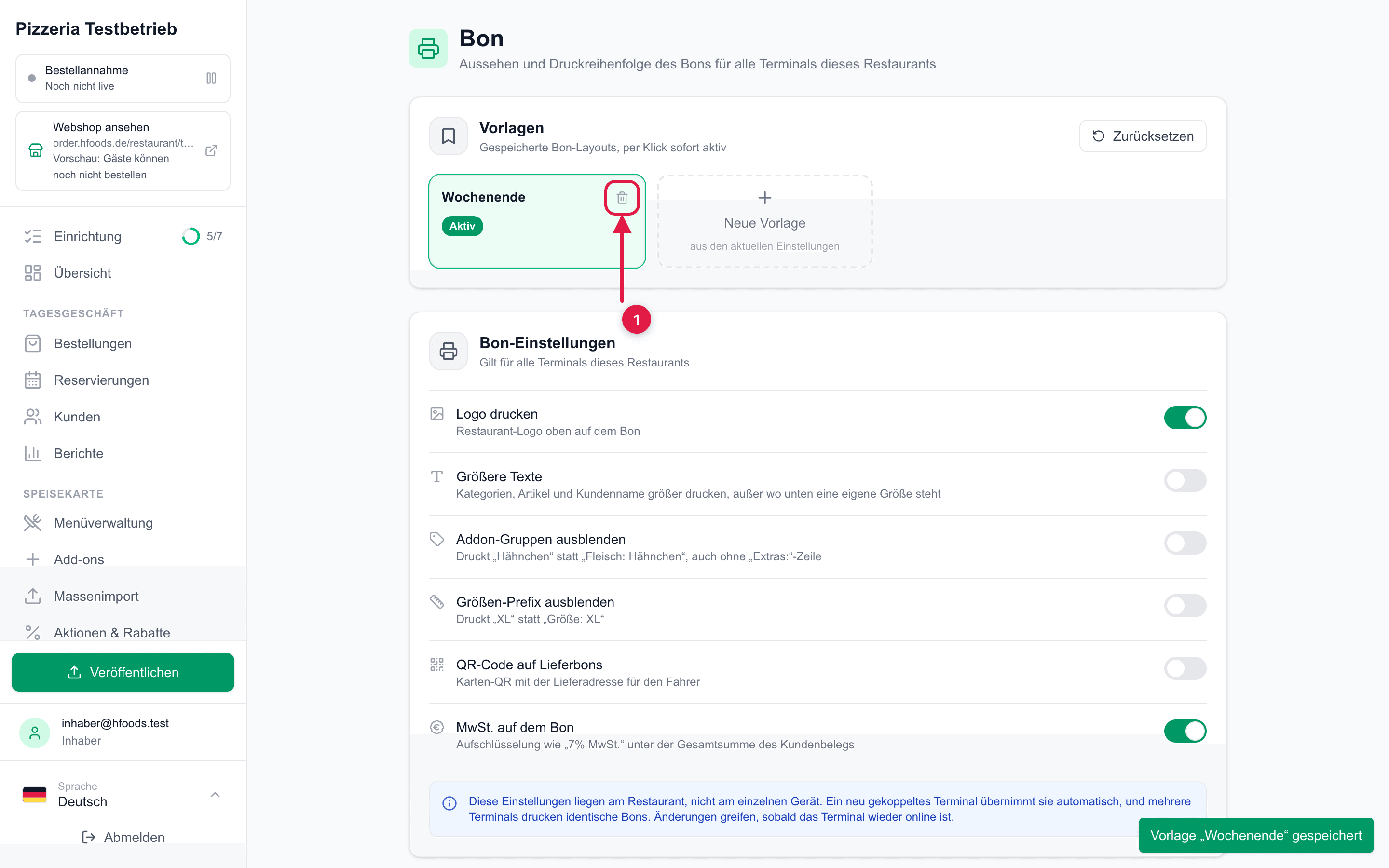
Choose delete
In the sidebar on the left, click Bon-Druck (receipt printing). On the template click the bin (Vorlage löschen, delete template).
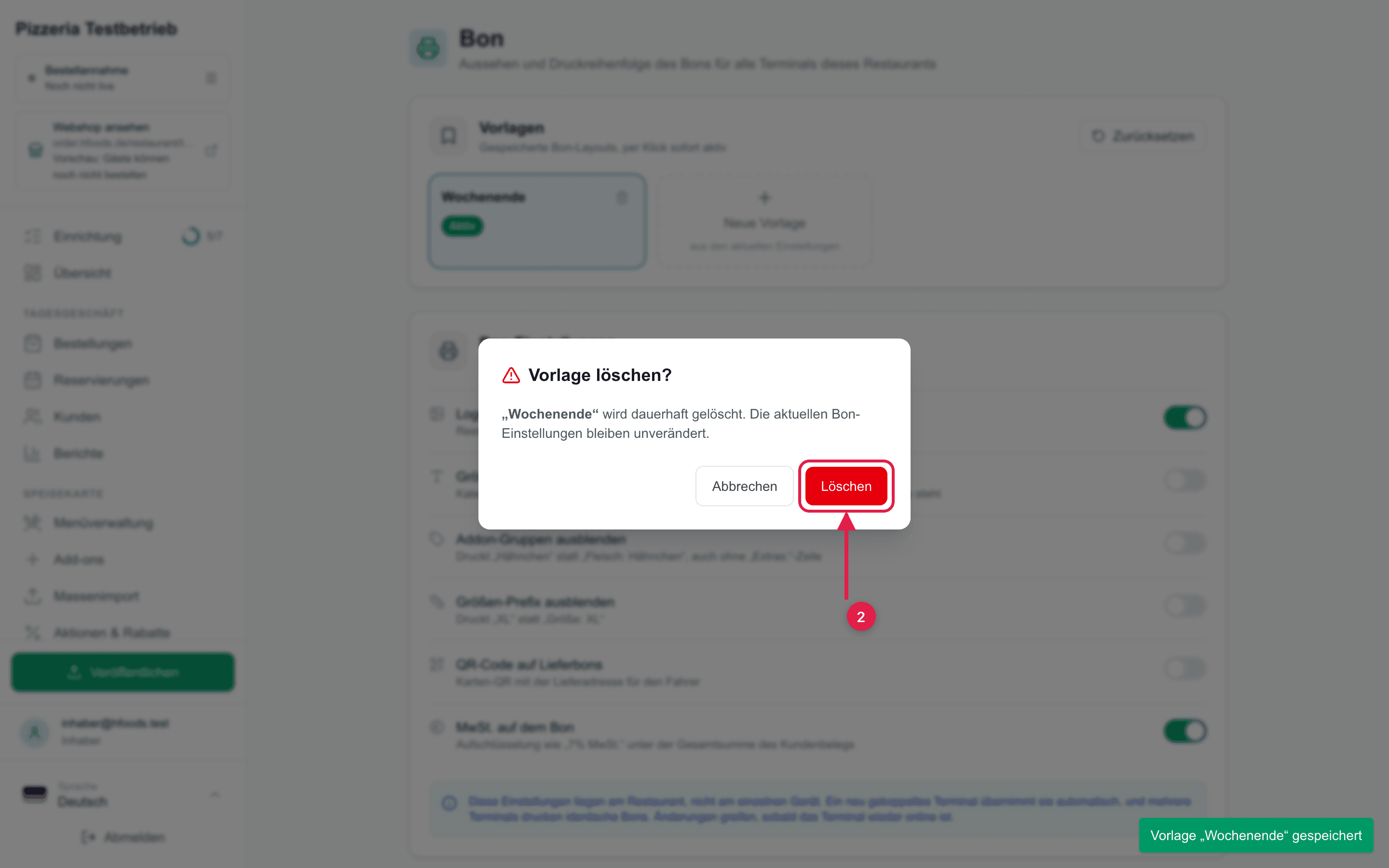
Confirm
The Vorlage löschen? window names the template. Click Löschen (delete) or Abbrechen (cancel).
Result
The template is deleted.