Print receipts only for delivery or pickup
Set for each receipt type whether the terminal prints it always, only for deliveries or only for pickups.
What it is for
Not every receipt fits every order. You may need the bag label only for the driver, and some kitchens want the kitchen ticket only for pickups. Under Bons je Bestellung (receipts per order) you therefore set for each receipt type which orders it is printed for.
An example: you set the Tüten-Etikett (bag label) to Nur Lieferung (delivery only). For a delivery the terminal prints the customer receipt and the label, for a pickup only the customer receipt.
What changes
- Under Kundenbeleg (customer receipt), Küchenbon (kitchen ticket) and Tüten-Etikett (bag label) there are two ticks each, Lieferung (delivery) and Abholung (pickup). A tick means the receipt is printed for this order type.
- Next to them you see the result:
- Immer (always): both ticks set, the receipt is printed for every order. This is the default, so the terminal prints this way as long as you change nothing.
- Nur Lieferung (delivery only): only the tick for delivery.
- Nur Abholung (pickup only): only the tick for pickup.
- At least one tick stays set per receipt type. If you click the last one, a note explains: switching it off completely works through the number 0.
- The number next to it still applies. If the label is set to 0, it is not printed for deliveries either, see Set the number of receipts per order.
- The setting applies to all terminals of the restaurant and to every printer, including printers with their own number.
- On the terminal the same setting is under Einstellung (settings) in the card Bons nach Bestellart (receipts by order type), also with one tick each for delivery and pickup. If you change it there, you see the change here, and the other way round.
- If no receipt at all would be printed for an order type with your settings, the terminal still prints a customer receipt to be safe. The page warns you about it. An accepted order never ends without a receipt.
- When reprinting with several printers, the terminal only offers the receipts planned for this order. With one printer, a reprint still prints a customer receipt as before, see Print a receipt again.
- Older terminal versions do not know the setting yet. They print every receipt type for all orders until they are updated.
Requirements
You are signed in to the admin area as the owner.
Step by step
Set the ticks
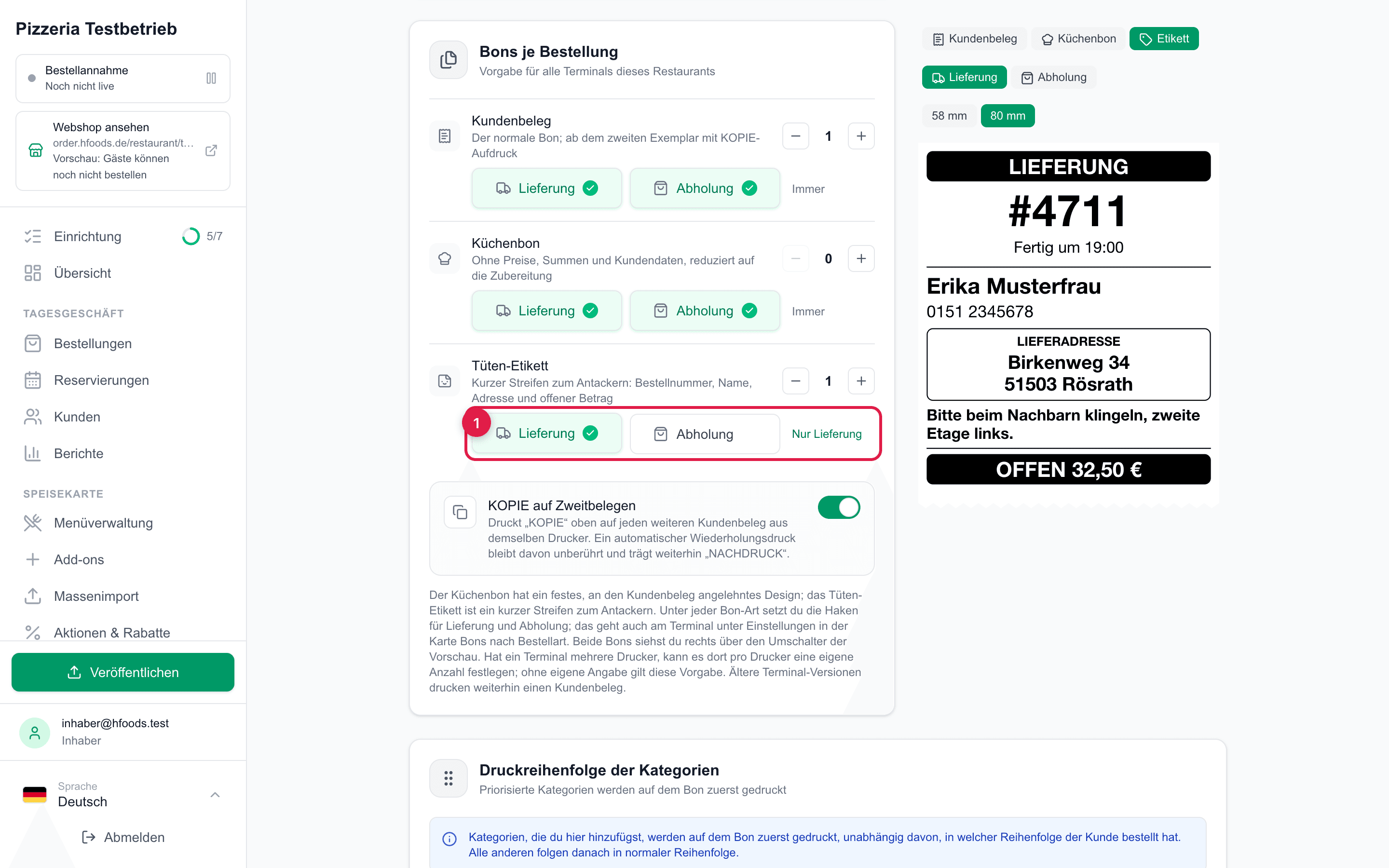
Click Bon-Druck (receipt printing) on the left. Under Bons je Bestellung each receipt type has the ticks Lieferung and Abholung below it. Click one to set or remove it. In the picture the tick for Abholung is removed for the Tüten-Etikett, and next to it now says Nur Lieferung. So that the label is printed at all, its number is set to 1 here.
Check in the preview
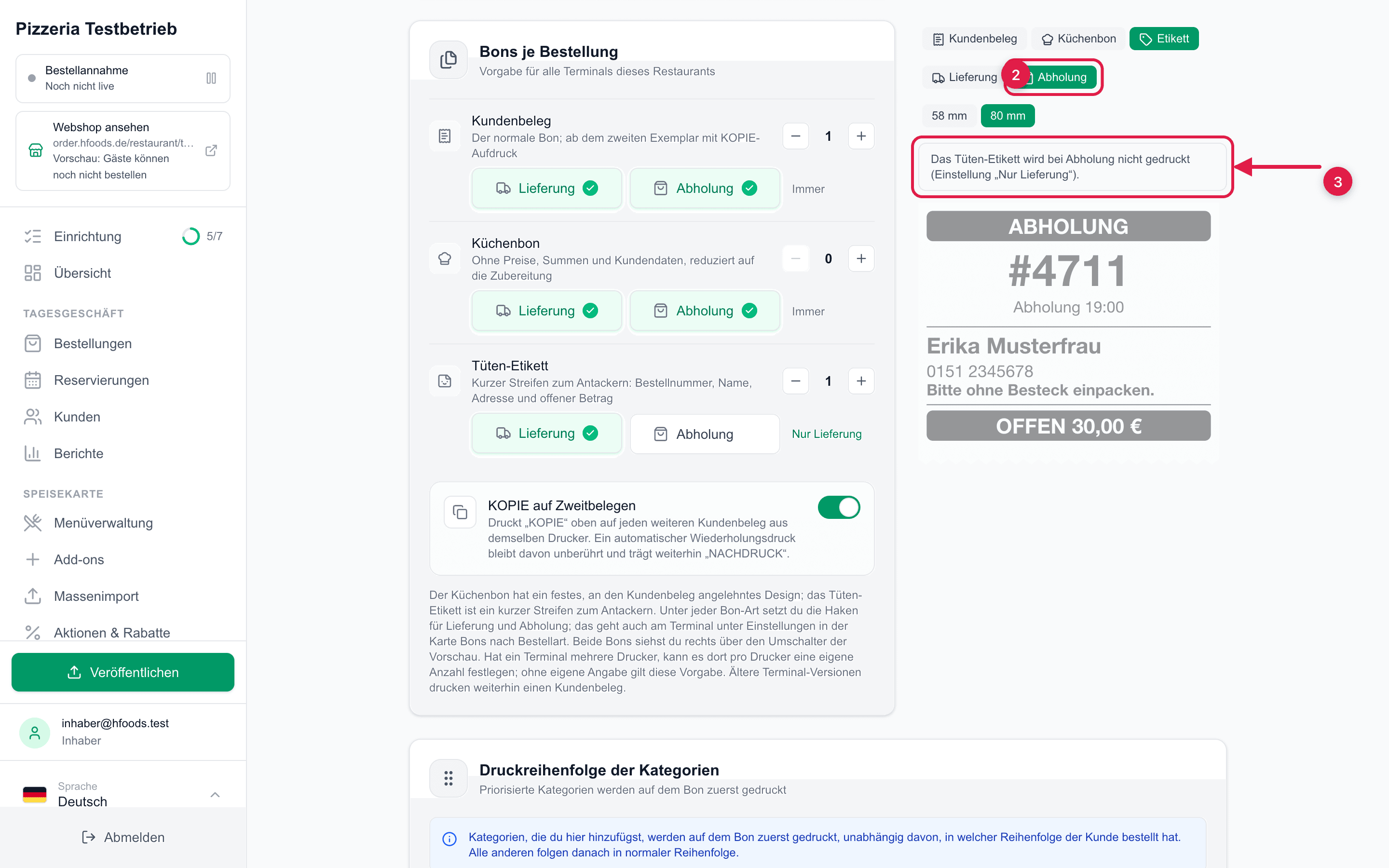
Switch the preview on the right to the receipt type and to Lieferung (delivery) or Abholung (pickup), in the picture Etikett (label) and Abholung. If the receipt is not printed for this order type, it appears faded and a note gives the reason, here Nur Lieferung.
Watch the warning and save
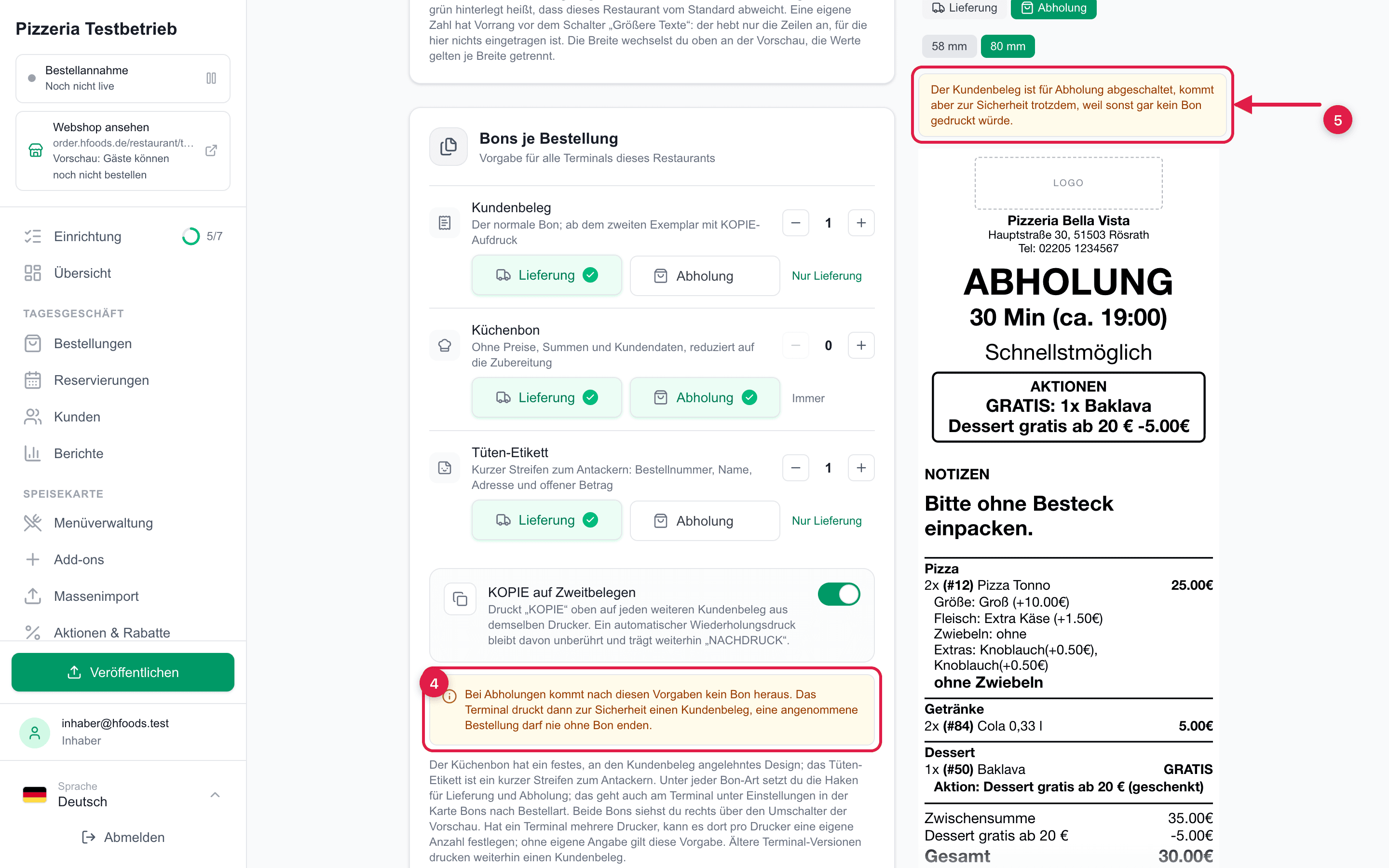
If no receipt is printed for an order type with your settings, a warning appears below the receipt types. In the picture the customer receipt and the label only have the tick for Lieferung, and the kitchen ticket is set to 0. For pickups the terminal then prints a customer receipt to be safe, and the preview says so in yellow. Finally click Speichern (save) at the bottom, see Save the receipt settings.
Result
The terminal prints each receipt type only for the orders you chose.
Applies to all terminals
The setting belongs to the restaurant, not to a single device. A newly paired terminal takes it over automatically. Changes take effect as soon as the terminal is online again.
Tips
- For deliveries with a driver this is often enough: customer receipt with both ticks, bag label only with the tick for Lieferung.
- If you have several printers, you set the number per printer on the terminal, see Set receipt types and copies per printer. The order type applies on every printer as well.
Frequently asked questions
Why is a customer receipt still printed for pickup?
Because otherwise no receipt at all would be printed with your settings. The terminal then prints a customer receipt to be safe. Set the tick for this order type again for one receipt type, and the warning disappears.
Do resetting or a receipt template change the order types?
No. Zurücksetzen (reset) and receipt templates affect switches, order and font sizes. The number per receipt type and the order types stay as they are.
What happens with older terminals?
They do not know the setting yet and print every receipt type for all orders. After the update they take over your choice automatically.