Fill in the About us section
Tell your story on the landing page with a title, text and picture.
What it is for
In the Über uns (about us) section you tell your guests who you are: how long you have been around, what makes your cooking special, what matters to you.
What changes
- The section shows Titel (title), Text and optionally a Bild (picture).
- It appears at its place in the order, see Order sections and show or hide them.
Requirements
You are signed in to the admin area as the owner, and your landing page is switched on, see Switch on the landing page.
Step by step
Show the section
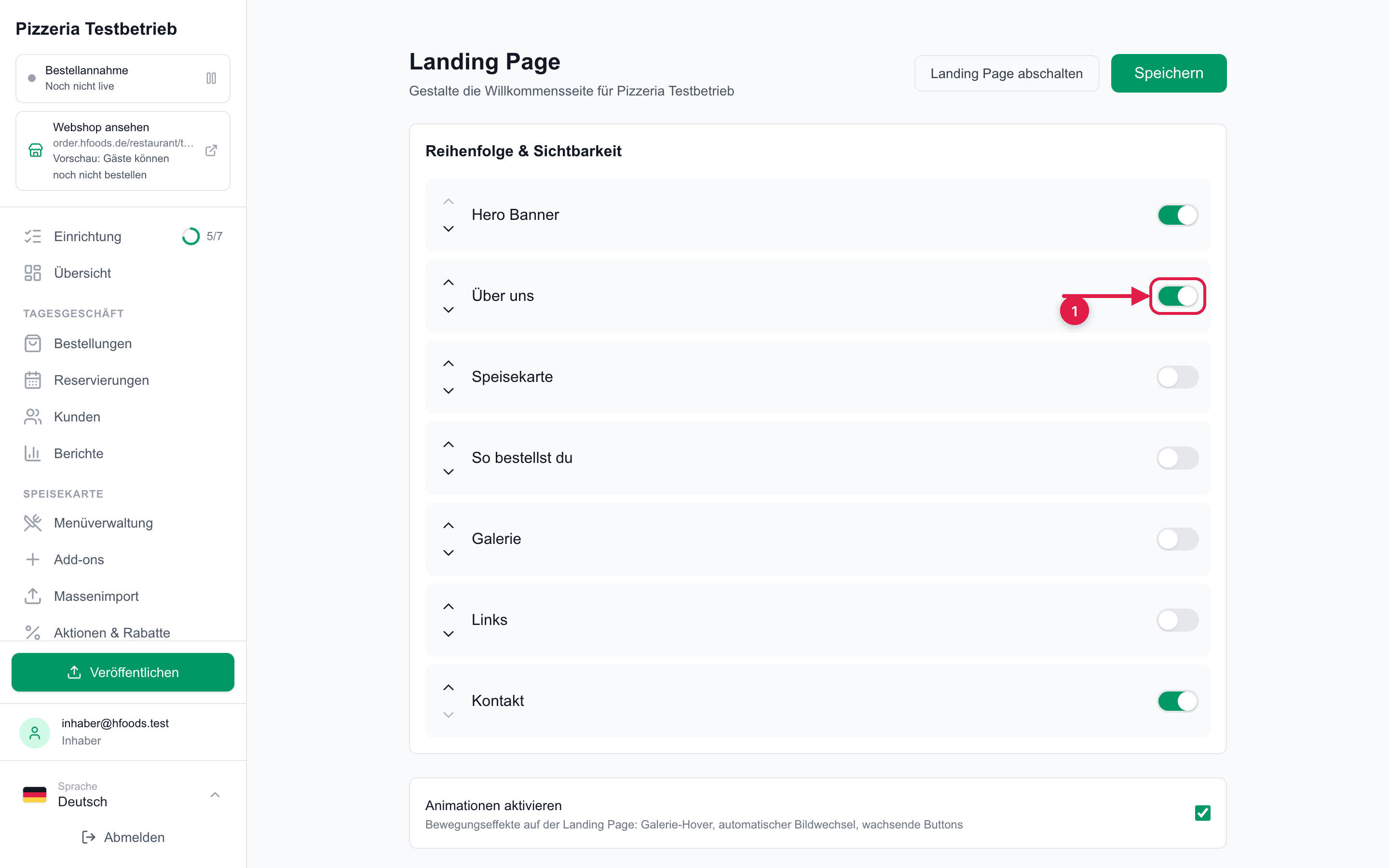
In the sidebar on the left, click Landing Page. In the Reihenfolge & Sichtbarkeit (order and visibility) list, flip the switch next to Über uns (about us). Green means: the section is visible.
Enter the content
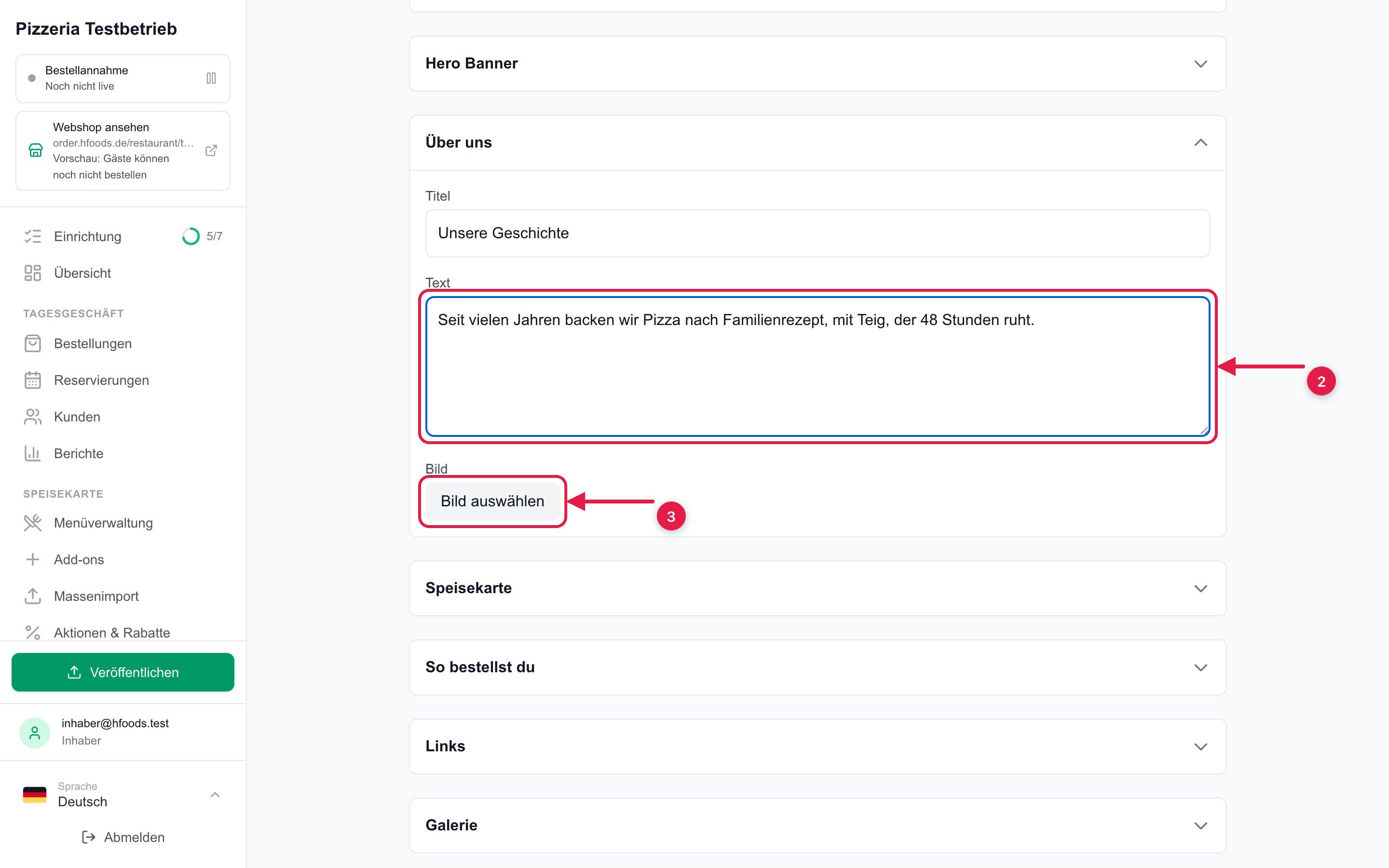
Click Über uns. Enter Titel and Text. Under Bild click Bild auswählen (choose picture). Click Speichern (save) at the top and then Veröffentlichen (publish) on the left so the web shop and the app show the new state.
Result
Your landing page shows your story.