Admin areaLanding Page
Switch off the landing page
Switch off the landing page so guests go straight to the menu again.
What it is for
If you no longer need a welcome page, switch off the landing page. Your design is kept, you can switch it on again at any time.
What changes
- Guests go straight to the menu again.
- The message reads Deine Landing Page ist abgeschaltet. Gäste landen wieder direkt auf der Speisekarte. (your landing page is switched off, guests go straight to the menu again).
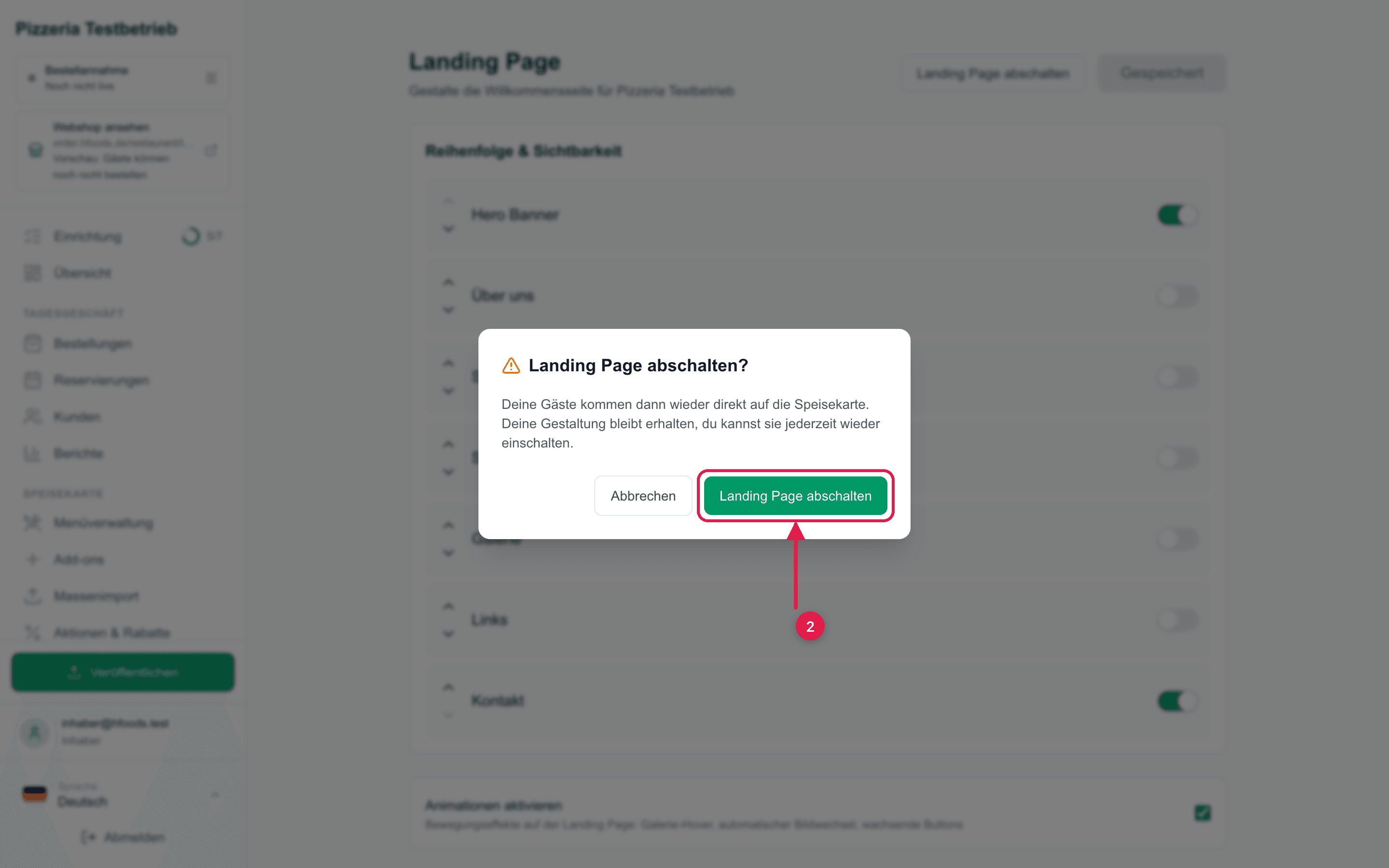
- If an address of your own points to the landing page, the window warns you: that address then shows your menu instead.
Requirements
You are signed in to the admin area as the owner, and the landing page is switched on.
Step by step
Choose switch off
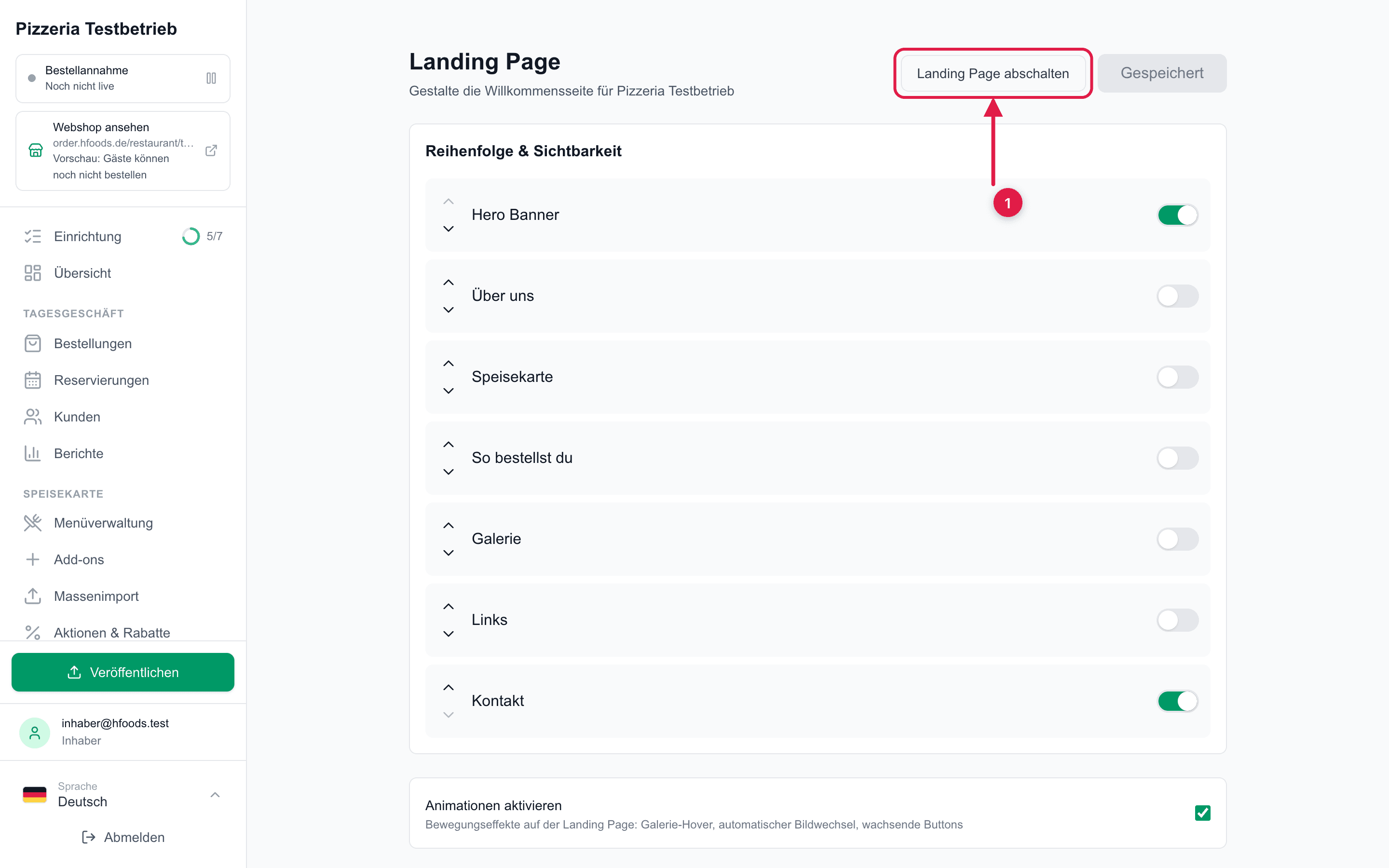
In the sidebar on the left, click Landing Page and then Landing Page abschalten (switch off landing page) at the top.
Confirm
The Landing Page abschalten? window explains the consequences. Click Landing Page abschalten or Abbrechen (cancel).
Result
The landing page is off. To switch it on again, click Landing Page einschalten, and your design is back.