Design the Contact section
Decide whether the landing page shows your address, phone and opening hours, optionally with a background picture.
What it is for
The Kontakt (contact) section shows guests how to reach you and when you are open. The details come from your business details.
What changes
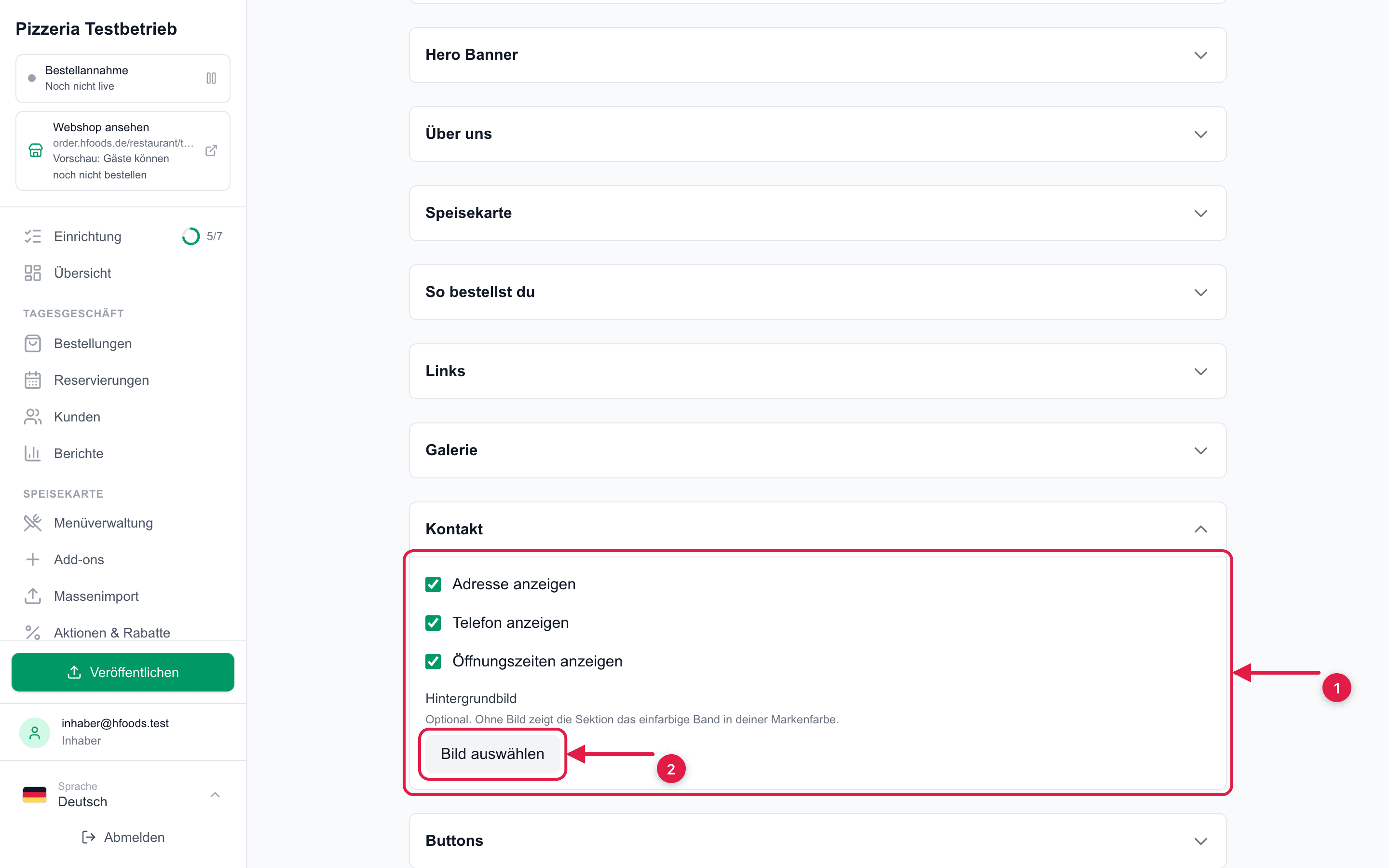
- Adresse anzeigen (show address), Telefon anzeigen (show phone) and Öffnungszeiten anzeigen (show opening hours) show or hide each detail.
- Hintergrundbild (background picture) is optional. Without a picture the section shows a single colour band in your brand colour.
Requirements
You are signed in to the admin area as the owner, and your landing page is switched on, see Switch on the landing page. Your address, phone and opening hours are maintained, see Maintain business details.
Step by step
Choose the details
In the sidebar on the left, click Landing Page and then Kontakt. Tick the details you want to show. For a background picture click Bild auswählen (choose picture). Click Speichern (save) at the top and then Veröffentlichen (publish) on the left so the web shop and the app show the new state.
Result
The contact section shows the chosen details.