Design the hero banner
Design the large area at the very top of the landing page with a title, subtitle and background picture or video.
What it is for
The Hero Banner is the large area at the very top of the landing page. It is the first thing guests see: a title, a subtitle and a background picture, GIF or video.
What changes
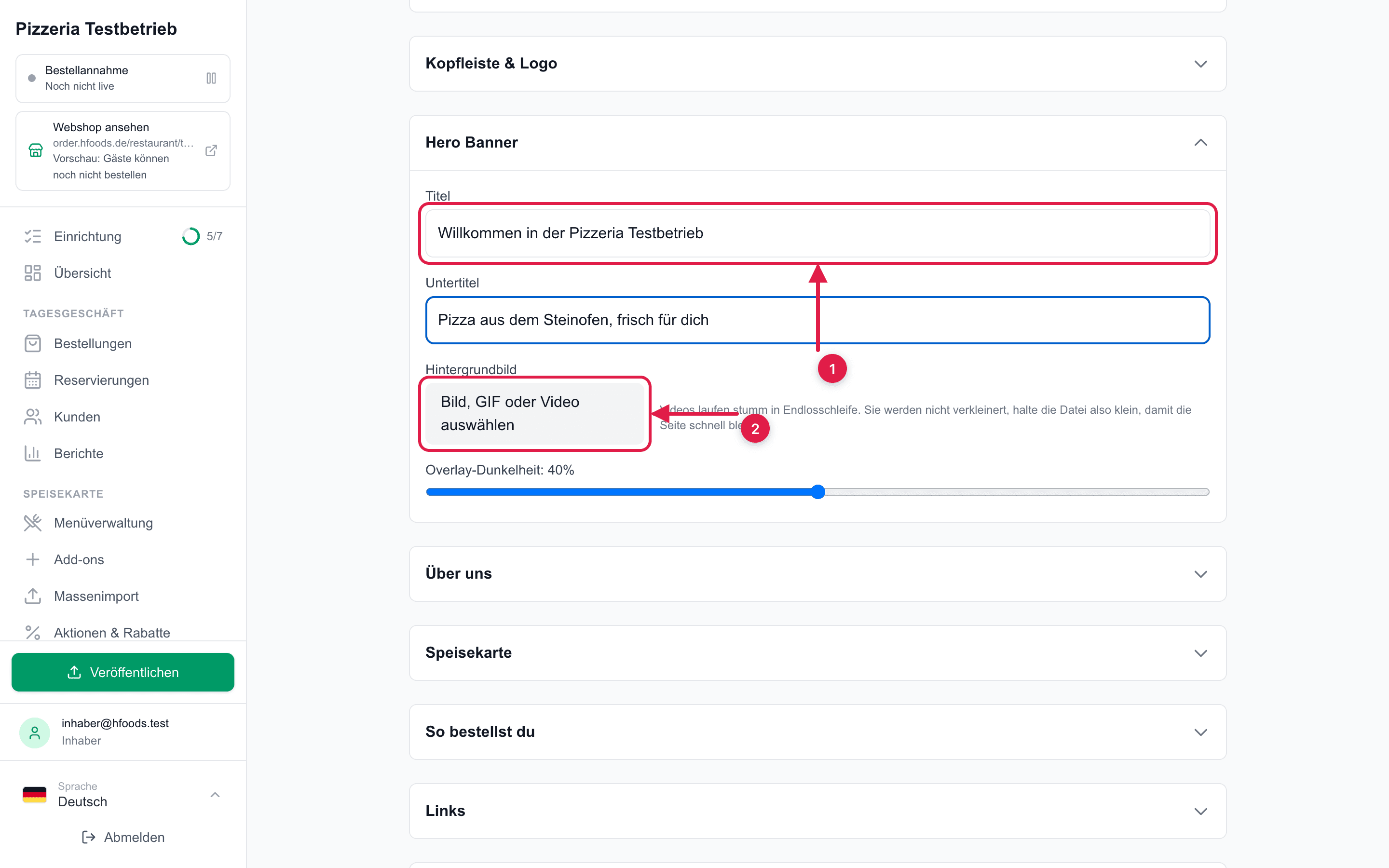
- Titel (title) and Untertitel (subtitle) appear large on the banner, for example "Willkommen in der Pizzeria Testbetrieb".
- Hintergrundbild (background picture): a picture, a GIF or a video. Videos play muted in a loop. They are not scaled down, so keep the file small so the page stays fast.
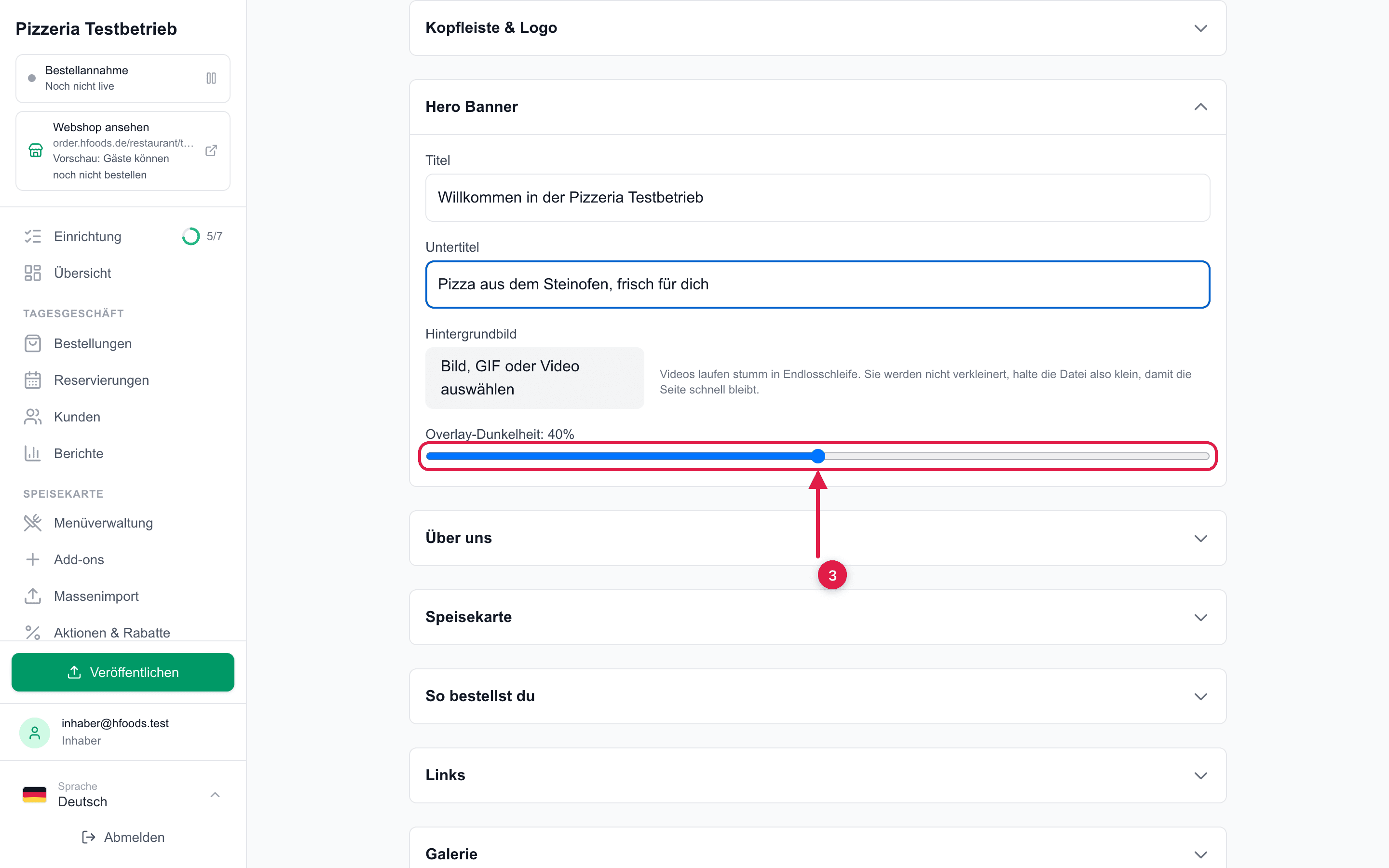
- Overlay-Dunkelheit (overlay darkness, 0 to 80 %) darkens the picture so the text stays readable.
- The cross on the picture (Bild entfernen, remove picture) deletes it again.
Requirements
You are signed in to the admin area as the owner, and your landing page is switched on, see Switch on the landing page.
Step by step
Set text and picture
In the sidebar on the left, click Landing Page and then Hero Banner. Enter Titel and Untertitel. Under Hintergrundbild click Bild, GIF oder Video auswählen (choose picture, GIF or video) and choose a file. A message such as Hero-Bild hochgeladen (hero picture uploaded) confirms the upload.
Darken
Use the Overlay-Dunkelheit slider to set how much the picture is darkened. Click Speichern (save) at the top and then Veröffentlichen (publish) on the left so the web shop and the app show the new state.
Result
Your hero banner shows the title, subtitle and background.