Order sections and show or hide them
Decide which sections your landing page shows and in which order.
What it is for
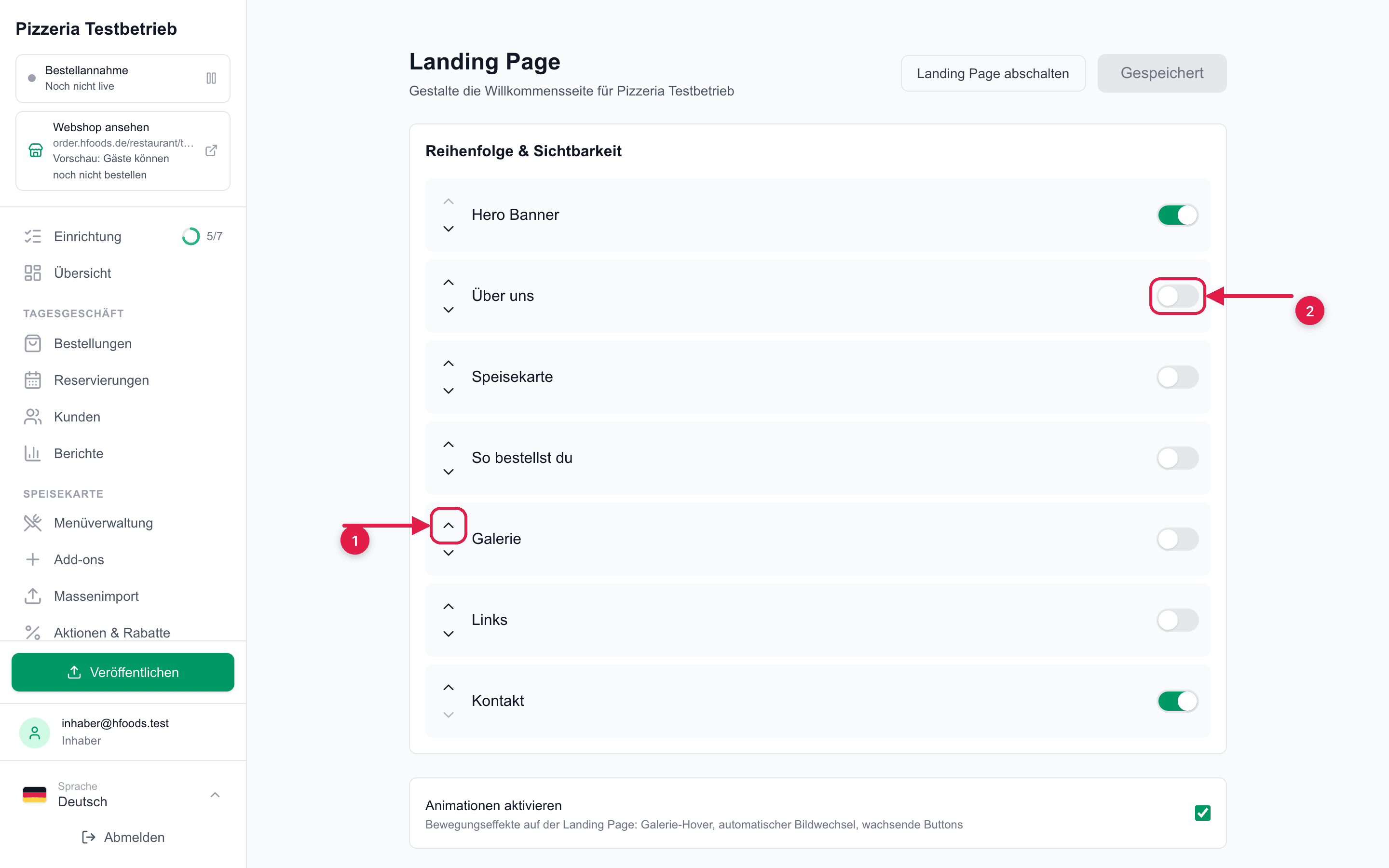
The landing page consists of sections: Hero Banner, Über uns (about us), So bestellst du (how to order), Galerie (gallery), Links and Kontakt (contact). In the Reihenfolge & Sichtbarkeit (order and visibility) list you decide which are visible and in which order they appear.
What changes
- The arrows move a section one place up or down. Guests see the sections in this order.
- The switch shows (green) or hides a section. Hidden sections keep their content.
Requirements
You are signed in to the admin area as the owner, and your landing page is switched on, see Switch on the landing page.
Step by step
Order and show
In the sidebar on the left, click Landing Page. In Reihenfolge & Sichtbarkeit click the up or down arrow to move a section. The switch on the right shows or hides it. Click Speichern (save) at the top and then Veröffentlichen (publish) on the left so the web shop and the app show the new state.
Result
Your landing page shows the chosen sections in your order.