Switch on the How to order section
Switch on a section that explains the ordering process to guests in three steps.
What it is for
The So bestellst du (how to order) section explains to guests how ordering works, such as checking the delivery area, choosing dishes, paying. hfoods provides the steps to match your delivery area and payment methods, you only set the title.
What changes
- The landing page shows an area with the ordering steps.
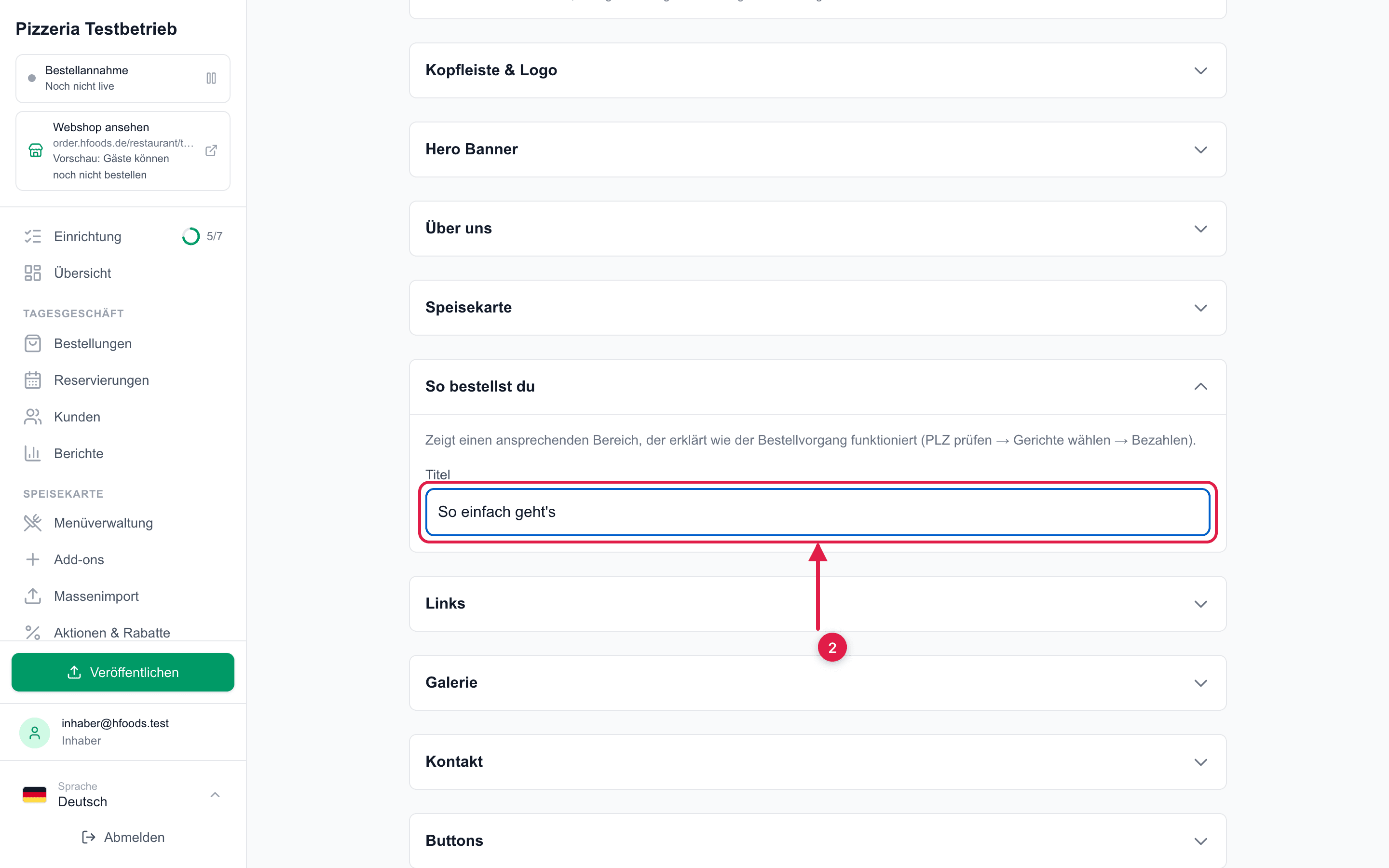
- The Titel (title) appears above it, for example "So einfach geht's".
Requirements
You are signed in to the admin area as the owner, and your landing page is switched on, see Switch on the landing page.
Step by step
Show the section
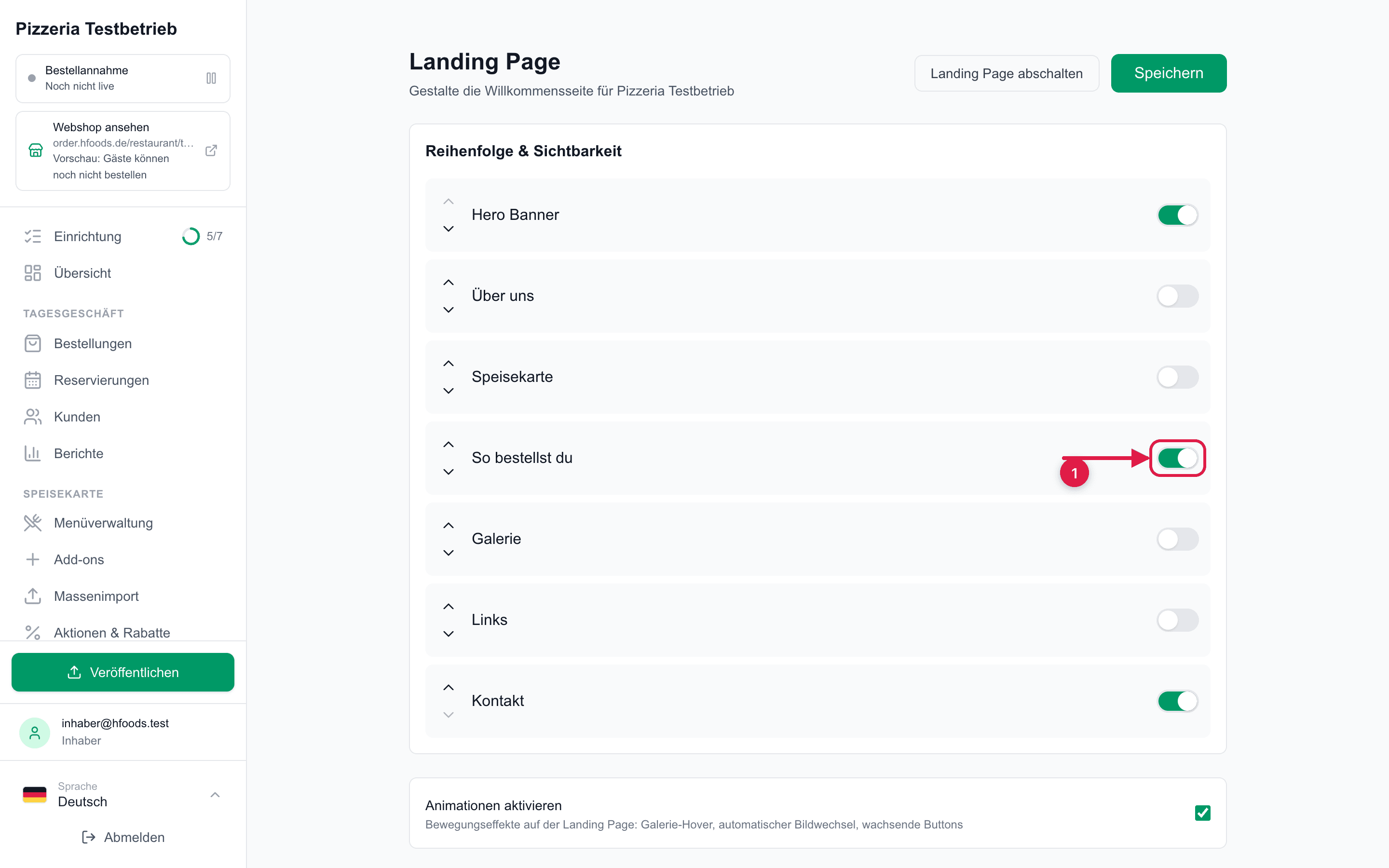
In the sidebar on the left, click Landing Page. In the Reihenfolge & Sichtbarkeit (order and visibility) list, flip the switch next to So bestellst du (how to order). Green means: the section is visible.
Set the title
Click So bestellst du and enter the Titel. Click Speichern (save) at the top and then Veröffentlichen (publish) on the left so the web shop and the app show the new state.
Result
Guests see at a glance how to order from you.