Fill the gallery with pictures
Show pictures of your business on the landing page as a grid or carousel.
What it is for
In the Galerie (gallery) you show pictures of your business, your dishes or your team.
What changes
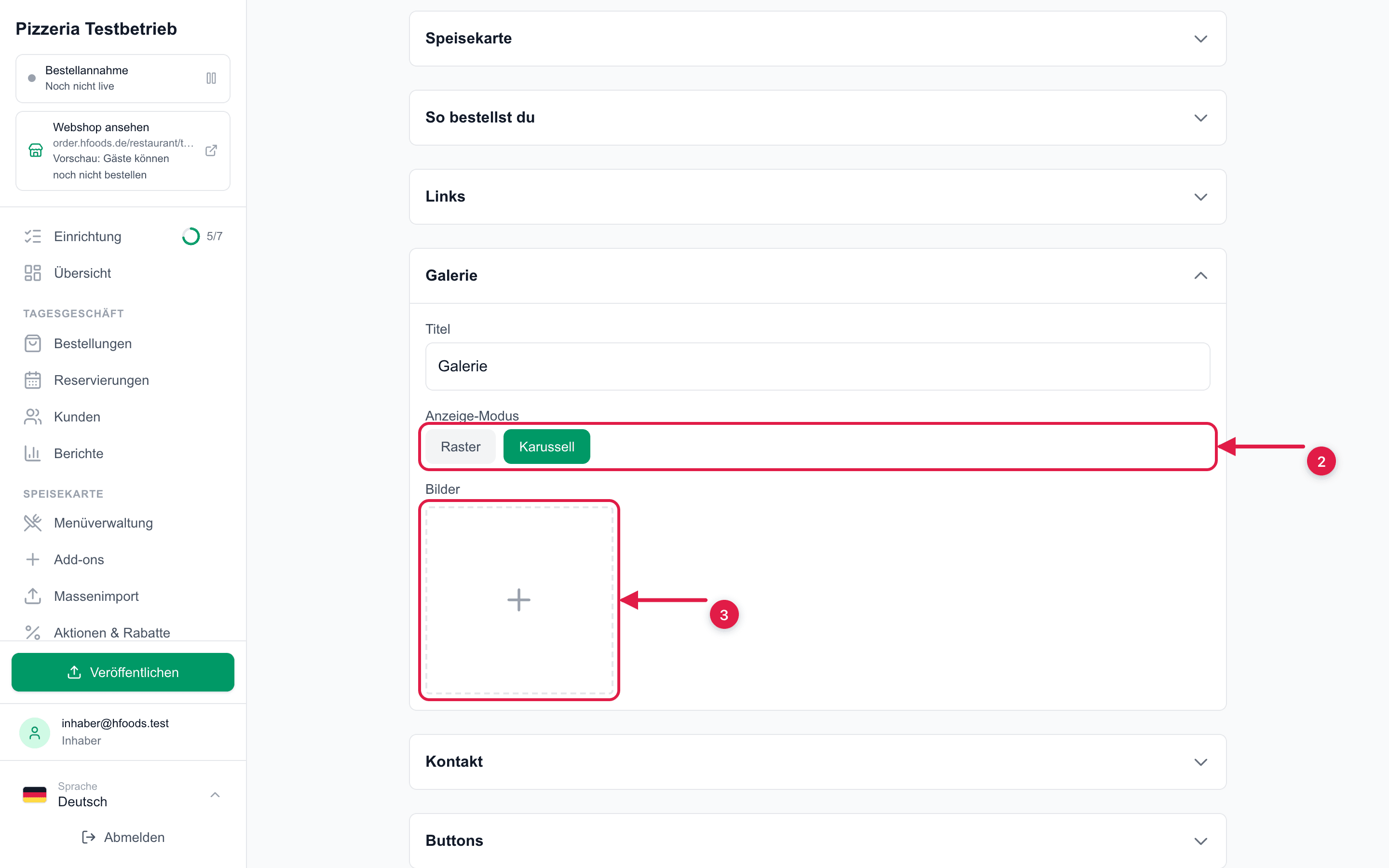
- Anzeige-Modus (display mode): Raster (grid) shows all pictures side by side, Karussell (carousel) shows them one after another.
- With animations switched on, the carousel changes by itself, see Switch animations on or off.
- When you hover over a picture a red cross appears that removes it.
Requirements
You are signed in to the admin area as the owner, and your landing page is switched on, see Switch on the landing page.
Step by step
Show the section
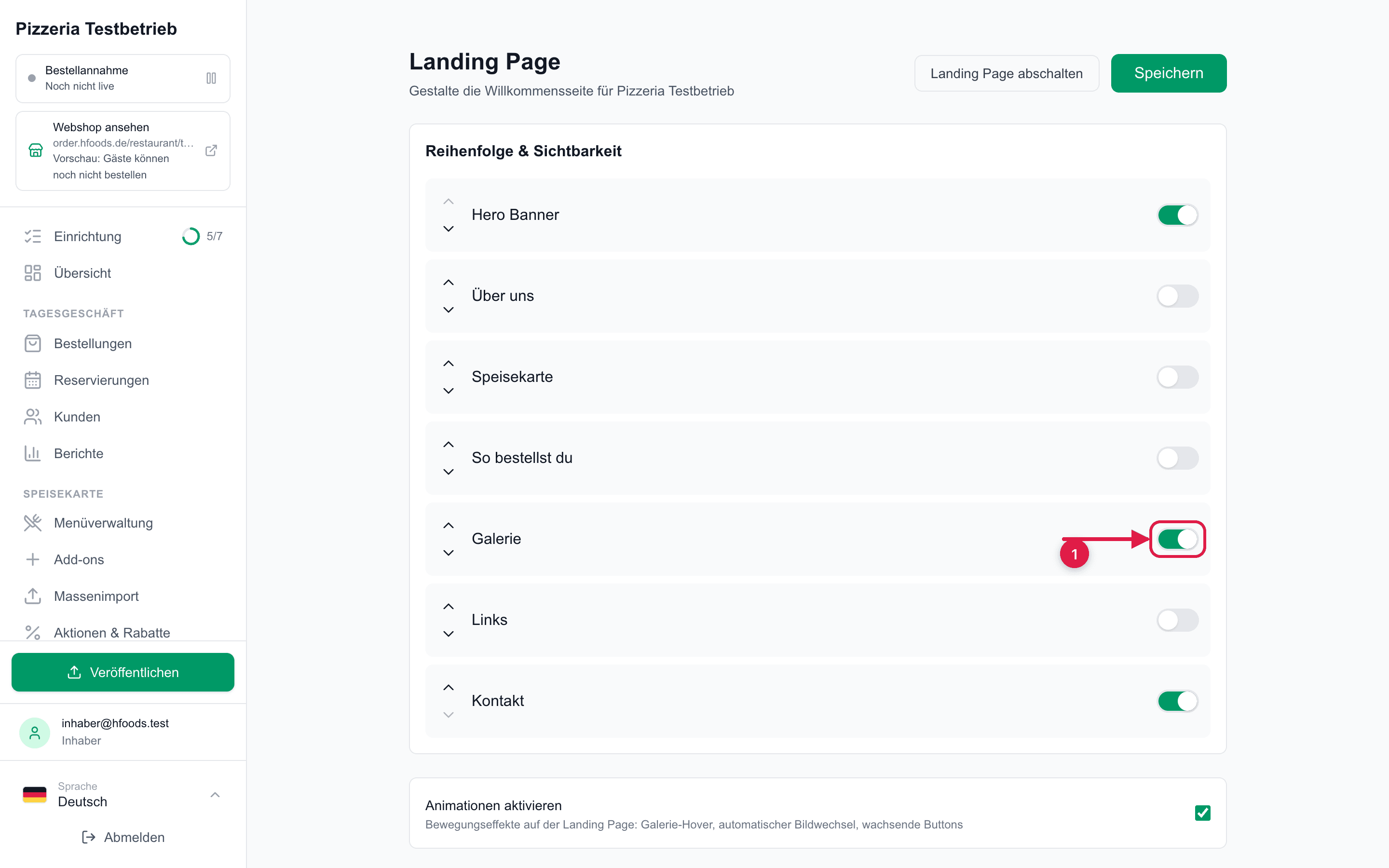
In the sidebar on the left, click Landing Page. In the Reihenfolge & Sichtbarkeit (order and visibility) list, flip the switch next to Galerie (gallery). Green means: the section is visible.
Choose the mode and add pictures
Click Galerie. Enter the Titel (title) and choose the Anzeige-Modus. Under Bilder (pictures) click the box with the plus and choose one or more pictures. Click Speichern (save) at the top and then Veröffentlichen (publish) on the left so the web shop and the app show the new state.
Result
Your gallery shows the pictures in the chosen mode.