Set a category discount
Set a percentage discount on all items of a category, optionally limited in time.
What it is for
With a Kategorie-Rabatt (category discount) you give a percentage off all items of a category, for example 10 % off all drinks. You can limit it to a period, certain weekdays and times, and to delivery or pickup.
What changes
- All items of the category are shown and calculated with the discount.
- An item discount overrides the category discount for that item.
- The web shop and the app take over the change without publishing.
Requirements
You are signed in to the admin area as the owner, and there are categories.
Step by step
Open category discounts
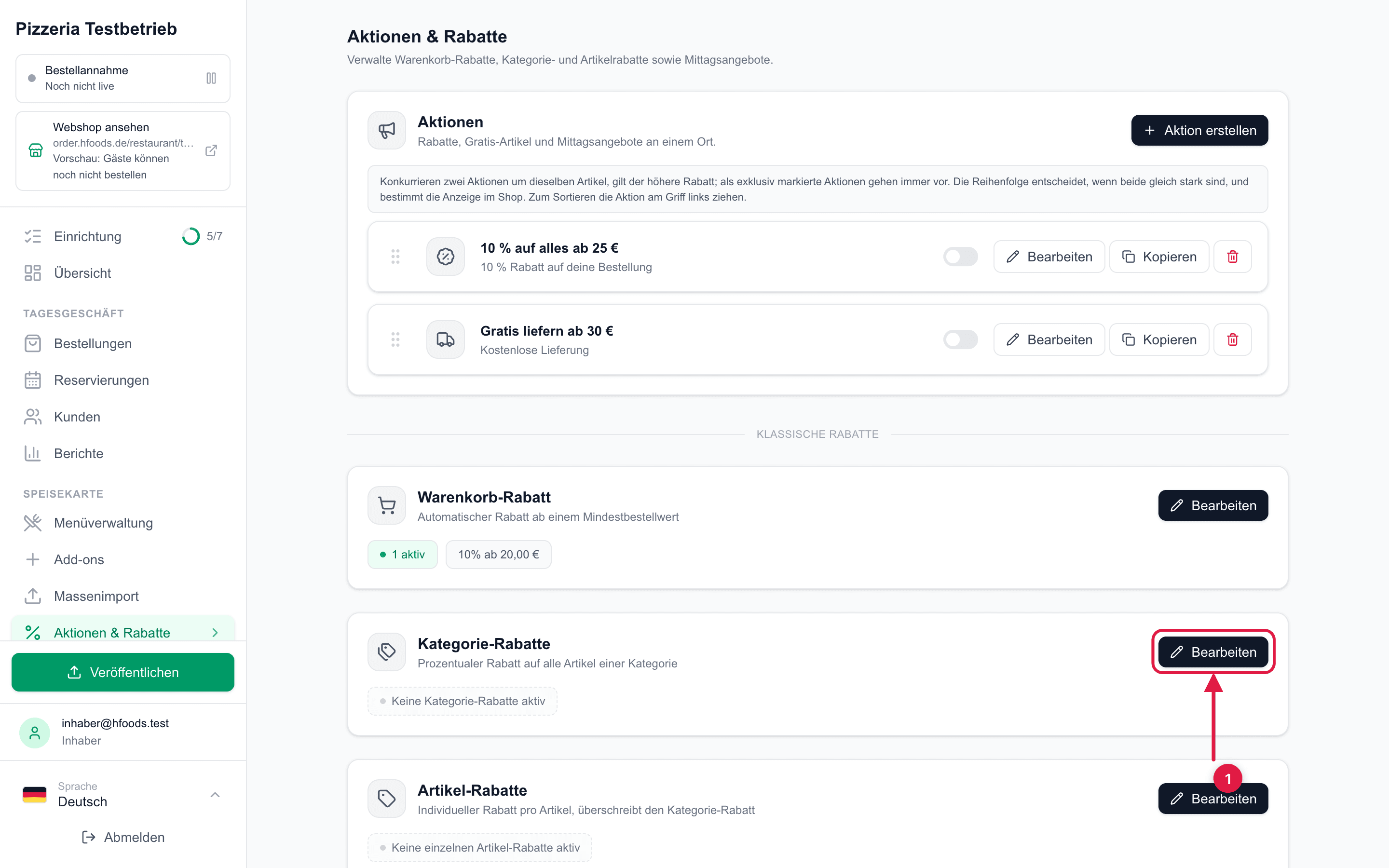
In the sidebar on the left, click Aktionen & Rabatte and then Bearbeiten (edit) on Kategorie-Rabatte (category discounts).
Choose a category
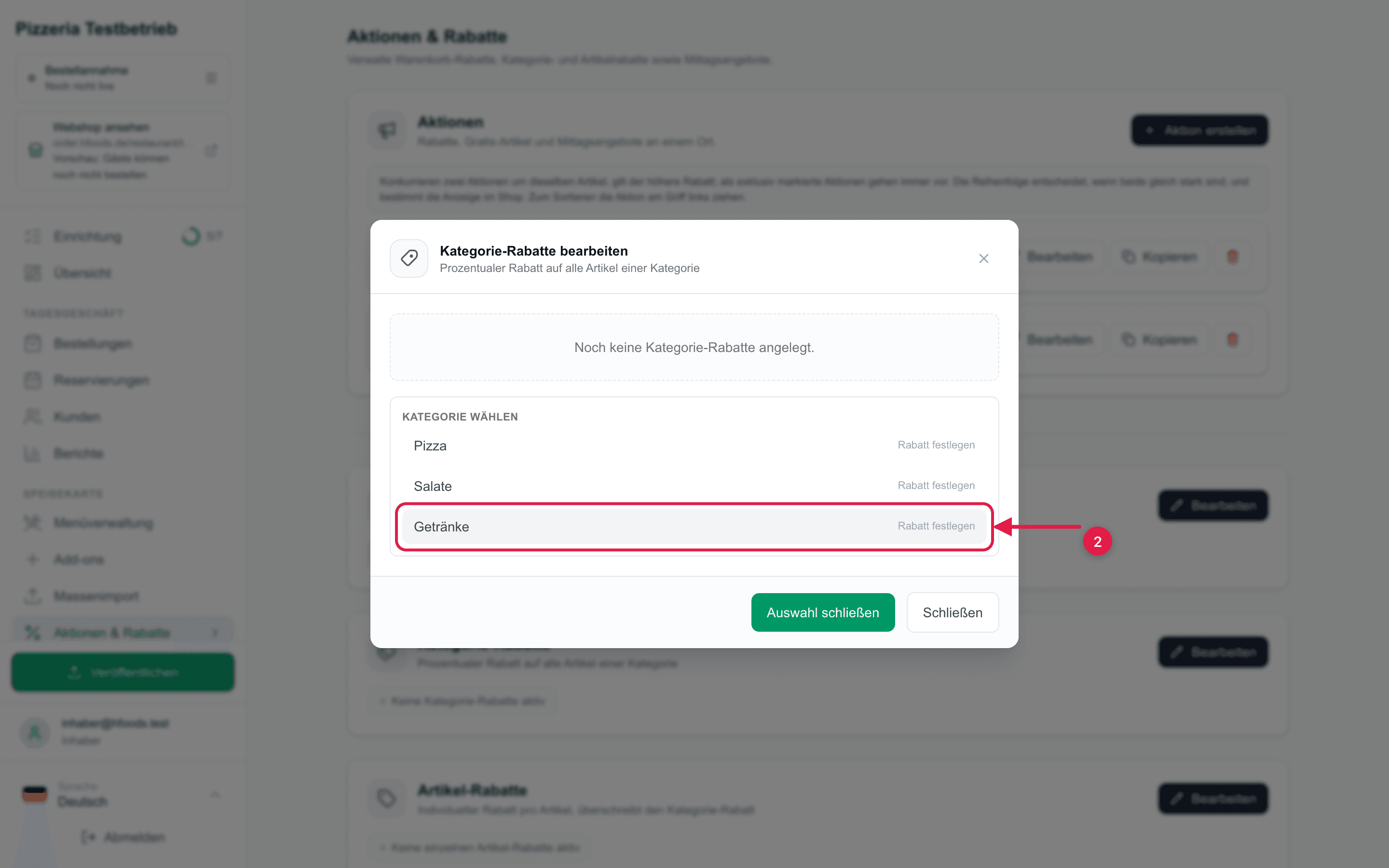
Click Rabatt hinzufügen (add discount). Under Kategorie wählen (choose category) all categories are listed. Click the one you want, in the picture Getränke (drinks).
Set the discount and save
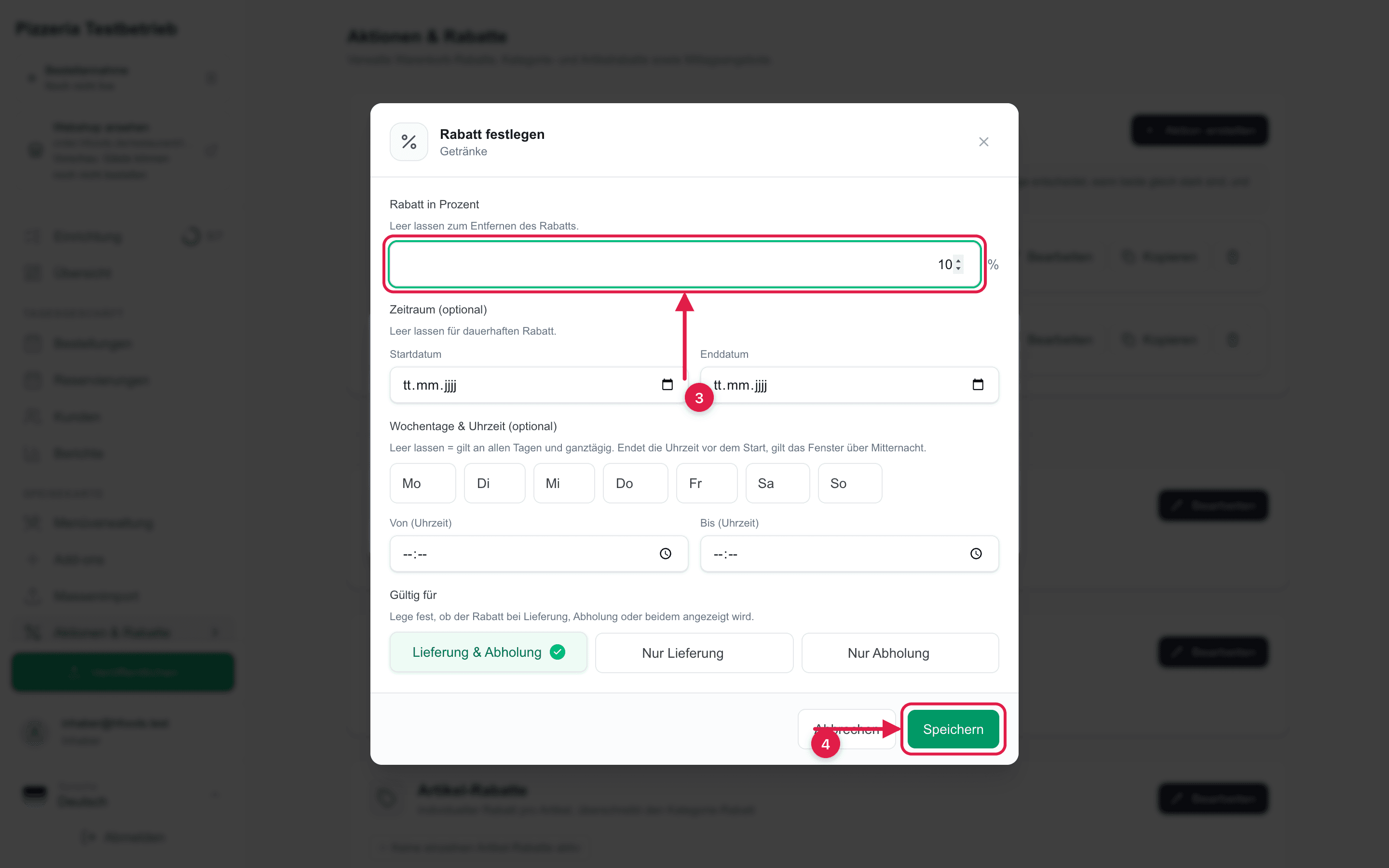
In the Rabatt festlegen (set discount) window you enter:
- Rabatt in Prozent (discount in percent): for example 10. Leaving it empty removes the discount.
- Zeitraum (optional) (period): Startdatum (start date) and Enddatum (end date). Leaving them empty means permanent.
- Wochentage & Uhrzeit (optional) (weekdays and time): days and Von/Bis (from/to). Leaving them empty means every day, all day. If the time ends before it starts, the window runs across midnight.
- Gültig für (valid for): Lieferung & Abholung, Nur Lieferung or Nur Abholung.
Click Speichern (save).
Result
The category is in the list, for example "10% Rabatt auf Getränke", and the discount applies.