Admin areaPromotions & discounts
Reset all item discounts
Remove all item discounts in one step.
What it is for
If you have many item discounts, for example after a promotion week, you remove them in one step instead of deleting each one individually.
What changes
All items have their normal price again. Category discounts are not affected.
Requirements
You are signed in to the admin area as the owner, and there are item discounts.
Affects all item discounts
The button removes all item discounts at once. To remove only some, see Remove a single category or item discount.
Step by step
Reset all
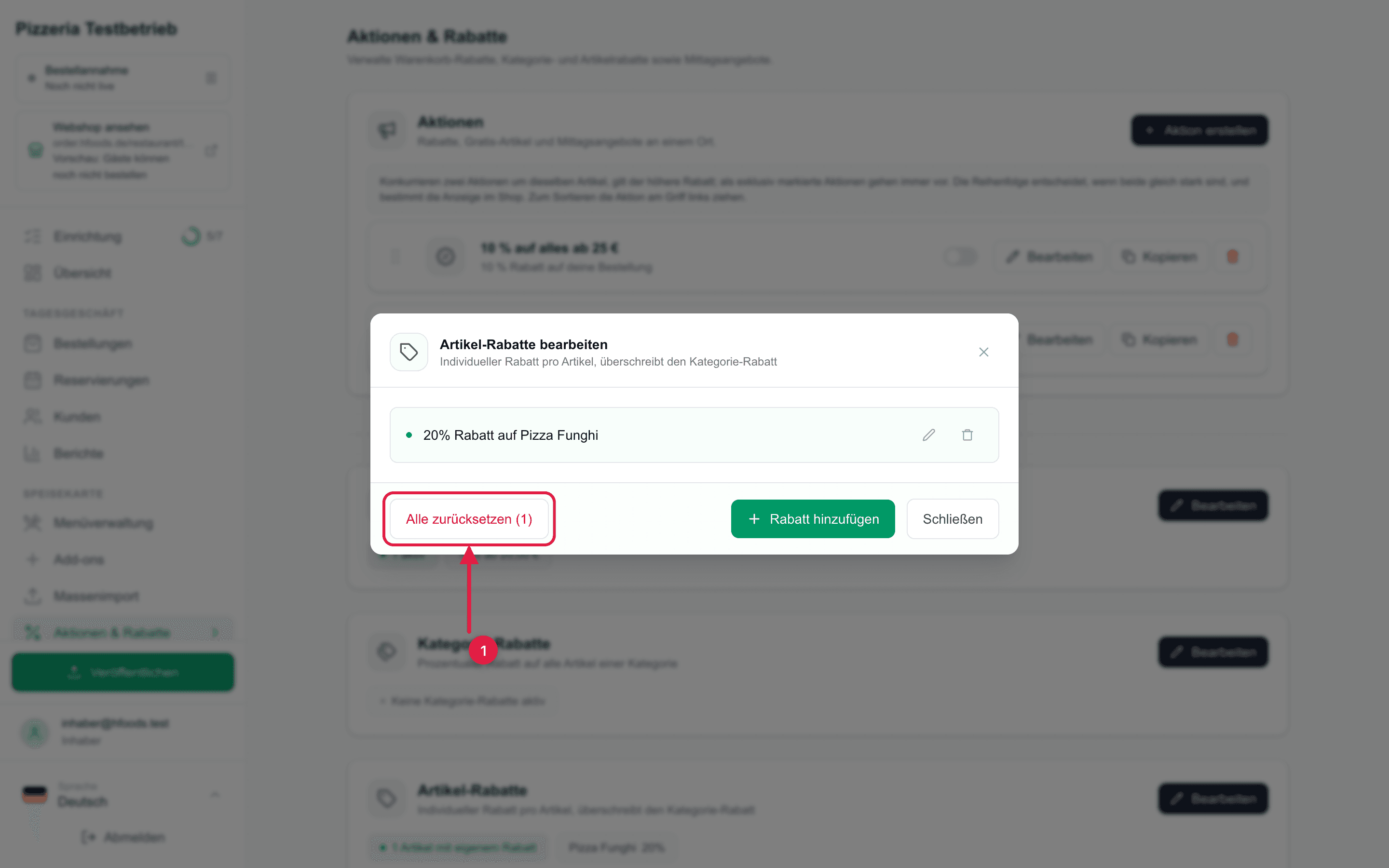
In the sidebar on the left, click Aktionen & Rabatte and then Bearbeiten (edit) on Artikel-Rabatte (item discounts). At the bottom left is Alle zurücksetzen (reset all) with the number of discounts in brackets. Click it.
Result
There are no item discounts any more.