Create an offer
Create a fixed offer such as a lunch menu with a fixed price, schedule and item selection.
What it is for
An offer is a fixed price for selected dishes in a time window, for example "Pasta of the week for 8.50 € on weekdays from 11:30 to 14:30". You set what it costs, when it applies, which items belong to it and what guests read about it.
What changes
- The offer appears in the list with price, weekdays and time. The message reads Angebot erstellt (offer created).
- Guests see it in the shop within its time window, as long as offers are switched on as a whole, see Set the general settings for offers.
Requirements
You are signed in to the admin area as the owner.
Step by step
Start a new offer
In the sidebar on the left, click Aktionen & Rabatte, then Verwalten (manage) on Angebote & Aktionen and then Neues Angebot (new offer).
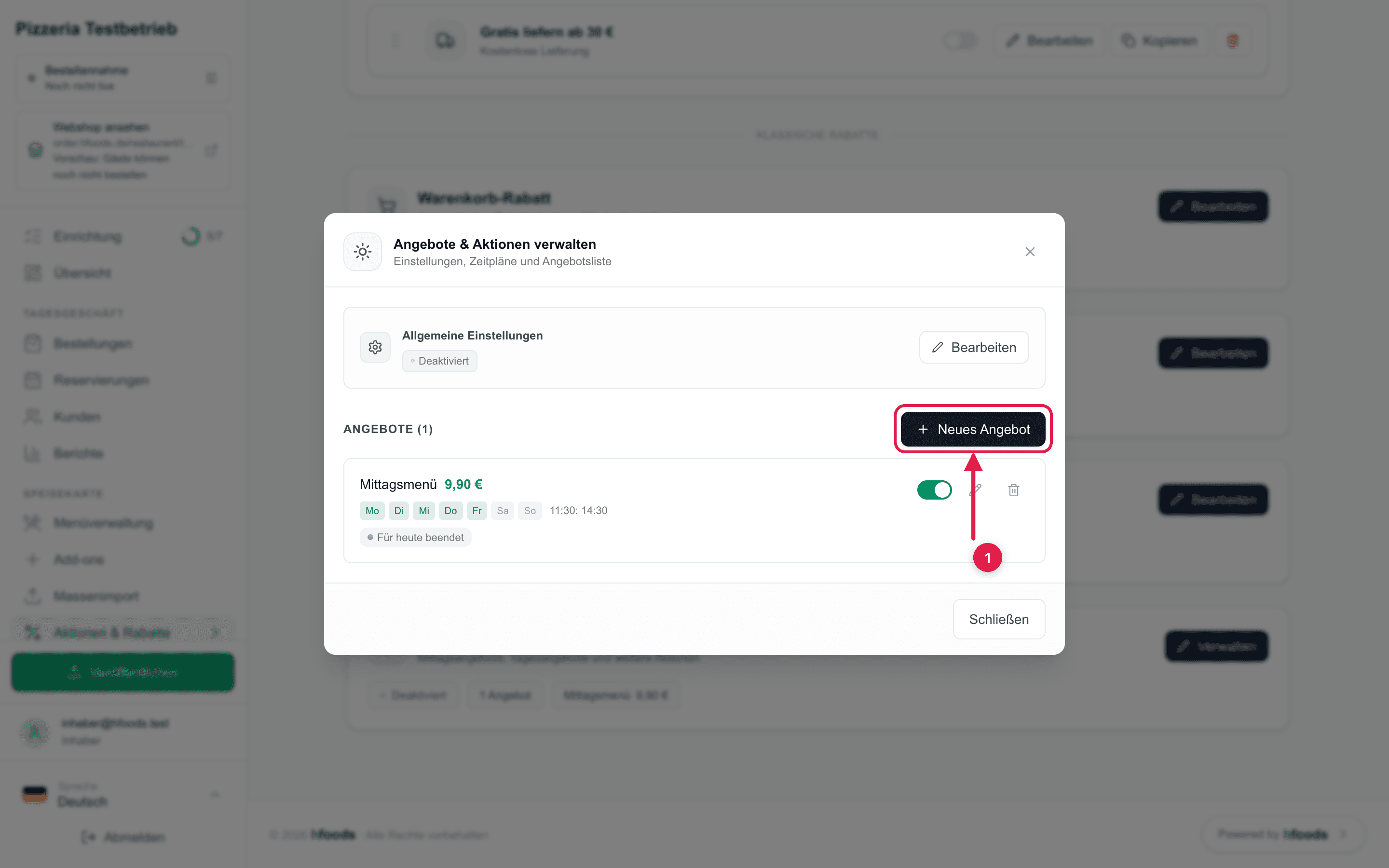
Enter the basics
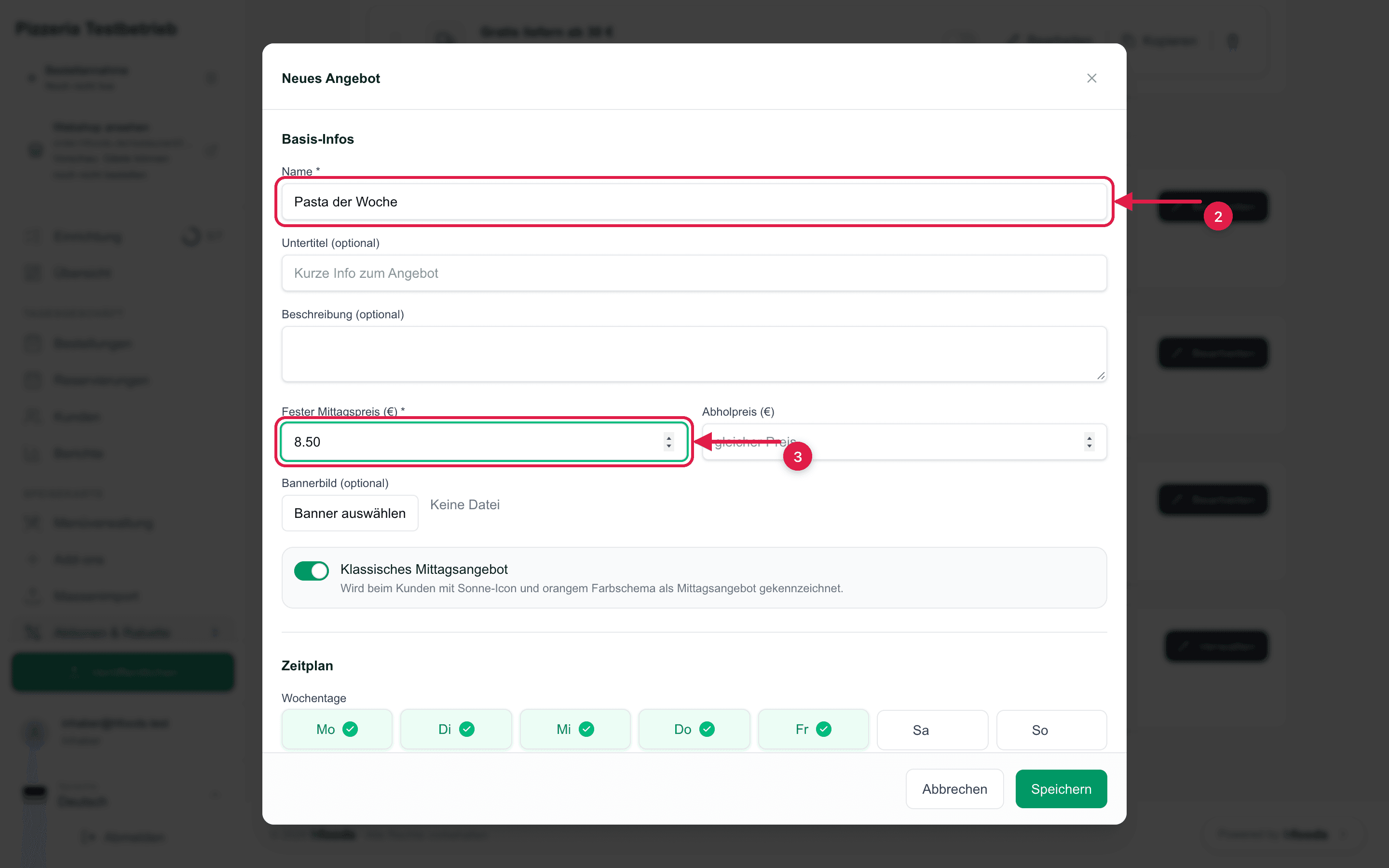
- Name (required): for example "Pasta der Woche" or "Tagesmenü".
- Untertitel (optional) (subtitle) and Beschreibung (optional) (description).
- Fester Mittagspreis (€) (fixed lunch price, required) and Abholpreis (€) (pickup price). Without a pickup price the same price applies.
- Bannerbild (optional) (banner image).
- Klassisches Mittagsangebot (classic lunch offer): marked for guests as a lunch offer with a sun icon and an orange colour scheme.
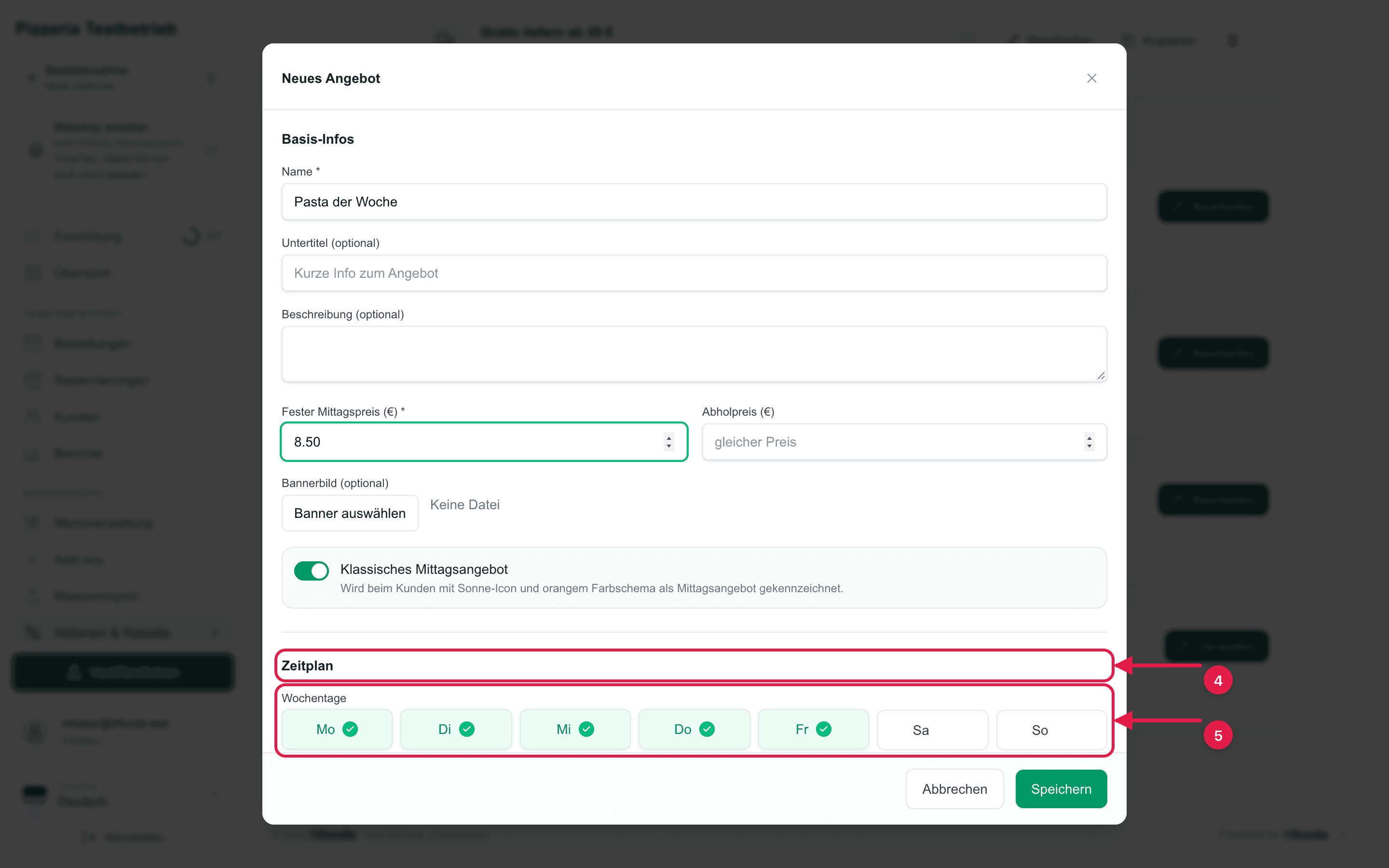
Set the schedule
Under Zeitplan (schedule) you choose the Wochentage (weekdays, preset Mon to Fri) and the time, for example 11:30 to 14:30. Optional: Gültig ab (valid from) and Gültig bis (valid until), Ausgeschlossene Tage (excluded days) with + Datum hinzufügen (add date) and An gesetzlichen Feiertagen nicht verfügbar (not available on public holidays).
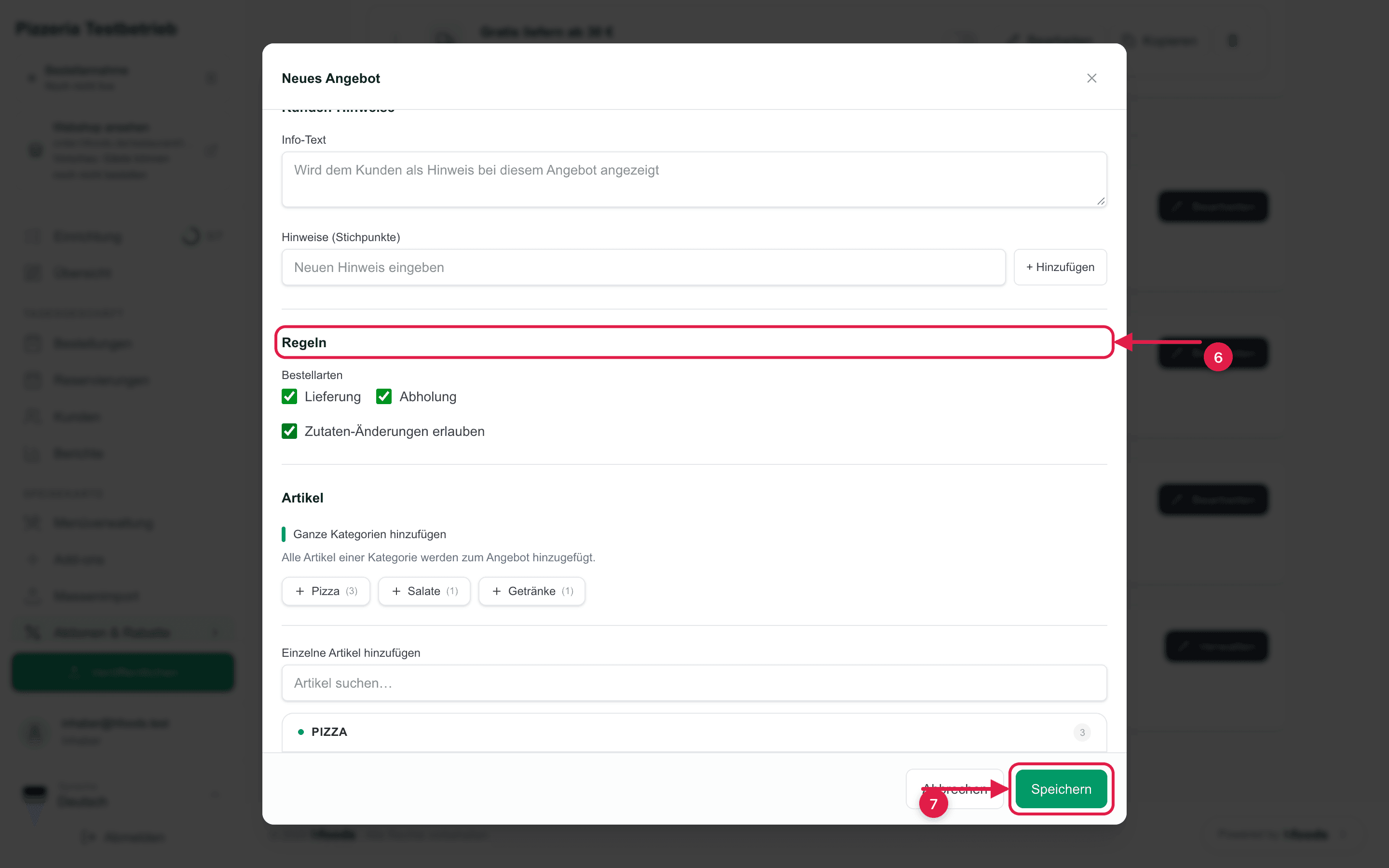
Notes, rules and items, then save
- Kunden-Hinweise (customer notes): an Info-Text and Hinweise (Stichpunkte) (bullet points) that guests see with the offer.
- Regeln (rules): for which Bestellarten (order types: delivery, pickup) the offer applies and whether Zutaten-Änderungen erlauben (allow ingredient changes) is on.
- Artikel (items): Ganze Kategorien hinzufügen (add whole categories) or Einzelne Artikel hinzufügen (add individual items).
Click Speichern (save).
Result
The offer is in the list. Click Veröffentlichen (publish) on the left so the web shop and the app take it over.