Admin areaPromotions & discounts
Remove a single category or item discount
Change or remove a single category or item discount.
What it is for
If a category or item discount should no longer apply, you remove it individually. The pencil lets you change it instead.
What changes
The discount no longer applies; the category or item has its normal price again. The web shop and the app take this over without publishing.
Requirements
You are signed in to the admin area as the owner, and there is a category or item discount.
Step by step
Remove or edit the discount
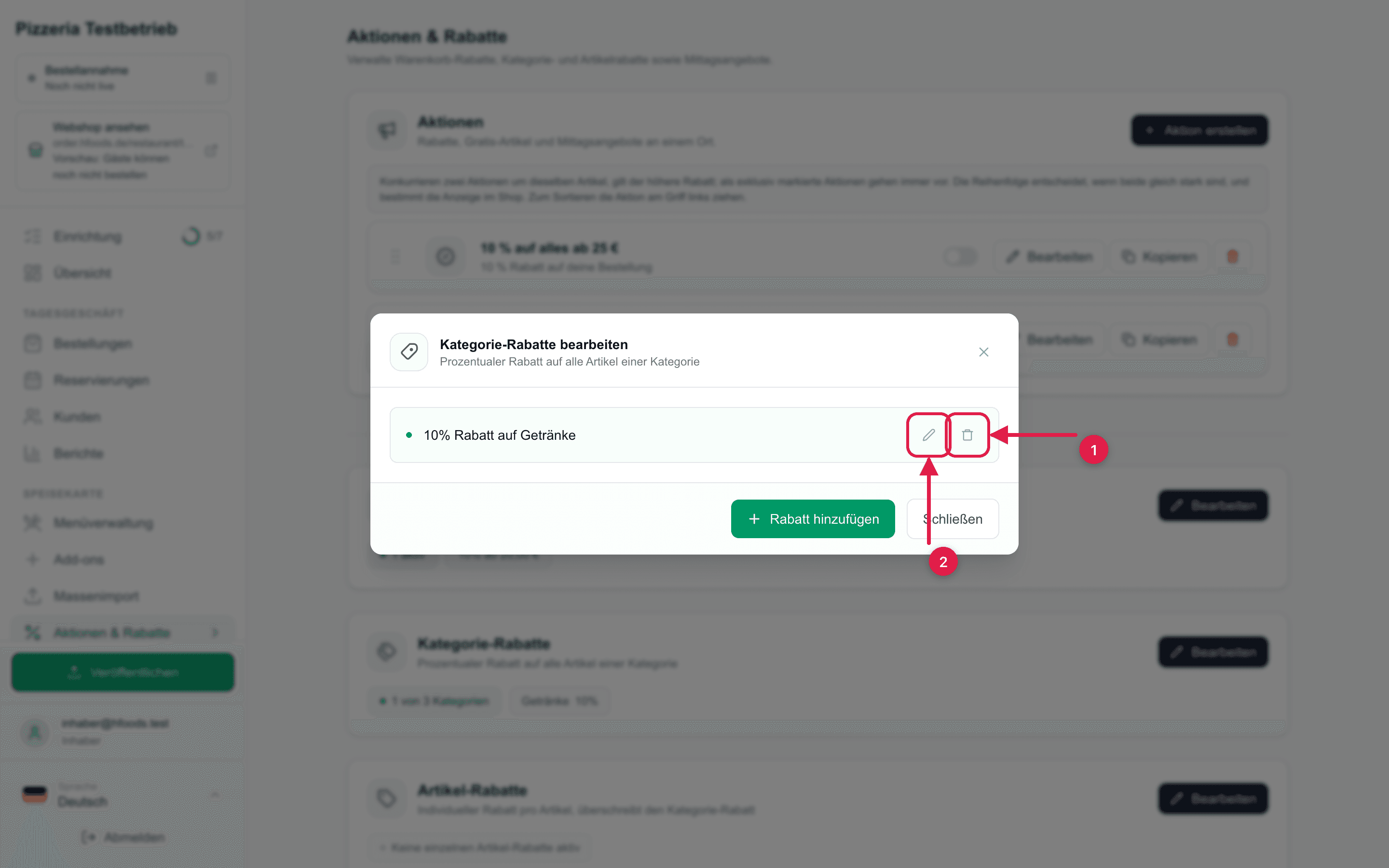
In the sidebar on the left, click Aktionen & Rabatte and then Bearbeiten (edit) on Kategorie-Rabatte or Artikel-Rabatte. The list shows each discount, for example "10% Rabatt auf Getränke".
- The bin (Rabatt entfernen, remove discount) removes the discount.
- The pencil (Bearbeiten, edit) opens it for changes.
Result
The discount is removed or changed.