Admin areaPromotions & discounts
Copy a promotion
Create a copy of a promotion to set up a similar promotion quickly.
What it is for
If you need a similar promotion, for example the same discount for another period, you copy the existing one and only adjust what is different.
What changes
- A copy with all settings is created. Its title gets "(Kopie)" (copy) added.
- The copy is switched off at first. The message reads "Aktion kopiert. Die Kopie ist noch nicht sichtbar." (promotion copied, the copy is not visible yet).
Requirements
You are signed in to the admin area as the owner, and the promotion exists.
Step by step
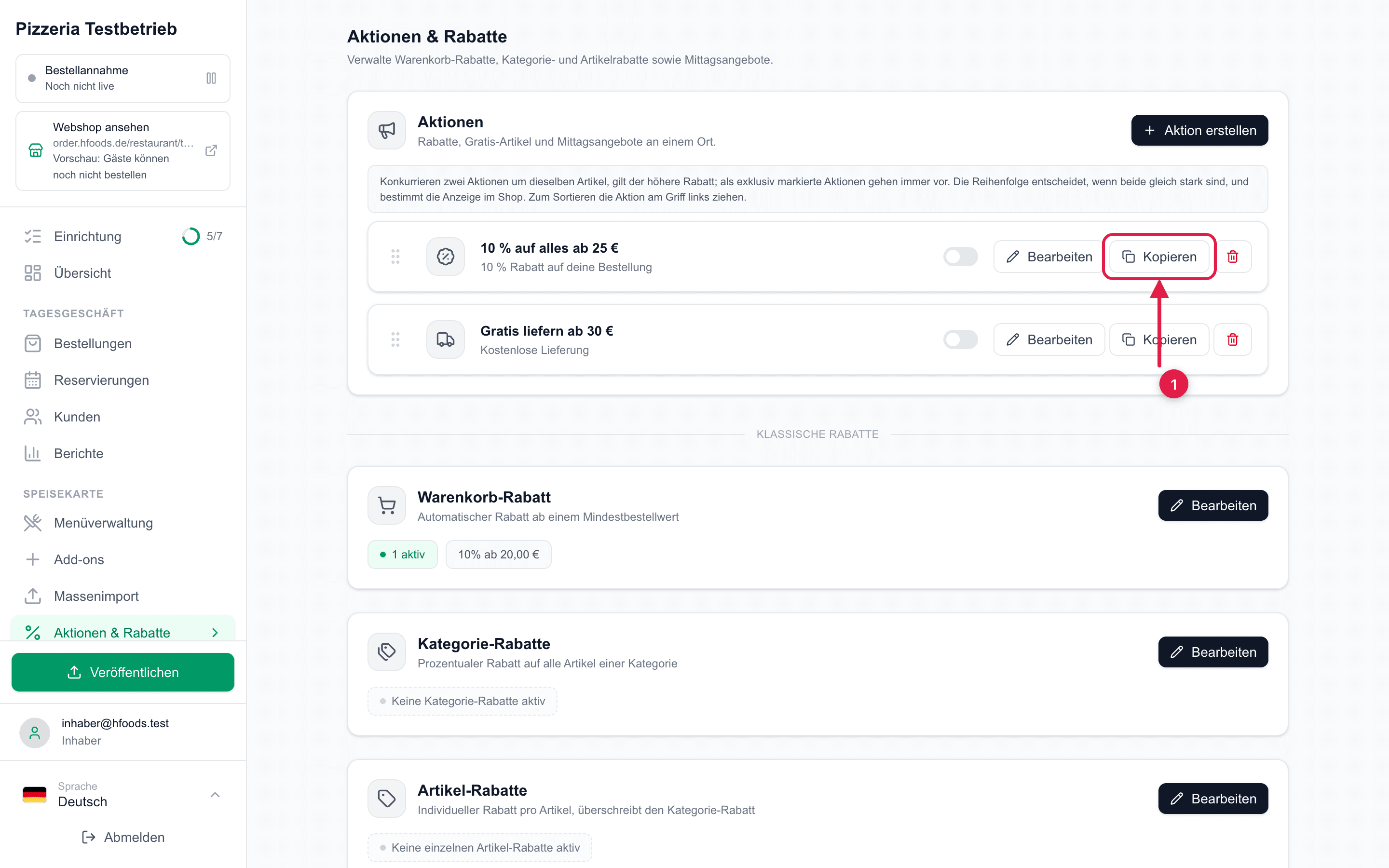
Choose Kopieren
In the sidebar on the left, click Aktionen & Rabatte and then Kopieren (copy) on the promotion. Then adjust the copy with Bearbeiten (edit) and switch it on, see Switch a promotion on or off.
Result
You have a switched off copy you can adjust calmly.