Set the general settings for offers
Switch offers such as the lunch menu on or off for your business as a whole.
What it is for
Angebote & Aktionen (offers) are fixed offers such as a lunch menu or a daily special at a fixed price in a time window. With the Allgemeine Einstellungen (general settings) you switch these offers on or off for your business as a whole.
What changes
- Switched on: your offers can appear in the shop, each within its time window.
- Switched off: Allgemeine Einstellungen shows Deaktiviert (deactivated).
- The message Einstellungen gespeichert (settings saved) confirms saving.
Requirements
You are signed in to the admin area as the owner.
Step by step
Manage offers
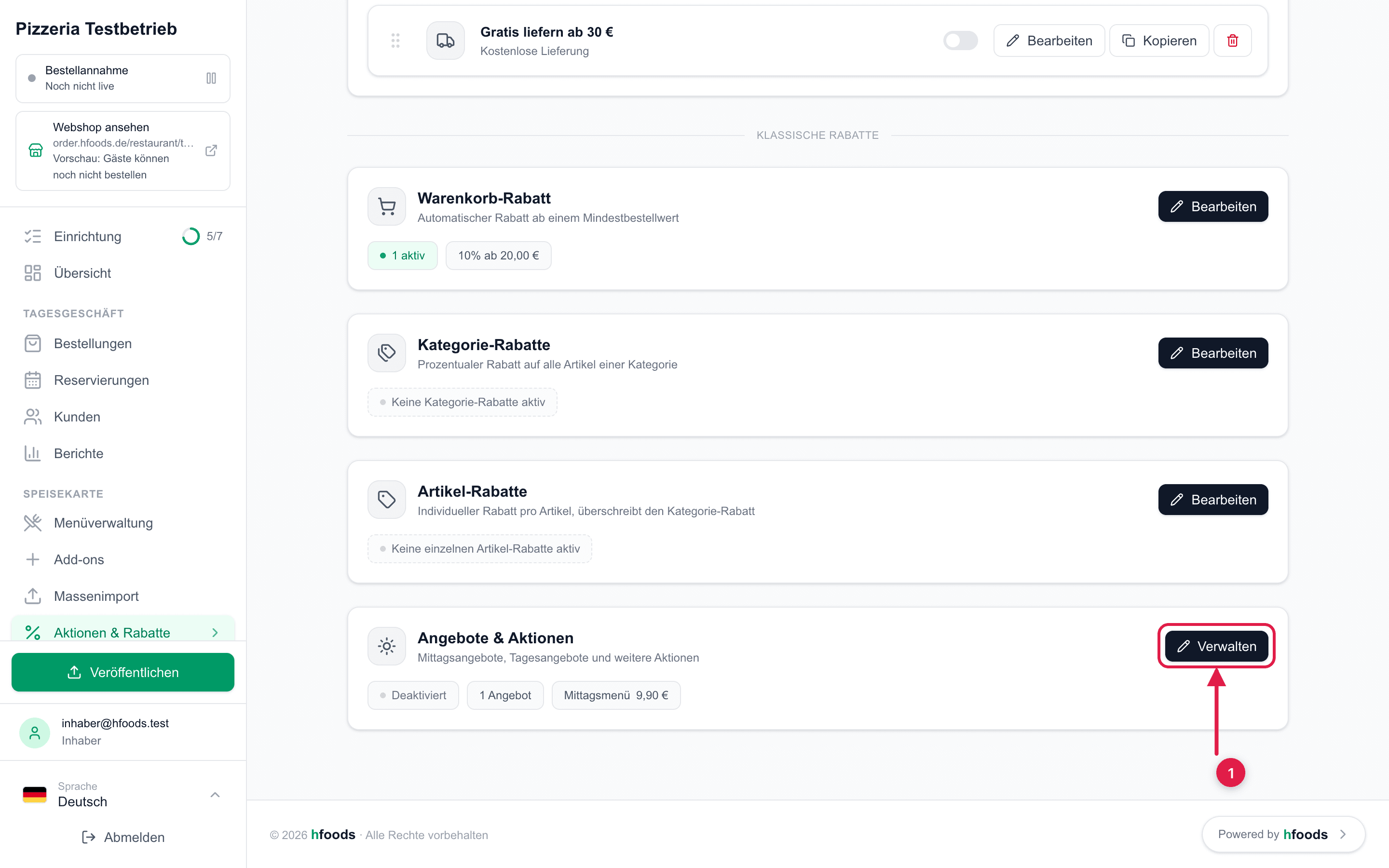
In the sidebar on the left, click Aktionen & Rabatte. At the very bottom is Angebote & Aktionen. Click Verwalten (manage).
Open the general settings
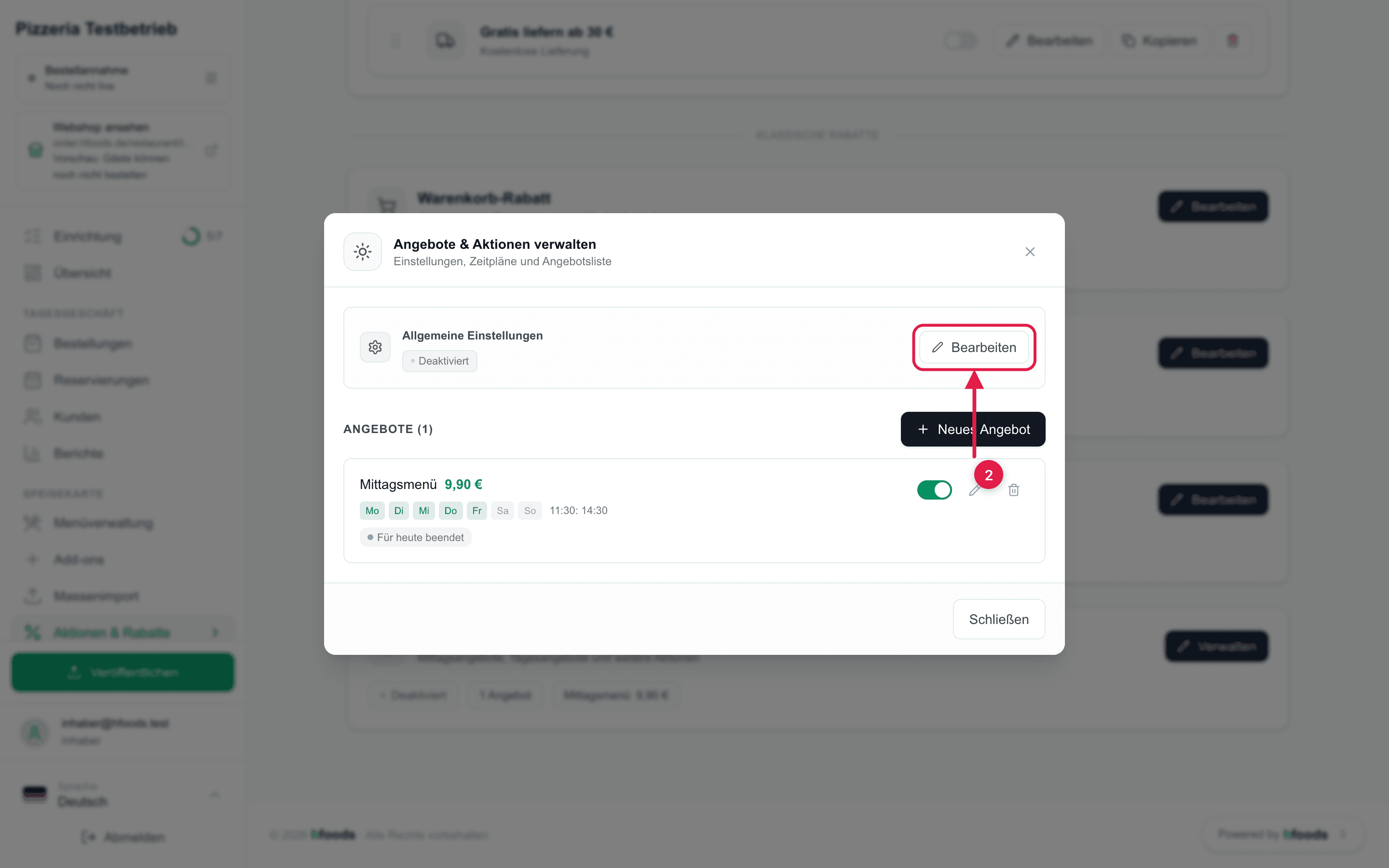
In the Angebote & Aktionen verwalten (manage offers) window, click Bearbeiten (edit) on Allgemeine Einstellungen.
Switch on and save
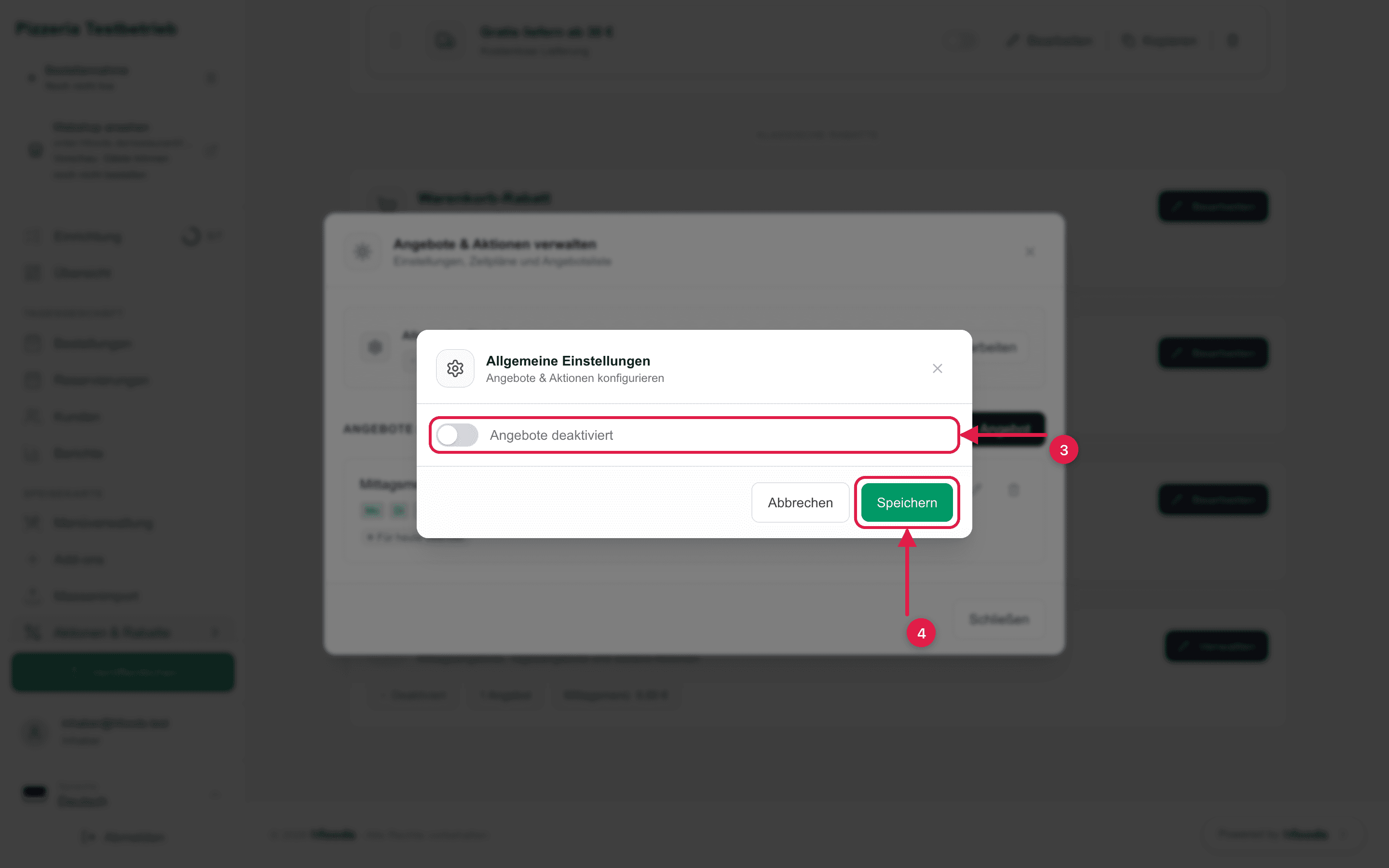
Flip the switch. If it says Angebote deaktiviert (offers deactivated), the offers are off. Click Speichern (save).
Result
Your offers are switched on or off as a whole. Then click Veröffentlichen (publish) on the left so the web shop and the app take over the new state.