Sort promotions
Set the order of promotions, which decides between equally strong promotions and sets the display in the shop.
What it is for
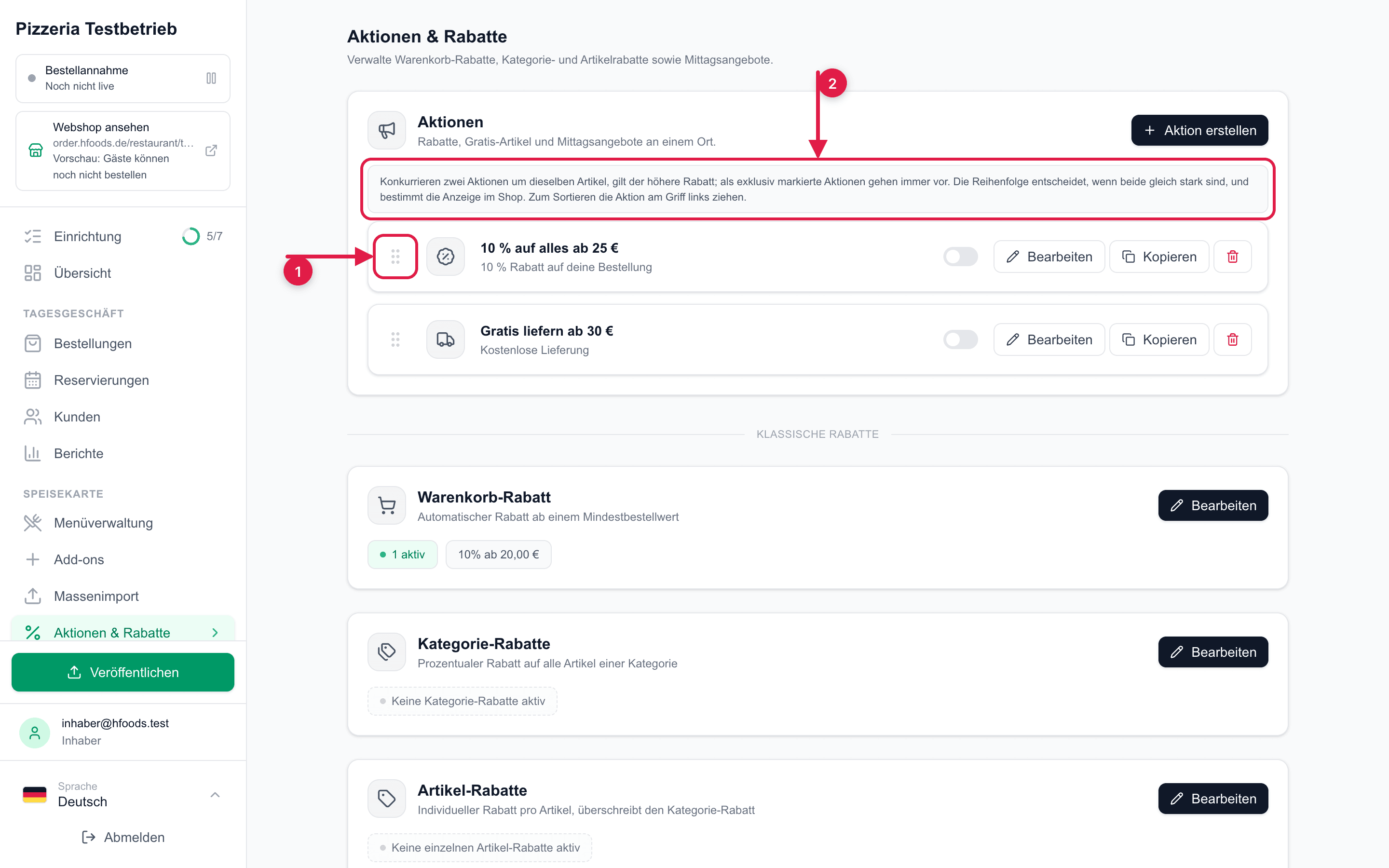
If two promotions compete for the same item, the higher discount applies. Promotions marked as exclusive always take precedence. If both are equally strong, the order decides. It also sets the order in which guests see the promotions in the shop.
What changes
The promotions are in the new order, in the admin area and in the shop.
Requirements
You are signed in to the admin area as the owner, and there are at least two promotions.
Step by step
Drag by the handle
In the sidebar on the left, click Aktionen & Rabatte. On the left of each promotion is a handle. Hold it and drag the promotion to the place you want. It also works with the keyboard: select the handle and use the up and down arrow keys. The note above the list explains the rules again.
Result
The promotions are in the new order.
Frequently asked questions
Why does the lower promotion apply even though the upper one is higher up?
The order only decides between equally strong promotions. Otherwise the higher discount applies, and exclusive promotions always take precedence.