Convert a discount into a promotion
Convert a cart discount into a promotion so it appears as a card in the menu.
What it is for
A cart discount is only visible to guests in the cart. As a promotion it also appears as a card in the menu and advertises itself while guests browse. Umwandeln (convert) turns the discount into a promotion in one step.
What changes
- A promotion with the same discount is created, for example "10 % Rabatt ab 20 €". From now on it appears as a card in the menu.
- The previous cart discount is deactivated, not deleted.
- Several converted discounts stay one tier ("Warenkorb-Rabatt"): only the best one still applies; they do not add up.
Requirements
You are signed in to the admin area as the owner, and there is a cart discount with a valid percentage.
Step by step
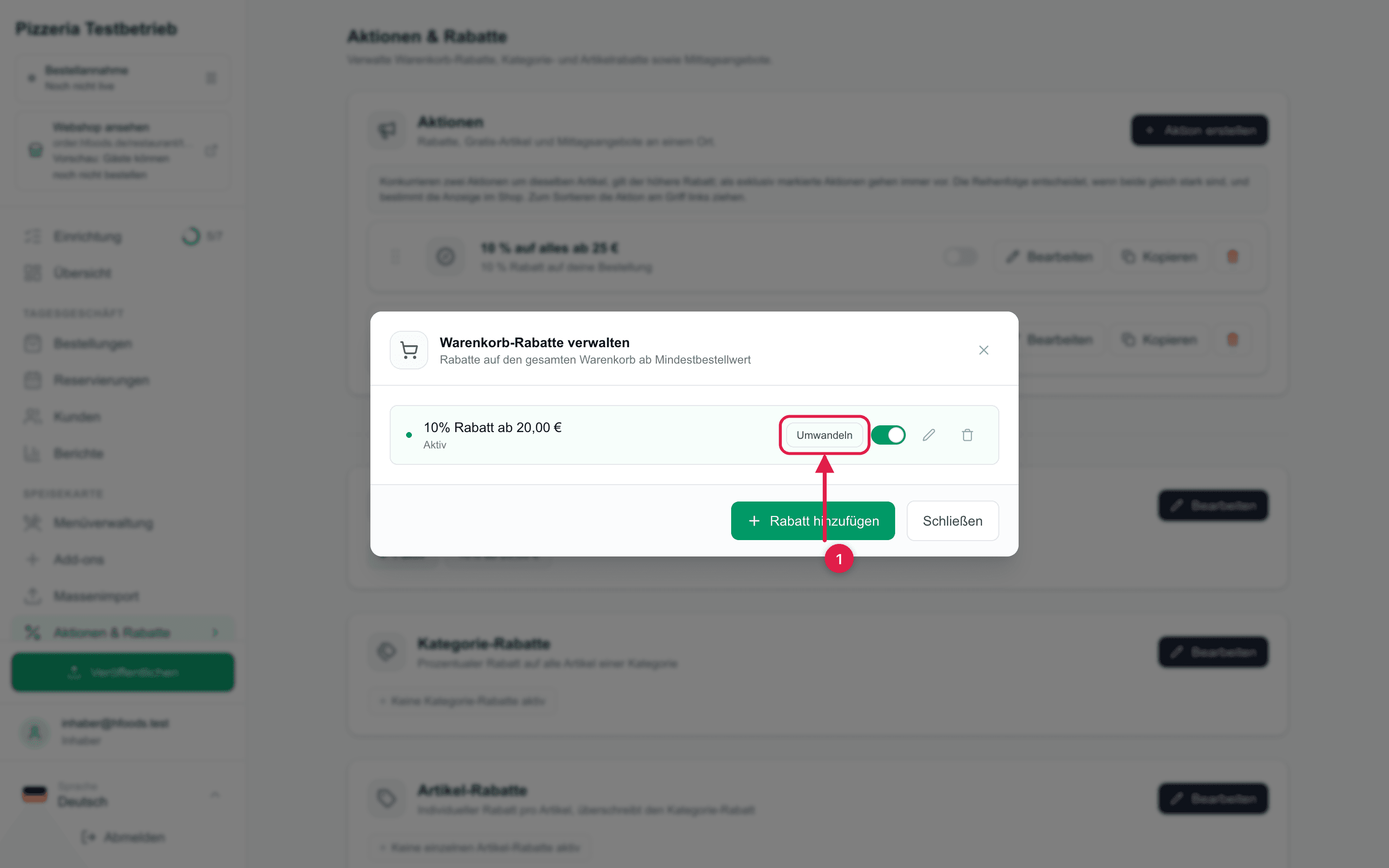
Choose Umwandeln
In the sidebar on the left, click Aktionen & Rabatte, then Bearbeiten (edit) on Warenkorb-Rabatt and then Umwandeln on the discount.
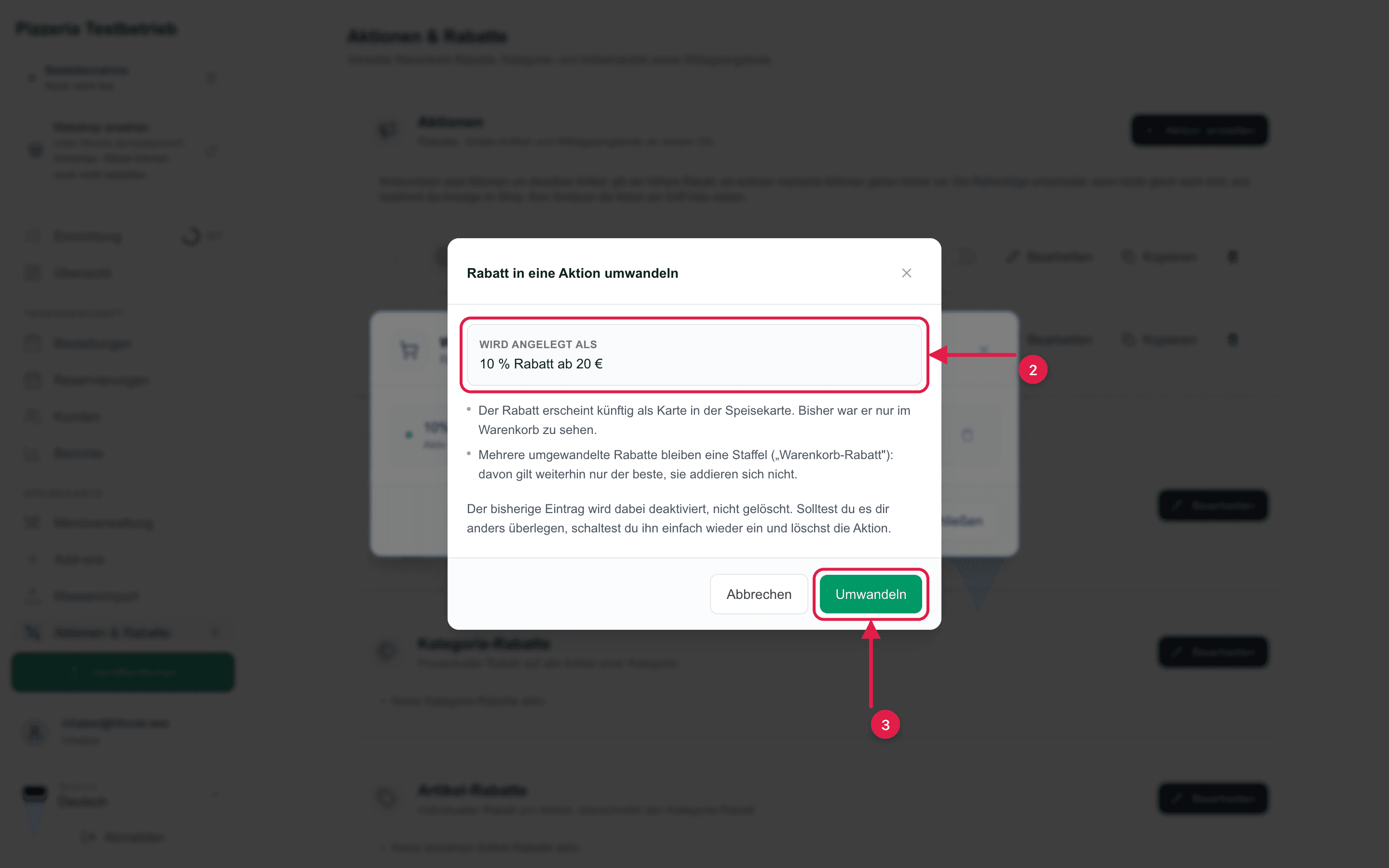
Check and confirm
The Rabatt in eine Aktion umwandeln (convert discount into a promotion) window shows under Wird angelegt als (will be created as) which promotion is created and explains the consequences. Click Umwandeln.
Result
The new promotion is under Aktionen (promotions); the old discount is switched off.
Frequently asked questions
How do I undo it?
Switch the old cart discount back on and delete the promotion.